Voltage - UI Framework
Power your tools with Voltage and save your time for something else!
If you have found that the default UI layout for editor scripting is making it harder for you to build your tools or editors, then this is the asset for you.
Voltage is a significant improvement on the current OnGUI system. By using Voltage you can reduce the time and pain of building windows and editors.
Quickstart Guide
API Reference
Discord
Help Thread
Features:
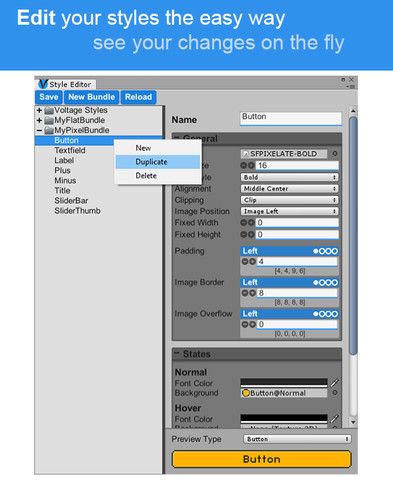
- Realtime Styles Editor: for easily managing all your styles on one window, now you wont have to trouble yourself coding your styles. You can edit them, see the changes on real time and use them on your code just like that.
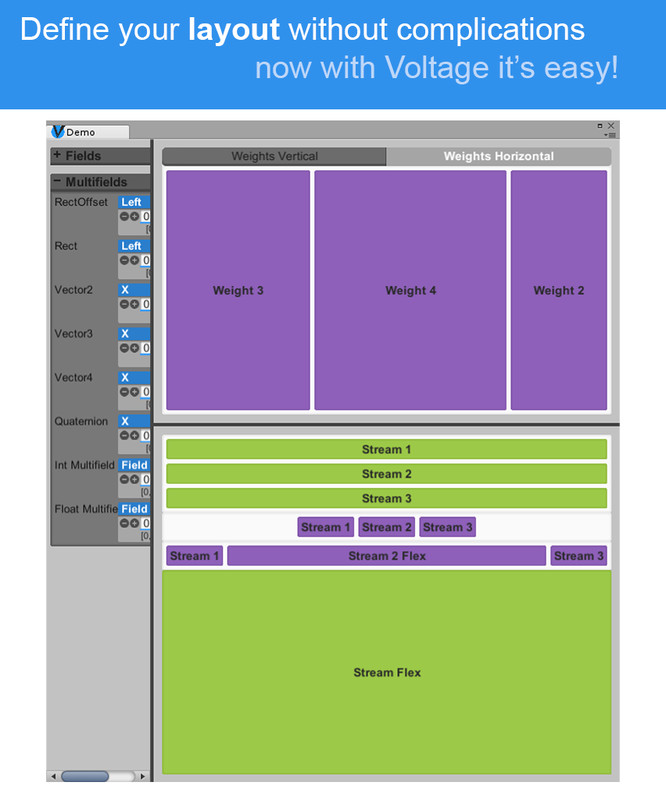
- Split Area: if you where wondering how to provide your windows or editors with a split screen, now it will only take you one line of code.
- Foldout Areas: foldouts made easy with Voltage.
- Tab Areas: a simple implementation of tabs.
- List: A simple to implement nested list for you to use on whatever way you want to. With right mouse click for deleting, duplicating (Multi-selection still not fully functional)
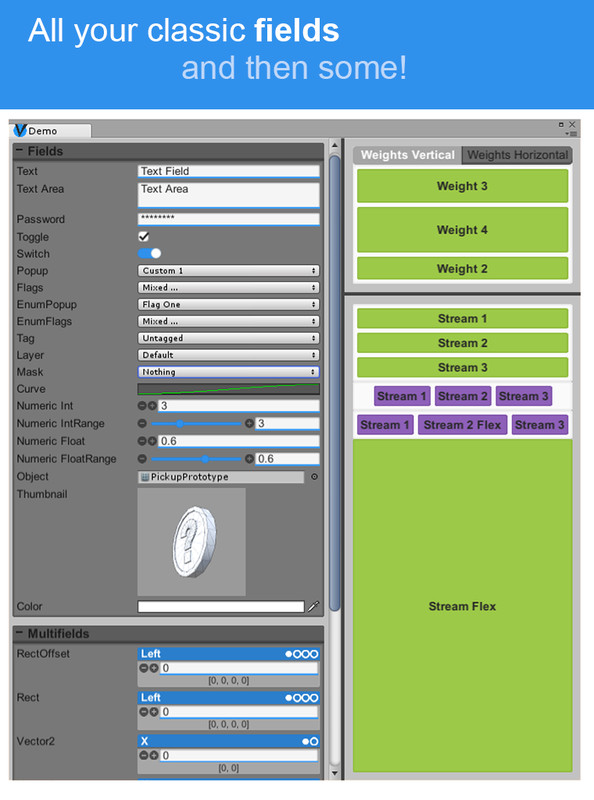
- Weighted Areas: for fitting elements in a simple way.
- Stream Areas: for when you need a stream of tight fitted elements.
- Scroll Areas: foldouts made easy with Voltage.
- Fields: All the classic drawers implemented, and the possibility to expand and add your own custom elements for you to use.
- Helpers: To help you break your windows or editors into multiple scripts.
- Nested Areas: easy to comprehend nested areas, combine all the different areas to control and organize your interface.
Contact:
Unity Forum: @whileBreak
Email: agustin.ndt@gmail.com
Special Thanks to Delarn and GengarGames777 for helping me to test and improve this asset
Release Notes
v0.9.4
!!! MAYOR CHANGES: Changed main layout construction methodology.
!!! VoltageInternalConstruction added to the framework. This class will be present across all base classes of Voltage (VoltageWindow, VoltageEditor, VoltageHelper)
!!! From now on to code your UI you need to access the Constructor property. All AreaStart(), Field(), Label(),etc. will need to be accessed with Constructor.AreaStart(), Constructor.Field(),Constructor.Label(), Constructor.Etc().
- VoltageInternalConstructor: Used to manage Stored and Wild elements more compehensively. Use Constructor.StartStoredConstructor(myArea) to change focus to myArea and start constructing its Stored Layout. Use Constructor.EndStoredConstructor to finalize.
- VoltageBuilder changed name to VoltageHelper
- VoltageHelper: now can call other VoltageHelpers.
- WeightArea: fixed eventCall for storedElements
- WeightArea: fixed DrawCall for storedElements
- StreamArea fixed eventCall for storedElements
- VoltageStyles: VoltageStyles is now deprecated and was replaced by Styles and StyleBundle. Use the new tool Style Converter to update your old style file without loosing anything
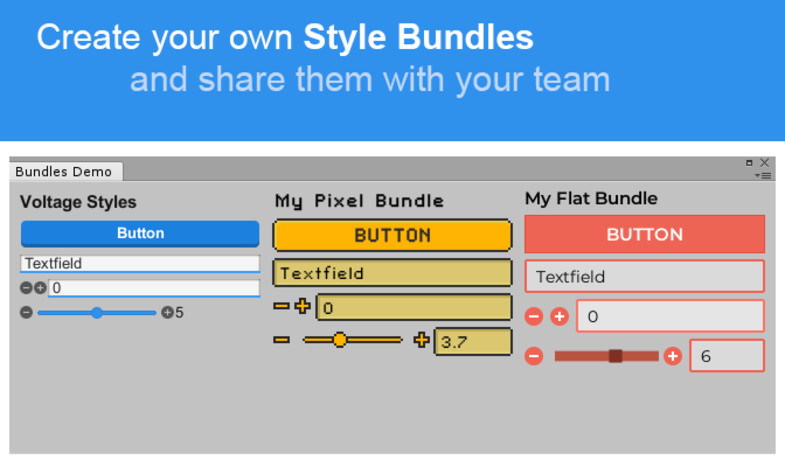
- Styles: used to manage your bundles. Previous VoltageStyles.GetStyle should be replaced by Styles.GetStyle(styleID). Now you can access other StyleBundles on "Assets/Splime/Voltage Style Bundles/" folder using Styles.GetStyle(bundleName,styleID).
- StyleBundle: manage different styles and organize them within different bundles. Create a new bundle on the right click "Create" menu on the Project Manager. Place your bundles under "Splime/Voltage Style Bundles" to be able to edit them through the Voltage Style Editor.
- Style Editor: added functionality to use multiple StyleBundles.
And other minor fixes
v0.9.5
NEW
- Style Editor: "Duplicate" and "New" option added to list's right click menu. New Bundle and Reload buttons added.
- Button style: Changed a bit.
FIXES
- Styles: Style Bundles will now load when requested instead of just when the Style Editor is opened.
- Tab Area: Now EventCalls will be passed to child areas and elements. Before it preveted child elements using Votage event system to respond to mouse and keyboard events.
- Password: Will now properly select basic style.
- Split Area: Will now calculate its size properly.
- Switch: Will now calculate its size properly.
- Toggle: Will now calculate its size properly.
Basic Information
- Latest Version
- 0.9.5 (26 Mar 2018)
- Publisher
- Remi Oakenhart
- Category
- Tools/GUI
- Size
- 9.1 MB
- Price
- free
- Asset Rating
- ★ ★ ★ ★ ★ (7)
Extended Information
- Unity Versions
- 5.4.2, 2017.2.0
- State
- Deprecated