Runtime Transform Gizmos (Lite)
🎥 Trailer: Watch the RTG Lite Trailer
🕹️ Try the Demo: Windows Build
💬 Unity Forum Thread: Join the Discussion
📘 Quickstart Guide: Get Started Here
Overview
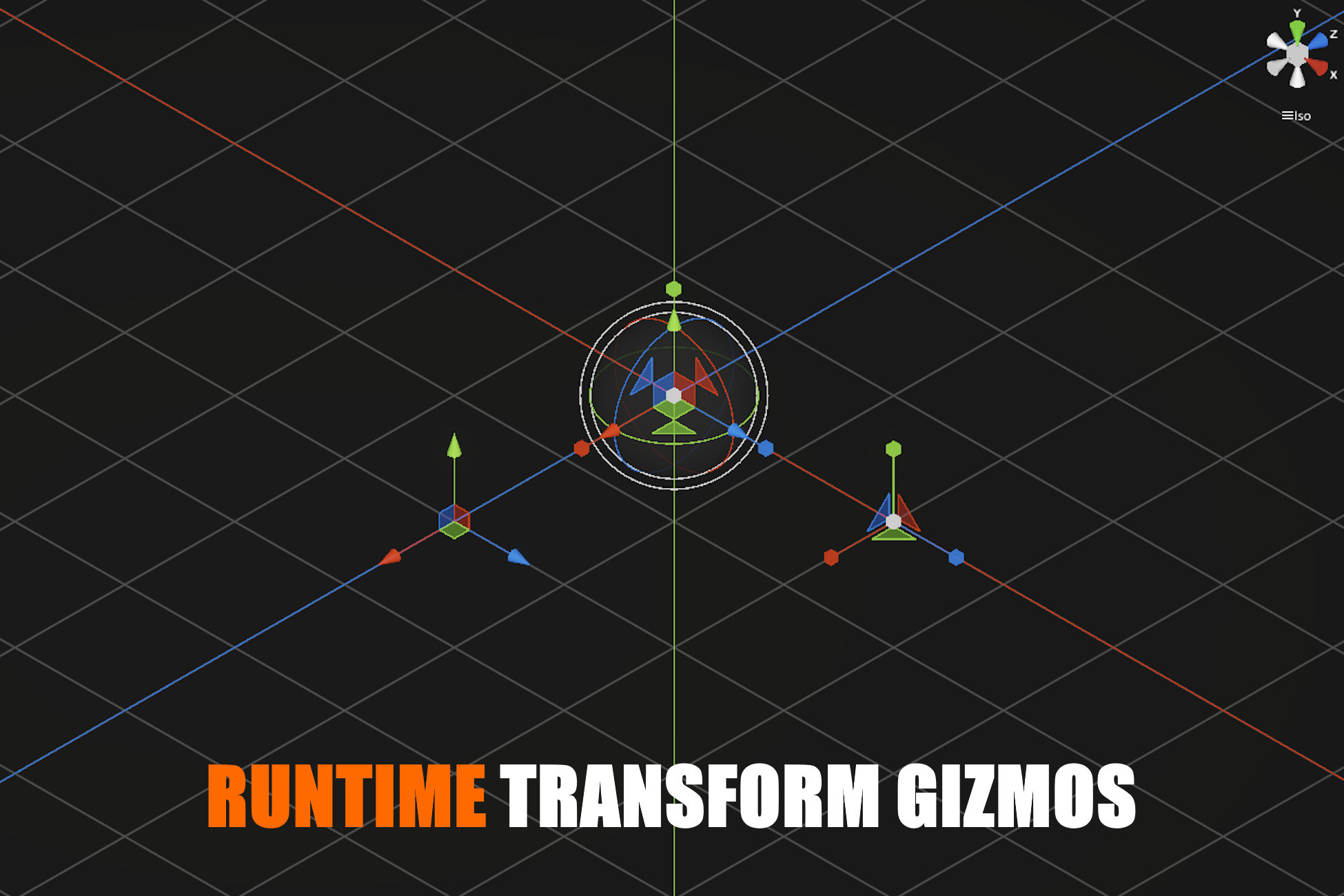
RTG Lite is a focused transform gizmo system designed specifically for runtime use in Unity.
It allows you to move, rotate, and scale objects at runtime using familiar editor-style gizmos, without relying on UnityEditor APIs or editor-only workflows.
Core Features
Transform Gizmos
- Move / Rotate / Scale (TRS) runtime gizmos
- Axis-based manipulation
- World and Local space support
- Stable and deterministic behavior
Editor-Style View Gizmo
- Familiar scene view gizmo for camera orientation
- Quickly switch between Top / Front / Side views
- Intuitive camera reorientation
Camera Navigation System
Navigate your scene with familiar Unity Editor controls:
- Orbit
- Focus
- Pan
- Zoom
- Perspective / Orthographic projection switch
Undo / Redo
- Built-in undo / redo system for object transformations
- Safely experiment and revert changes at runtime
Grid System
- Optional visual grid for placement and alignment
- Configurable cell size and appearance
Snapping
- Position, rotation, and scale snapping
- Precision control for runtime editing
Shortcut Configuration
- Fully customizable keyboard shortcuts
- Configure gizmo modes, snapping, camera controls, and more
Who Is RTG Lite For?
RTG Lite is ideal for:
- Runtime level editors
- In-game building systems
- Debug and developer tools
- Prototyping and internal tooling
- Projects that need runtime manipulation without full editor complexity
Looking for More?
RTG Lite is the streamlined entry point into the RTG ecosystem.
If you need more advanced runtime editing features, consider upgrading:
Includes everything in RTG Lite and adds:
- Terrain gizmos
- 3D Collider gizmos
- Character Controller gizmos
- Light gizmos
Includes everything in RTG Basic and adds:
- Extrude gizmo
- Box Scale gizmo
- 2D Collider gizmos (Box, Circle, Capsule)
- Audio gizmos
- Camera gizmo
Support
If you have questions, feedback, or need help:
📧 Email: octamodius@yahoo.com
💬 Unity Forum: Join the Discussion
I usually respond within 24–48 hours.
Release Notes
⚙️ RTG - Version 1.3.1
🛠️ Fixes & Improvements
- Renamed RTScene.IsPointerInteractionBlocked() to RTScene.IsPointerInteractionCaptured().
- Fixed comment formatting in RTUndo.Record(UnityEngine.Object unityObject).
- Removed 'TODO' from comments in KeyEx.
- Fixed RTCamera.Internal_Render() so camera background rendering flags are properly respected.
⚙️ RTG - Version 1.3.0
🛠️ Fixes & Improvements
- ShortcutCategory.FindOrCreateShortcut() now synchronizes the structural definition of an existing shortcut (command and context) when a shortcut with the same name is found.
- Added RegisterObjectHierarchies() to RTScene to support batch registration of newly created object hierarchies.
- Fixed an issue where ViewGizmo could trigger a projection switch when the mouse button was released over the projection label immediately after dragging a gizmo.
- Added dragEndedThisFrame property to RTGizmos to explicitly represent drag lifecycle transitions and prevent unintended interactions on release.
- Fixed AABB Tree deadlock when moving all registered objects simultaneously.
- Updated RTScene.IsUGUIDragging() to use the RTInput class.
⚙️ RTG - Version 1.2.0
🛠️ Fixes & Improvements
- Renamed RTGUIRect to GUIRect.
- Moved GUIRect to the Core folder.
- Removed the Runtime UI folder.
- gameObject.CollectMeAndChildren(true, true, mObjectBuffer) is now used instead of (false, false) → Ensures inactive and invisible objects are also gathered when processing object transforms in the scene tree.
- Improved Undo/Redo input binding and grouping logic.
- Improved RTInput processing:
- Renamed Internal_Update() to command-oriented processing.
- Cleaned up command evaluation flow.
- No longer consumes mouse-up events unnecessarily.
- Clearer separation between input sampling and command execution.
- ObjectTransformGizmo.SetTargets() now uses IReadOnlyList.
⚙️ RTG - Version 1.1.5
🛠️ Fixes & Improvements
- Fixed BinaryAABBTree not working correctly when a single object exists in the scene.
⚙️ RTG - Version 1.1.4
🛠️ Fixes & Improvements
- Replaced HasFlag() calls with bitwise operators for efficiency.
⚙️ RTG - Version 1.1.3
🛠️ Fixes & Improvements
- Fixed incorrect function name RTScene.SetObjectRotation() (previously SetObjectRotaion()).
- Fixed build errors caused by missing #if UNITY_EDITOR guard.
- Improved comments.
⚙️ RTG - Version 1.1.2
🛠️ Fixes & Improvements
- Now showing confirmation dialog before crearting a new RTG object.
- General code celanup.
- Fixed undo/redo not working when pressing the Use Defaults button in gizmos skin UI.
- Fixed camera zoom shared across Unity camera instances, causing viewports to snap to different ortho size when changing the target camera.
⚙️ RTG - Version 1.1.1
🛠️ Fixes & Improvements
- Fixed camera interacting with gizmos when not rendering gizmos.
- Fixed OnGUI incorrect rendering with multiple cameras.
- Fixed releasing button over view gizmo causes objects to be deselected in tutorials.
⚙️ RTG - Version 1.1.0
🛠️ Fixes & Improvements
- Fixed warnings in Unity 6.3.
- Added camera speed modifier.
⚙️ RTG - Patch 1.0.2
🛠️ Fixes & Improvements
- Fixed exceptions being thrown when domain reload is disabled in project settings.
⚙️ RTG - Patch 1.0.1
🛠️ Fixes & Improvements
- Fixed bug in EditorUI.LayerMaskField
- Removed render pipeline detection code

Basic Information
- Latest Version
- 1.3.1 (31 Mar 2026)
- Publisher
- Octamodius
- Category
- Tools/Modeling
- Size
- 1.2 MB
- Price
- €23
- Asset Rating
- ★ ★ ★ ★ ★ (33)
Extended Information
- Unity Versions
- 6000.0.36
- Render Pipelines
- ✔ URP
- State
- Published