I2 Localization
This is currently the most complete localization system available for Unity.
Supports
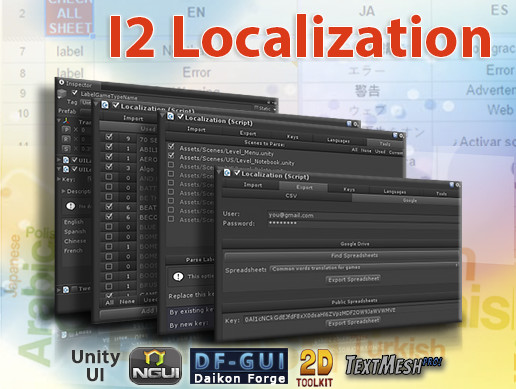
Unity UI, Unity 2D, TextMesh Pro, NGUI, 2D ToolKit, SVG Importer, Standard Components
Localizes
Image, Text, Sounds, Fonts, Sprites, Atlases, Prefabs, TextMeshes, Dropdowns and more.
Auto Translation
Built-in support for Google Translator to automatically localize all your labels into any language.
Google Spreadsheets and CSV files
Link external Spreadsheets and any change will be automatically downloaded, even after the game is released.
Detect and Fix Errors
Parse scenes to find missing or unused translations as well as duplicated or similar terms.
Sub-Object Translations
Set Secondary terms to change not just text and images, but also which Fonts and Atlases are used per language.
Callbacks and Parameters
Translations can be modified to insert Scores, Names and Game Variables using the languages grammar.
Plurals
Built-in rules for each language covering those that just need singular/plural forms up to those that use 6 variants.
Right to Left Languages
Correct rendering of RTL languages with support for line wrapping and alignment.
Save Memory
Create Fonts with only the characters you are using. Link your AssetBundles to add more localized content.
Easy and Efficient
Edit and Preview all your translations in one location, then, at runtime only the current language is loaded. Using fast lookups to access it.
Reuse Translations
Set texts to be automatically shown as UPPER CASE, lower case, Upper first, Title Case, etc.
In Game Dynamic Translations
Easy API to translate chat messages and other dynamic texts at runtime
App Name and Store Localization
Translate the name of your game to all languages and show in the Android/IOS store which languages your game support
Simple yet Powerful Editors
Intuitive inspectors allow you Preview, Edit, Categorize, Create, Parse and Filter even large sources.
Compile Time Checking
Bake translations into script constants to avoid Typos when accessing them on the code.
Playmaker
Several actions to access and interact with Localized elements and switching languages
Fast, Easy and Powerful? A no brainer!!
Get I2 Localization today and make your game ready for the World!
Contact Information & Useful Links
Website: Inter Illusion
Forum: Inter-Illusion | Unity.
Tutorials: I2 Localization
Docs: Documentation
Email: inter.illusion@gmail.com
Twitter: Follow me on Twitter
Videos:
Release Notes
2.8.22
NEW: Added support for Unity 6
NEW: Added support for Unity 2022.3.X
NEW: Specializations can now also use the New Input System to detect if touch is supported
FIX: Android App Name was not correctly exported when in Unity 2021.2 or newer
FIX: Fixed all Tests and corrected several misbehaviors that were exposed in them
FIX: RTL failed to align correctly when the language started as RTL instead of just switching to it.
FIX: Crash when Verifying the Google Service if the Spreadsheet was not found
2.8.21
NEW: Added "Untranslated" filter to the Term's list popup (thanks to @Hosnkobf)
NEW: Option "Sort Rows" when exporting to CSV or Google Spreadsheet
FIX: Fixed exception when saving languages without a name
FIX: Build Errors on some platforms
FIX: Compile errors when there was a class named Action in the project
FIX: Fixed exception when saving languages without a name
2.8.20
NEW: Missing translations are now shown in the console log.
FIX: Null Exception when running in 2021.3
2.8.19
NEW: Baking terms now supports the use of Chinese/Japanese characters
FIX: Calling Import_Google with force=true, was not using the force parameter and skipping importing the data
FIX: Url to download the Playmaker actions was not right.
2.8.18
NEW: Translations fallbacks now working with multiple language sources
2.8.17
NEW: When generating ScriptLocalization.cs, if a term name is a C# keyword the variable now is set to start with @
NEW: There is now LocalizationManager.CustomApplyLocalizationParams to process ALL translations before ApplyLocalizationParams runs
FIX: Translations with RTL tags were failing (thanks @d xy for looking into this)
2.8.16
FIX: TextMesh Pro was not correctly displaying multi-line arabic texts
2.8.15 f2
NEW: Performance improvement when switching levels by not calling Resources.UnloadUnusedAssets() unless the user requests it.
For most common scenarios, there is no need to unloadUnusedAssets
NEW: Lots of stability fixes by cleaning up all warnings detected by the Roslyn Analyzers
NEW: Fixed several issues/obsolete calls when on the latest versions of Unity
2.8.14
NEW: Added support for localizing Video Player
NEW: Allow skipping Google Synchronization from script by creating a RegisterCallback_AllowSyncFromGoogle class
(http://www.inter-illusion.com/forum/i2-localization/1679-turning-off-auto-update-via-script#4166)
FIX: UI changes to remove dark colors in the background
FIX: Disabling Localized Parameters now work as expected (i.e. Parameters still work, but they are not localized even if a term is found with that value)
FIX: Target TextMesh now correctly changes font and materials
2.8.13
NEW: Added UpdateFrequency EveryOtherDay to allow checking the spreadsheet every 48h
NEW: Added a function to retrieve an asset by using the term name (e.g. font, sprite) LocalizationManager.GetTranslatedObjectByTermName(TermName)
FIX: Replaced all events using Action<..> by delegate function that clearly show what the parameters are for
FIX: Inspector was not showing correctly when in the latest alpha/beta of Unity 2019.2+
FIX: Bug where Languages coudn't be enabled at runtime (thanks to bschug for submitting a fix)
FIX: To reduce memory usage, Term descriptions are now only used in the editor (not in the final build) If needed, use a disabled language to store it
FIX: Inspector Width should now be detected more accurately
More details:
http://inter-illusion.com/forum/i2-localization/26-release-notes


Basic Information
- Latest Version
- 2.8.22 f6 (24 Sep 2024)
- Publisher
- Inter Illusion
- Category
- Tools/Localization
- Size
- 1.8 MB
- Price
- €41.4
- Asset Rating
- ★ ★ ★ ★ ☆ (458)
Extended Information
- Unity Versions
- 2019.4.0, 2021.3.1
- Render Pipelines
- ✔ BIRP ✔ URP ✔ HDRP
- State
- Published