CTAA NXT V2 Cinematic Temporal Anti-Aliasing
THE LEADING TEMPORAL ANTI-ALIASING SOLUTION FOR UNITY SINCE 2015 PRICE NOW REDUCED! DON'T MISS OUT.
COMPLETE AND FULL HDRP SUPPORT COMING WITH V3 VERY SOON!! PROVIDING UNMATCHED QUALITY AND PERFORMANCE
Introducing CTAA NXT V2 The all New Next Gen ' Cinematic Temporal Anti-Aliasing ' solution for Unity 2018 and above. Supporting PC / MacOS and all VR Devices in all render paths including Single Pass Stereo VR support.
All previous license holders can now upgrade to CTAA NXT V2 immediately.
CTAA is the premier next generation VR READY cutting-edge temporal anti-aliasing solution in use by thousands of developers world wide since 2014
CTAA NXT V2 is a significant upgrade with many new and requested features enabling everyone to achieve true AAA quality anti-aliasing and here are some notable features in V2
- 2 METHODS OF CUSTOM LAYER SELECTION ADDED! You can now Exclude CTAA Temporal Anti-Aliasing from any Object or GUI Elements and it's Easy!
- Layer Exclusions work for All versions including all VR versions, so it is easy to eg. exclude the GUI elements from CTAA for crisp and clear UI
- SUPERSAMPLING now enabled! 2 Methods of SuperSampling are now available in addition to CTAA, CinaSoft and CinaUltra. These can be used together with CTAA at the same time to achieve the Ultimate Anti-Aliasing for very Demanding scenes and true next-gen AAA look.
- CTAA for PC now checks resolution changes automatically and scales all required render targets, eliminating dark outline anomalies and proving a much more robust usage workflow.
- NEW ANTI-SHIMMER V2 MODE added to PC Version, completely eliminates micro-shimmer, Suitable for Architectural Visualization, CAD, Engineering, Auto, Design and Manufacture or for any project requiring the Highest Quality Visuals.
- NEW Adaptive Sharpness V2 mode in Steam VR version increasing perceptual sharpness with almost zero performance impact
- Compatible with Unity 2019 and the Latest Post Processing Stack
COMPLETE SINGLE PASS STEREO SUPPORT IN VR and LATEST STEAM VR SUPPORT!
Please contact us if you like a version compatible with older Unity versions starting from Unity 5.6
DOWNLOAD THE FREE EVALUATION DEMOS NOW
CTAA PC DEMOS CTAA VR DEMOS OCULUS & VIVE CTAA VS UNITY TAA PC DEMO
CTAA VS UNITY TAA VS FXAA PC DEMO 2
CTAA is the premier next generation VR READY cutting-edge temporal anti-aliasing solution in use by thousands of developers world wide since 2014
Works with FORWARD & DEFERRED Render paths including WebGL 2.0
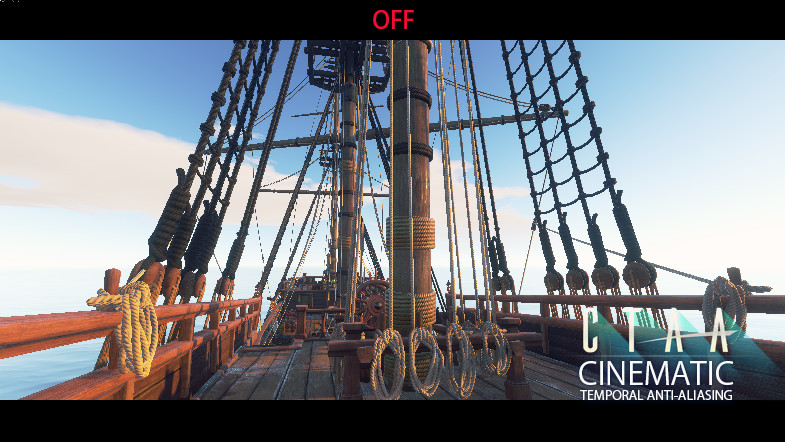
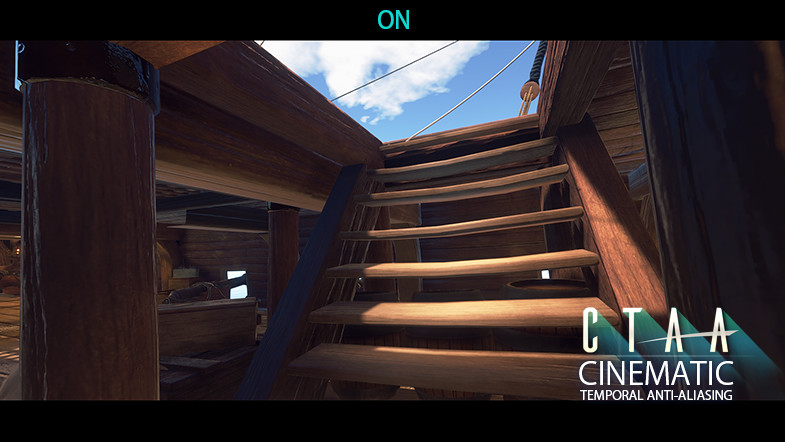
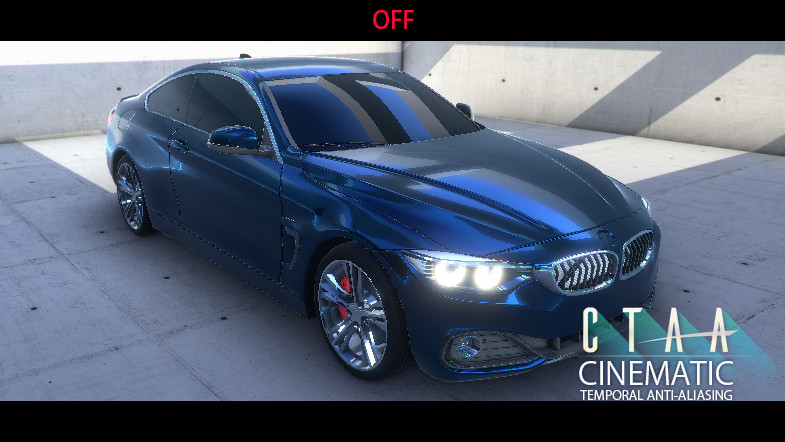
With a single click, CTAA enables all Unity users to achieve next generation off-line Cinematic Render Quality results in Real-Time! Reduce and eliminate Aliasing from Specular highlights and bright pixels especially when using post effects such as Bloom or Depth of Field including Aliasing on alpha tested edges. Being a temporal (Time based) process, new pixel data is gathered from past and extrapolated future frames for final re-construction based on velocity information. Performance is approximately equivalent to standard FXAA.
CTAA provides true next-gen Cinematic Quality temporally anti-aliased results which maintain and preserve clarity while in motion.
Achieve the Highest Quality now for all your PC & VR projects with our Highest Performant Temporal Anti-Aliasing solution to date on any engine period..
CTAA provides unmatched 'Temporally SuperSampled' quality results impossible for other ' spatial only ' solutions such as MSAA, FXAA, SMAA including all other 'Temporal ' methods.
No more Specular SHIMMER or ALIASING, No more PBS induced high-frequency FLICKERING, No more HDR Bloom FLICKER, No more ROGUE/STRAY Pixel SHIMMER. Only a ROCK STEADY Film Quality sharp Anti-Aliased image at blazing performance rates.
MSAA can also be used together with CTAA! providing unmatched true off-line quality results. This is a great option for all VR projects due to a significant increase in quality at little performance cost. 2xMSAA is sufficient to providing AA equivalent to 8xMSAA quality together with all the advantages provided with a temporal solution.
CTAA is compatible with and can be used at the same time with the Unity Post Processing stack V1 and V2
CTAA works with PC and VR devices such as the Oculus Rift & HTC VIVE
REQUIRED SDK'S FOR VR
STEAMVR for HTC VIVE
OCULUS INTEGRATION
DOWNLOAD THE FREE EVALUATION DEMOS NOW
CTAA PC DEMOS CTAA VR DEMOS OCULUS & VIVE CTAA VS UNITY TAA PC DEMO
CTAA VS UNITY TAA VS FXAA PC DEMO 2
LIMITED TIME SALE! SAVE 50% NORMALLY $79 NOW ONLY $39 DON'T MISS OUT!.
CONTACT LIVENDA
Please note: Models in the Videos and screenshots are NOT included in the package however CTAA does include multiple example scenes to show integration
Release Notes
CTAA NXT V2.1 CHANGES and FIXES - OPENVR (VIVE) Multipass VR :: Quality improvement and performance gains by eliminating 4-dependent texture reads - SPS VR (Single Pass Stereo VR) :: Quality improvement and performance gains by eliminating 4-dependent texture reads NEXT GENERATION CTAA NXT V2 UPDATES CHANGES and FIXES - CTAA NXT V2 NEXT GENERATION VERSION is a Major upgrade from the previous version. - 2 METHODS OF CUSTOM LAYER SELECTION ADDED! You can now Exclude CTAA Temporal Anti-Aliasing from any Object or GUI Elements and it's Easy! When using the new Supersampling addition, custom layer selection script can be used, if not, the default method should be used which is explained in the Documentation Update file. - Layer Exclusion works for All versions including all VR versions, so it is easy to eg. exclude the GUI elements from CTAA for crisp and clear UI - All other third party Post effects such as the Unity Post processing Stack V2 works with layer exclusions - 2 SUPERSAMPLING Methods, CinaSoft and CinaUltra Added. These can be used together with CTAA at the same time to achieve the Ultimate Anti-Aliasing for very Demanding scenes and true next-gen AAA look. - CTAA for PC now checks resolution changes automatically and scales all required render targets, eliminating dark outline anomalies and proving a much more robust usage workflow. - CTAA PC GUI is updated, MSAA can now be controlled from within CTAA UI - More Demo scenes added for each version for PC and VR outlining the new updates and usage methods. - More prefabs added for quick start for PC and VR. Prefabs are also available for layer selection setup - Single Pass VR mode is now Clearer with more accurate motion vectors CTAA V1.9 UPDATE CHANGES and FIXES - General Improvements to all variations for PC and VR - Oculus VR better sharpness - Improved integration for latest SteamVR (OpenVR) - Tooltips added CTAA V1.8 UPDATE CHANGES and FIXES - V1.8 Brings Important Fixes and we strongly encourage all users to upgrade to this version asap - FIXED : Screen Edge Smearing artifacts on PC and VR Version. Sometimes depending on the scene and average contrast levels, there was a smearing/ghosting artifacts visible on screen edges, this is now completely fixed and eliminated. - FIXED : Black pixels / line artifacts on some scenes caused by high dynamic range differences between adjacent pixels during AABB evaluation - FIXED : Black pixel / line artifacts caused by irrelevent motion vectors on initial start / changing resolution and/or while enable/disabling CTAA - UPDATE : Microshimmer adjustment is now automated and not required in the UI - UPDATE : Adaptive Sharpness on PC version has been much improved, significantly less edge darkening while improving sharpness quality. - UPDATE : Single Pass Stereo VR (SPS) quality improvement with better sharpness - UPDATE : Anti-Shimmer mode is OFF by Default and when resetting the plugin as it is not for general use. The prefabs have also been updated to reflect this. - IMPROVEMENT : PC CTAA responds much much better on Nature and Foliage related scenes as Unity does not provide vertex based motion vectors for wind animation CTAA V1.7 UPDATE CHANGES and FIXES - Significant Performance and Quality enhancement for All variants - NEW ANTI-SHIMMER MODE added to PC Version, completely eliminates micro-shimmer, Suitable for Architectural Visualization, CAD, Engineering, Auto, Design and Manufacture or for any project requiring the Highest Quality Visuals. - NEW Adaptive Sharpness mode in Steam VR version increasing perceptual sharpness with almost zero performance impact - Overall much better Visual quality improvement in Steam VR / OpenVR mode compatible with Oculus and the VIVE hmd's - NEW Adaptive Sharpness mode in Single Pass Stereo VR version increasing perceptual sharpness with almost zero performance impact - Improved compatibility with Unity 2019.1 - NEW 'Engine' PC Demo Added showing the new Anti-Shimmer Mode together with MSAA. This combination provides Industry leading highest quality Anti-Aliasing for your projects at the highest performance CTAA V1.6 UPDATE CHANGES and FIXES - Performance and Quality enhancement for SPS (SinglePass Stereo) VR - Compatibility for the Latest STEAM VR SDK (2.2.0) - Updated CameraRig Prefabs for SteamVR and Oculus to clarify and Simplify VR integration - Better Dynamic Objects Support including Characters in SPS and MultiPass VR modes (Please drag the equivalent Dynamic object script on to all non-static moving objects and on to each Mesh of Characters)






Basic Information
- Latest Version
- 2.1 (12 Nov 2019)
- Publisher
- Livenda
- Category
- VFX/Shaders
- Size
- 335.2 MB
- Price
- free
- Asset Rating
- ★ ★ ★ ☆ ☆ (13)
Extended Information
- Unity Versions
- 2018.3.0
- State
- Deprecated