PlayerPrefs Editor
Support
GitHub | Website | Mail | Discord
Product benefits
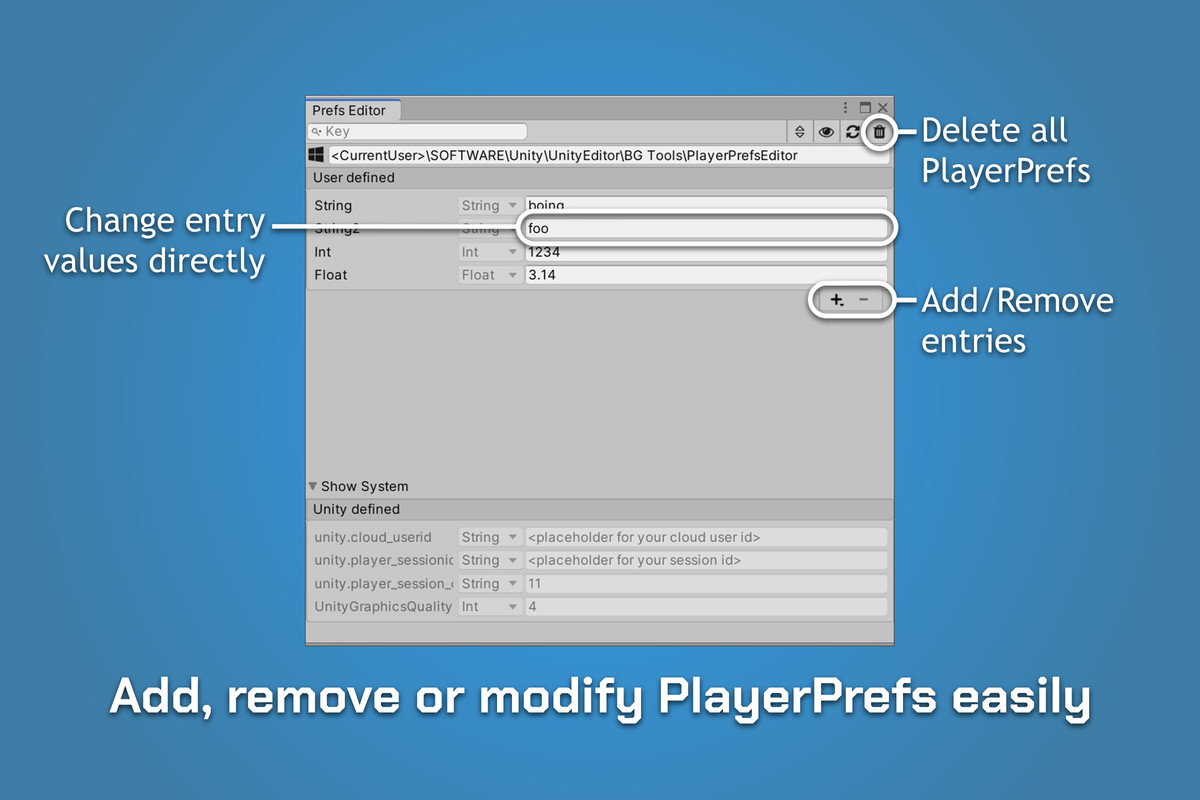
- Add, remove and edit PlayerPrefs
- Intuitive visual editor
- Works with standard Unity PlayerPrefs
- Monitors changes from code
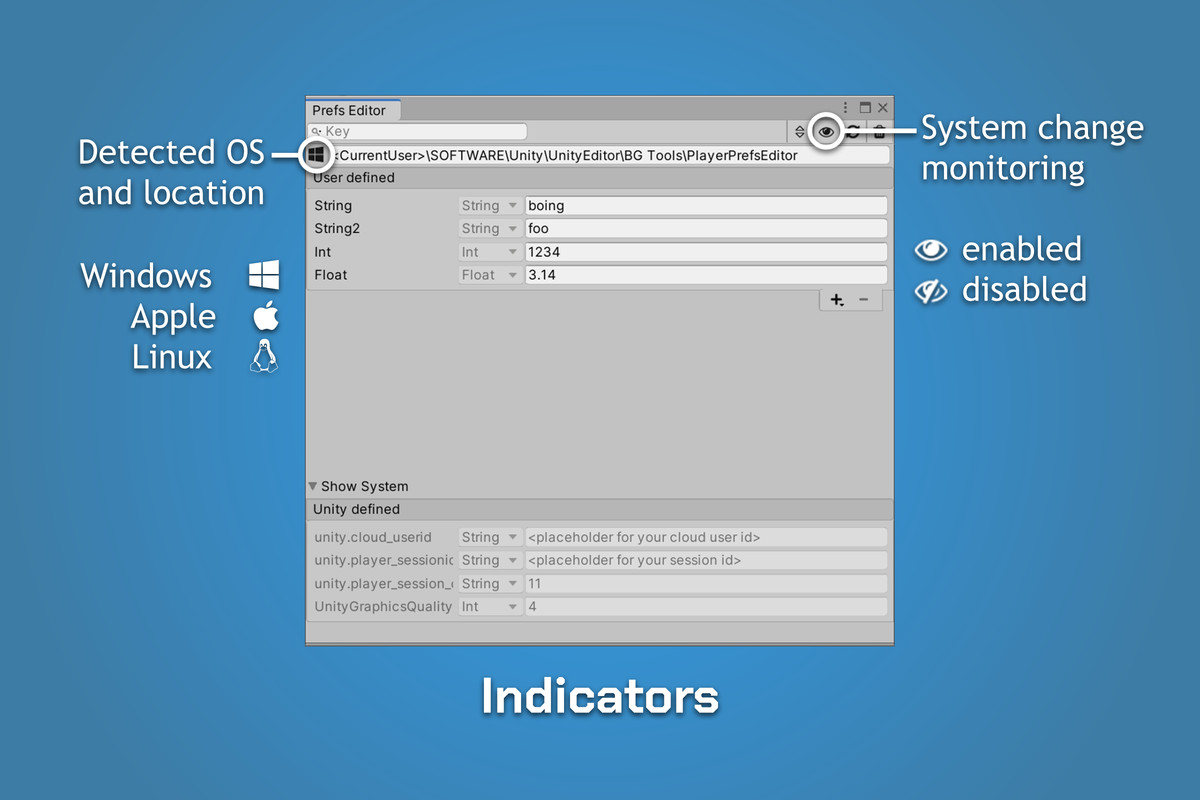
- Supports all editors (windows, linux, mac)
- Lightweight dockable for full integration in your workflow
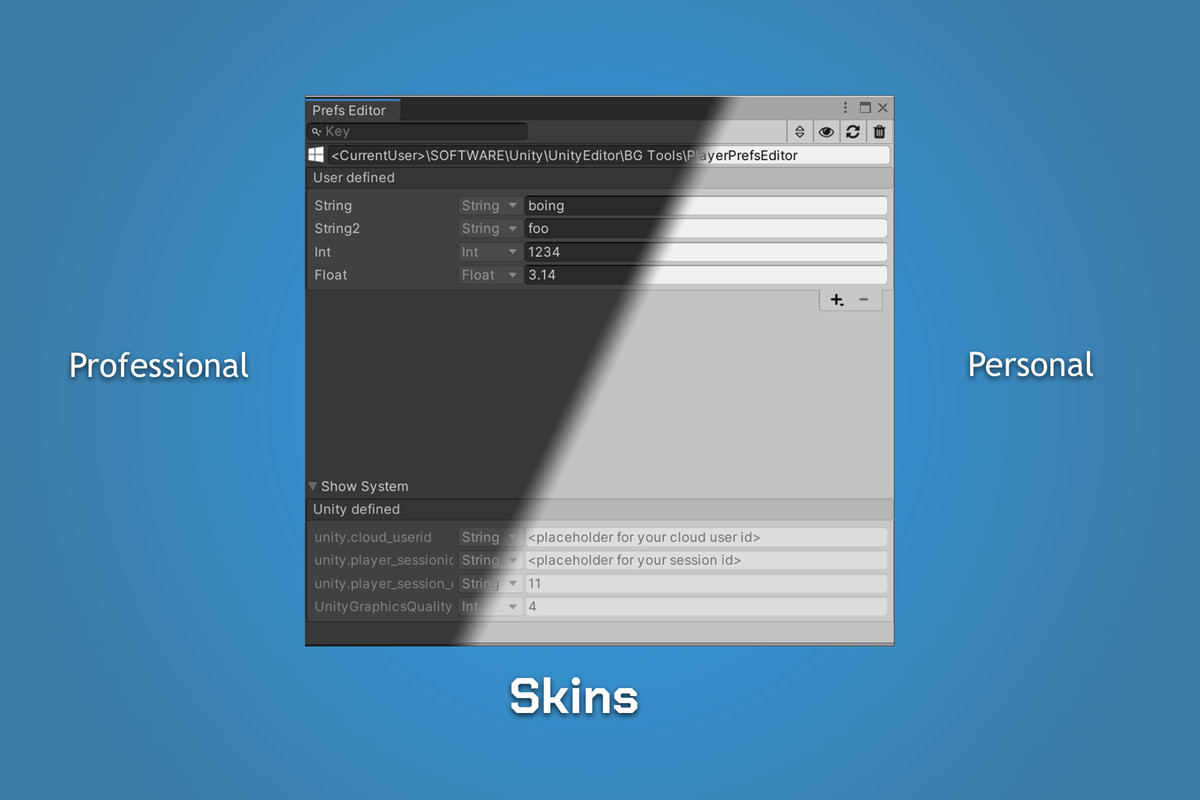
- Supports both skins (personal, professional)
Live editing
Create and modify PlayerPrefs while in or outside Play mode. Tweak values on-the-fly and benefit from fast iteration cycles.
Intuitive visual editor
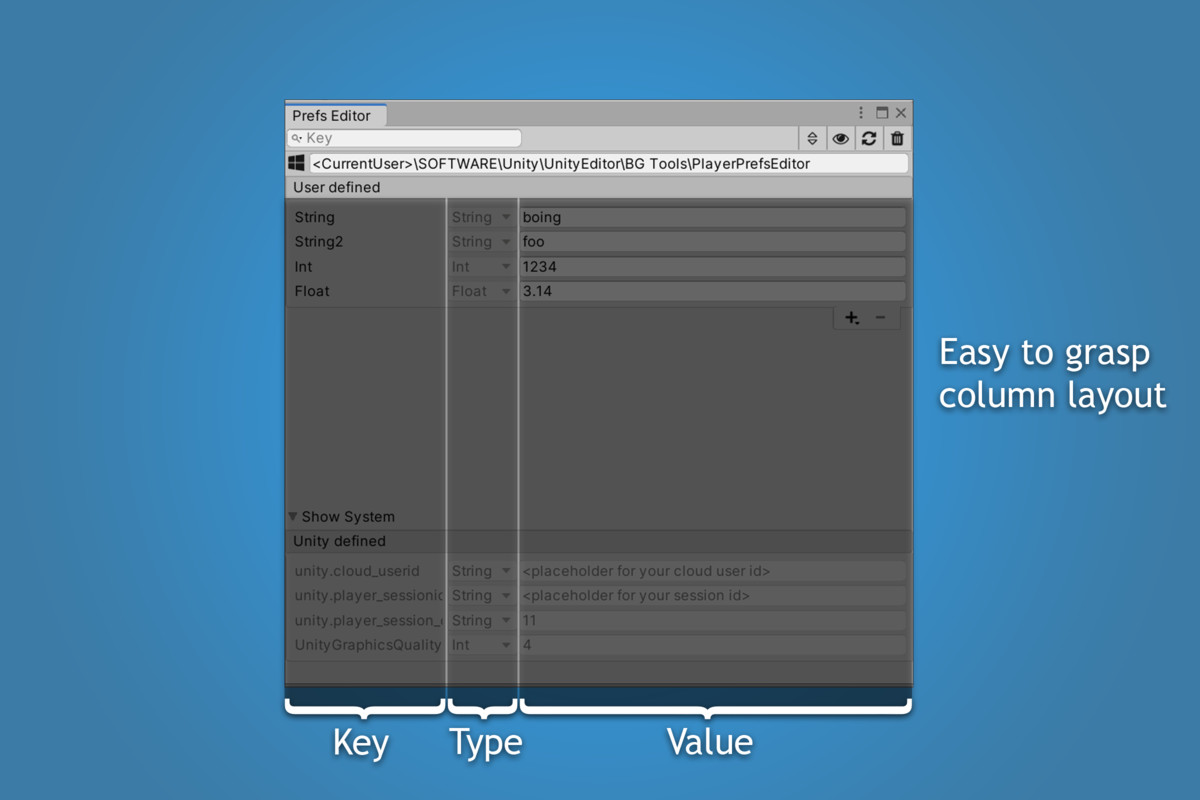
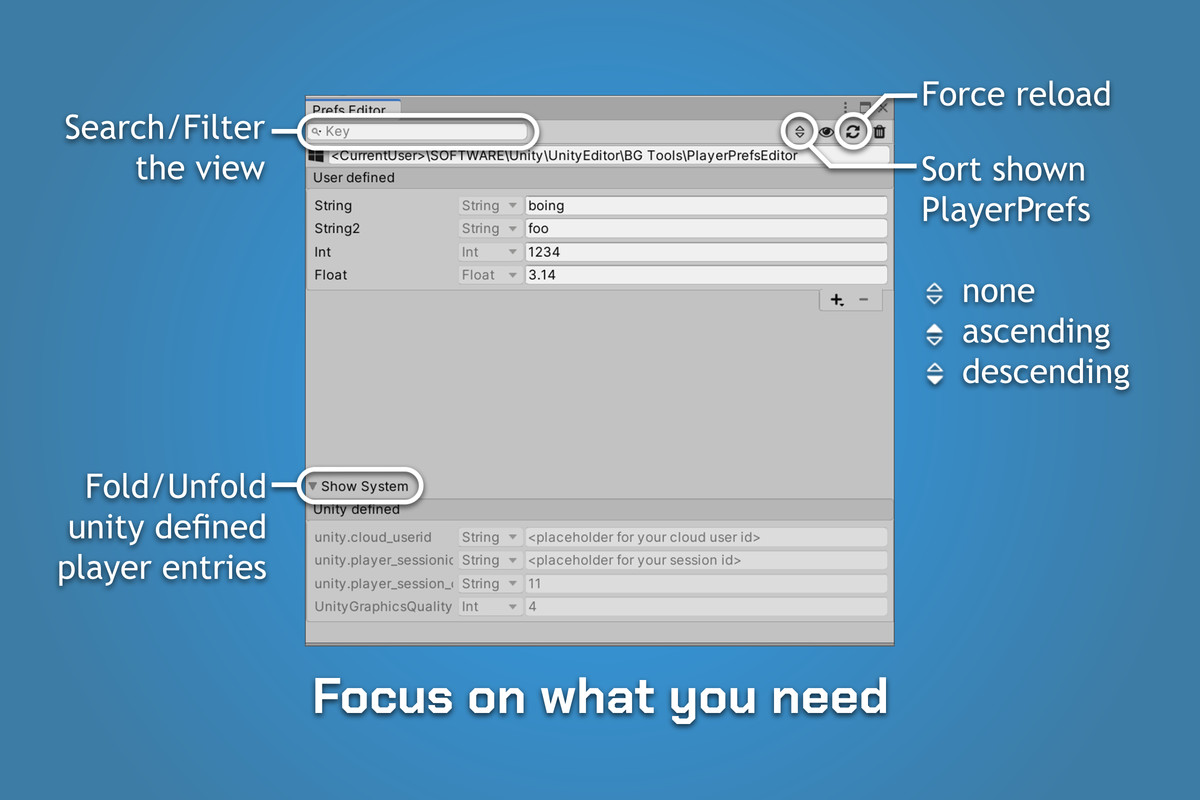
Simple layout for fast overview of all PlayerPref data. Apply filters/searches on your data to keep track of what you're working on.
Native integration
The standard Unity dockable window can be flexibly placed, wherever it helps to be productive. It comes with support for both personal and professional skins, so you can match your perfect color scheme.
Compatibility
Works with the standard Unity PlayerPrefs. No additional changes are necessary to use this editor.
Monitoring
The Plugin detects changes and automatically refreshes the view, keeping you up to date.
Release Notes
- Rebrand to Cyber Chaos Games (CCG)
[1.2.3] - 2025-03-08
- Add '.NET Standard' support for Editor Assemblies Compatibility Level
[1.2.2] - 2023-01-10
- Fix icon offset influence on other inspector entries
[1.2.1] - 2022-04-24
- Fix detection for PlayerPrefs where the key contains '_h'
- Use unicode for windows registry lookups to support none ASCII chars in projects names
[1.2.0] - 2022-01-01
Added
- Enhanced search field to filter player preferences by key or value
- Add sorting functionality for Pref entries (none, ascending, descending)
Removed
- Remove Unity 2017 support
- Remove Unity 2018 support
[1.1.2] - 2021-06-01
- Fixed ImageManger icon detection
[1.1.1] - 2021-05-23
- Add utf8 key encryption support for windows
[1.1.0] - 2021-05-17
- Improve key validation with more characters
- Async output reading for MAC plist process
- Performance optimizations
[1.0.4] - 2020-09-20
- Add handling for special characters in product/company name
- Improvement of plist read call on MAC
[1.0.3] 2020-09-20
- Fix text color on professional skin
[1.0.2] 2020-08-11
- Switch package author to 'BG Tools'
- Fix UPM documentation image path
[1.0.1] 2020-06-01
- Resizable column width for table layout
- Multiple UX improvements
- Add manual
[1.0.0] 2020-05-26
Features
- Add, remove and edit PlayerPrefs
- Intuitive visual editor
- Works with standard Unity PlayerPrefs
- Monitors changes from code
- Supports all editors (windows, linux, mac)
- Lightweight dockable for full integration in your workflow
- Supports both skins (personal, professional)
Supports
Unity 2017.4.3 (LTS) or higher
Unity Editor on Windows, MacOS, Linux







Basic Information
- Latest Version
- 1.2.4 (28 Aug 2025)
- Publisher
- Cyber Chaos Games
- Category
- Tools/Utilities
- Size
- 110.3 KB
- Price
- free
- Asset Rating
- ★ ★ ★ ★ ★ (83)
Extended Information
- Unity Versions
- 2019.4.38
- Render Pipelines
- ✔ BIRP ✔ URP ✔ HDRP
- State
- Published