AutoLOD - Mesh Decimator
EXCLUSIVE DISCOUNT for AutoLOD users, get Mirage PRO for 60$ instead of 70$!
Mirage works 100% in symbiosis with AutoLOD for the ULTIMATE optimization LOD system.
AutoLOD is fully compatible with any Unity version from 2020.3 up to Unity 6.3
- Elevate Your Experience with the brand new 'High-Quality' Backend: It is not just another update – it's a game-changer that will redefine your expectations.
- Best UV Layout Preservation: Experience the most precise UV layout preservation yet. The High-Quality backend ensures your textures still align perfectly after decimation, maintaining the artistic integrity of your models.
- Mesh Borders Preserving: Say goodbye to collapsed border edges. The High-Quality backend makes sure your terrain chunks will still fit together nicely after decimation.
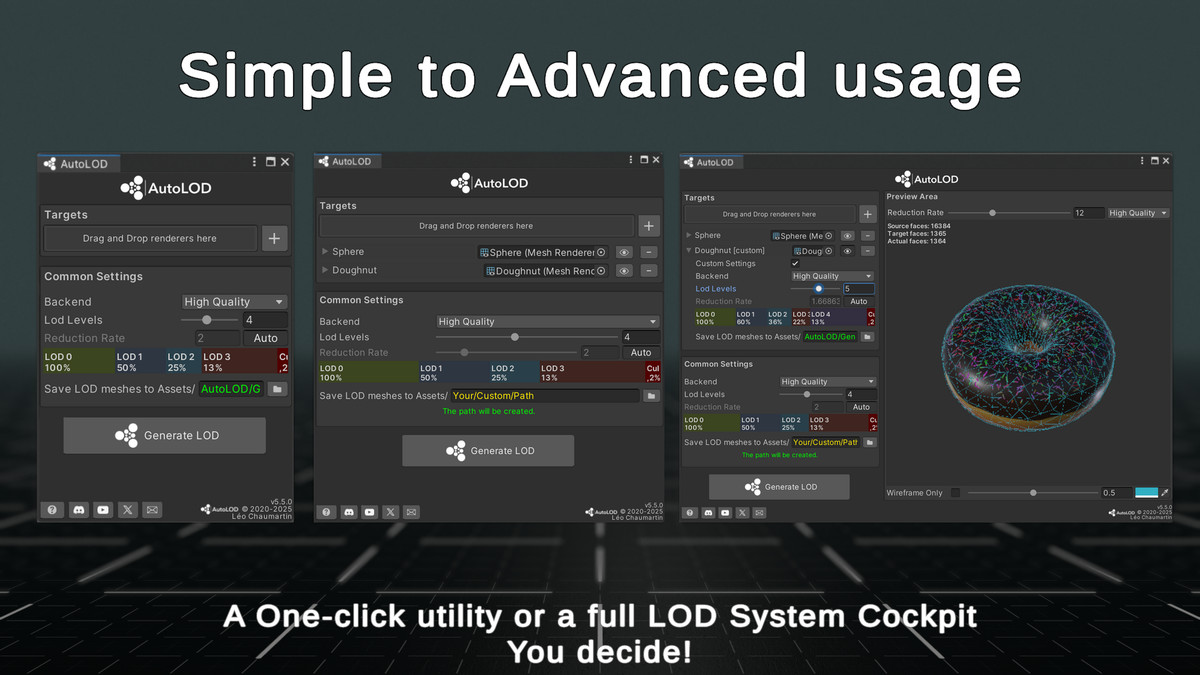
- Unmatched Simplicity: This update keeps the user-friendly simplicity that has won over thousands of users. One click is all it takes.
- Editor and Runtime usage: Work seamlessly with both the editor plugin or the C# runtime API. AutoLOD flexible design adapts to your workflow, not the other way around.
- Prefab-Friendly: 100% compatible with prefabs. There's no need to unpack them – AutoLOD works directly with prefab instances or in prefab editing scenes.
- Characters-Friendly: Skinned Mesh Renderer and Blendshapes support out-of-the-box.
- Submesh Compatibility: AutoLOD seamlessly works with submeshes.
- Performance-Fidelity Balance: Find the perfect balance between high performance and high-fidelity results with the customizable options.
- 3 in 1 workflow: AutoLOD can be used from
- The dedicated editor window
- The LODGroup contextual menu with
- The documented C# API
For pre-sale inquiries please use Discord or send an email to contact[at]leochaumartin[dot]com
Release Notes
5.6.0
- Fixed a bug causing custom tangents to be lost after decimation
5.5.0
- New LODGroup edition widget
- New "Auto" Reduction Rate toggle, reacts with LODGroup settings
- Code refactoring
5.4.1
- Fixed a bug when loading HDRP assembly
- Wireframe Only activated by default on HDRP Preview
5.4.0
- New logo and graphic identity
- C# API now contains async decimation methods for both the fast and quality backend
- Fixed the overexposed / white preview in HDRP
5.3.0
- Added resilience for topology edge cases such as disconnected vertices, edges with no adjacent faces, ...etc
- Improved the realtime decimation preview :
- You can now choose both the fast and the HQ backends
- Improved the wireframe effect
- You can customize the wireframe color
- Fixed a bug where the wireframe would only be visible on the last submesh (if the source mesh has several submeshes)
- Fixed deprecation warnings on demo scene import on Unity 6
- Minor fixes
5.2.1
- Fixed a bug where over-decimation could occur with the new LODGroup-Oriented workflow.
5.2.0
- Introducing a brand new workflow from the LODGroup component contextual menu for a several renderers per LOD approach. For each LOD it computes adapted reduction rates according to the given transition height.
5.1.0
- AutoLOD now supports blendshapes
- Updated the Runtime API to add control over the blendshape interpolation (retrocompatibility is ensured)
- Fixed a bug where High-poly skinned meshes could be more decimated than they should
- High Quality backend now supports UInt32 meshes output
5.0.0
- Introducing a new 'High Quality' backend that preserves UV seams and mesh borders. The old backend is still available under the name 'Fast'.
- New runtime API
- Complete plugin internal refactoring
4.1.1
- Fixed a bug where applying flat shading was altering submeshes
4.1.0
New feature:
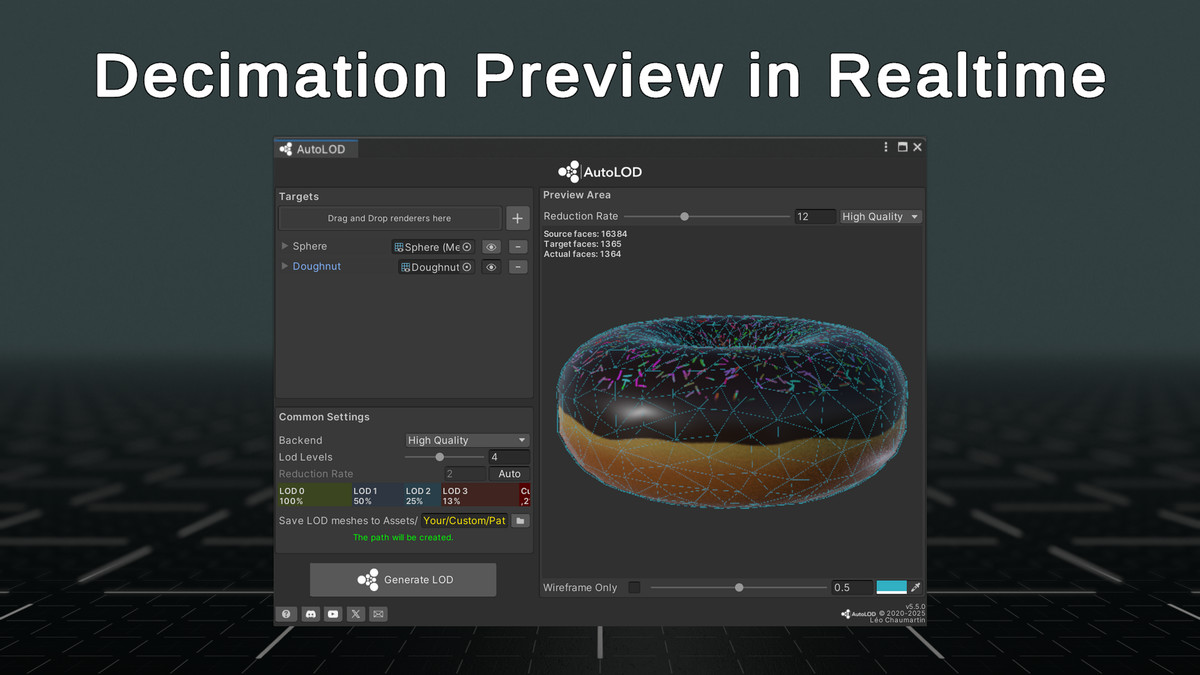
- You now have an optionnal preview area to apply decimation in real time. This feature is a great way to help you choose an appropriate reduction rate value.
Fixes:
- The "optimize source mesh" option has been removed since it was not preserving enough the source mesh.
4.0.0
Fixes:
- You are now forced to save decimated meshes to assets, providing garantee of not losing the meshes after closing and reopening the scene
New features:
- You can now change the default export path from the preferences.
3.3
Fixes:
- Decimated mesh won't have a mesh collider as the first LOD collider will remain active.
3.2
Updates:
- You can now add any compatible renderer from its context menu in the inspector
Fixes:
- Vertex Colors are now supported





Basic Information
- Latest Version
- 5.6.0 (06 Feb 2026)
- Publisher
- Léo Chaumartin
- Category
- Tools/Utilities
- Size
- 24.3 MB
- Price
- €18.4
- Asset Rating
- ★ ★ ★ ★ ★ (49)
Extended Information
- Unity Versions
- 2020.3.34
- Render Pipelines
- ✔ BIRP ✔ URP ✔ HDRP
- State
- Published