vBug: Next-Gen Visual Debugging & Testing toolkit
Unity 5 update: 1.5.8!
- Greatly improved capture performance!
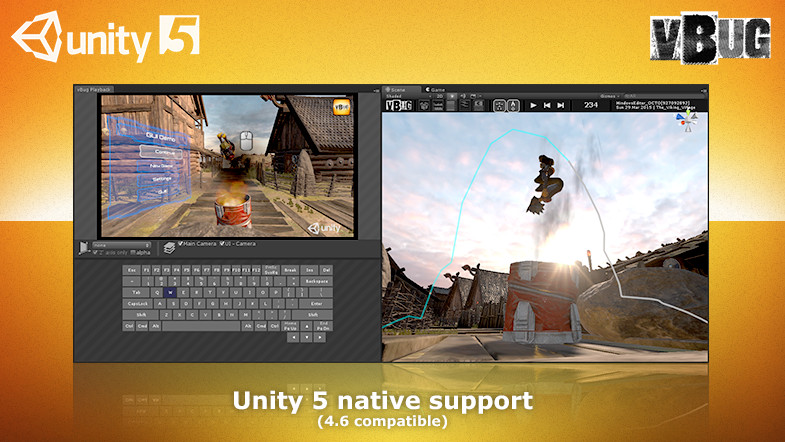
- Native Unity-UI support!
- Unity 4.6 backwards-compatible.
Documentation: Download pdf.
vBug brings true Next-Gen visual debugging & testing to Unity and changes the way developers solve bugs or test their games.
Its super easy and intuitive to use, allows for multiple gameplay-sessions to be stored and compared, and vBug is optimized for mobile!
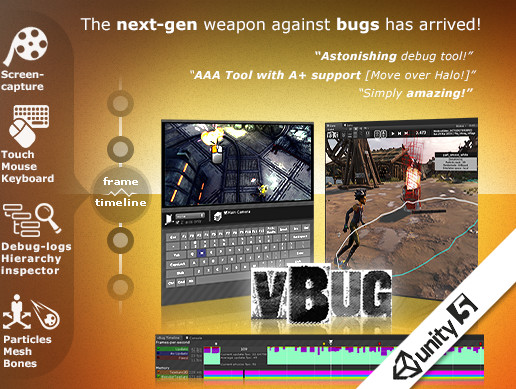
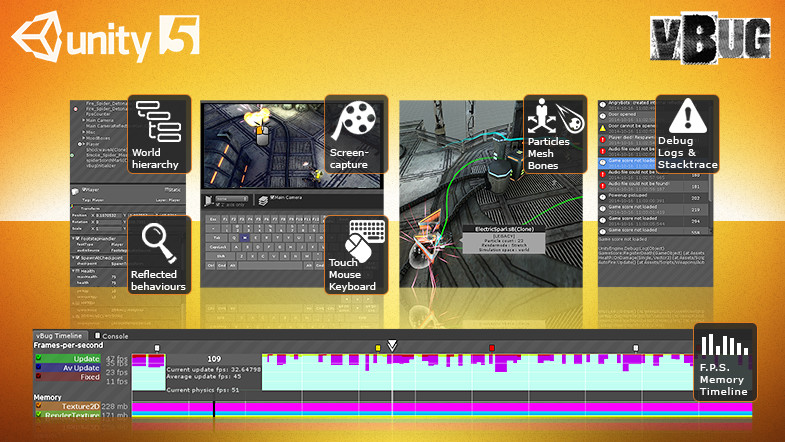
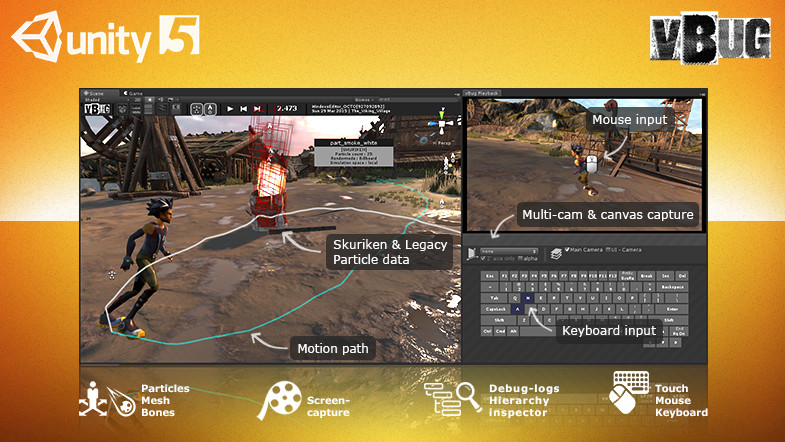
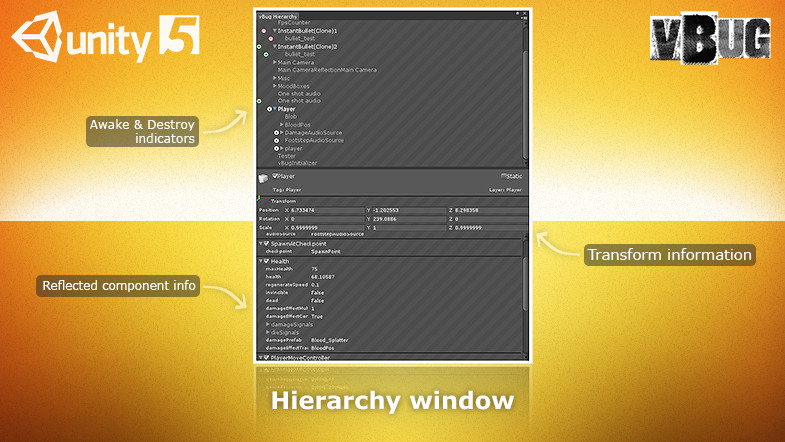
vBug captures everything you need to know about your game-world. Once a recording is selected and loaded into the unity-editor, you will be able to review the capture as a movie with synced device-input, while at the same time the captured meshes & particles update in the sceneview in full 3D-glory!. For additional info, the vBug-hierarchy & -inspector visualizes a frame-by-frame vertical breakdown of the world’s hierarchy and components.
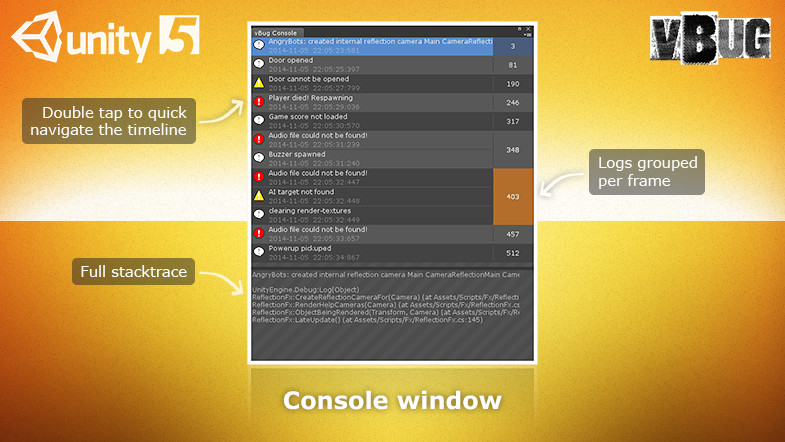
All logs and errors are captured as well. Just double-tap a log in the vBug-console, and vBug will jump to that frame, instantly showing you what happened that frame, instead of leaving you wondering like traditional tools...
What can vBug capture & playback for you?
- Screenshot capture (multi-cam support).
- Mouse, touch & keyboard input.
- Debug logs, warnings & errors.
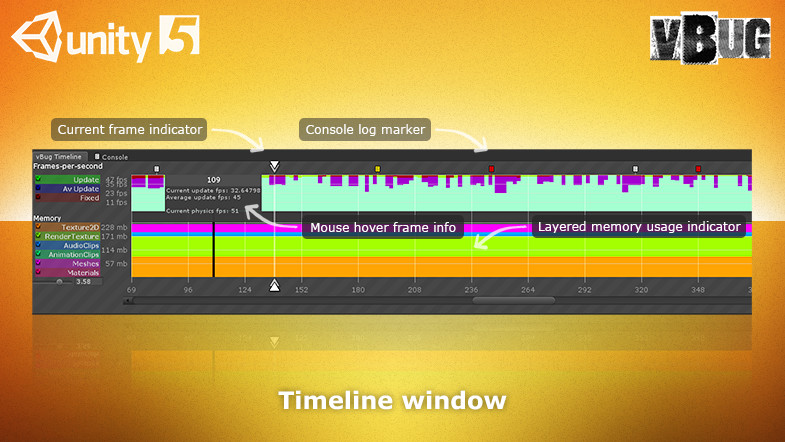
- System info (memory-profiling & fps-info).
- Complete hierarchy (vertical breakdown).
- Component inspector (all public fields).
- Full Mesh-data (skinned & deformed).
- Full Particle-data (legacy & shuriken).
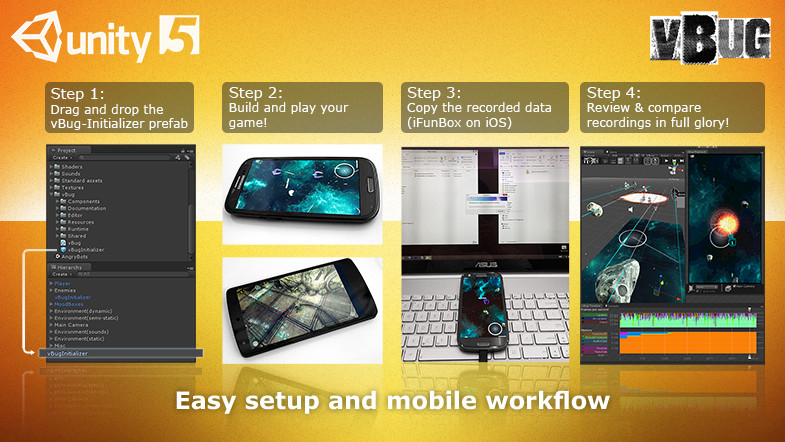
Just drag-and-drop a prefab to the scene, and you’re good to go! You can scrub back and forth through time using the vBug timeline, comparing multiple gameplay-sessions with a click of a button.
Once vBug is running in the background, the player has nothing to hide, turning vBug into the ultimate Usability, Playability, Quality Assurance and Debugging tool out there!
Support:
- Forum
- vbug4unity@gmail.com
- Facebook
Release Notes
v1.0 Initial version V1.0.1 Resubmit assetstore version - Moved the vBug toolbar to 'Tools/vBug' and added an 'About' section with hyperlinks. v1.1 - Thanks for testing the beta! This version contains most feedback - Added 'Set editor vbug-rootfolder' option to the unity toolbar - Added 'Update indexed shader properties' - Added 'StandaloneStoreToApplicationFolder' bool, using the application-folder instead of the persistentDataPath as its storage location (set to true by default) - Fixed some issues related to mac's 'Open folder dialog' - Fixed the non-updating indexed shaders when targeting the webplayer-platform - Increased overal editor-playback performance - Tweaked the 'search' settings that fills gapes when slices are missing - Tons of small overal playback tweaks and fixes v1.2.8 - Greatly improved editor playback memory management: No more crashes when loading massive data sets - Improved editor playback performance and responsiveness. - Reduced playback GC.collect hickups - Reduced screencapture hickups when using jit-Render v1.5.x: - Fixes: - Deprecated and refactored Unity functionality: Unity 5 reduced the amount of public exposed ‘shortcuts’ at MonoBehaviour level, such as the removal of the .renderer property. The needed adjustments work well for both Unity 4 and 5. - Camera occlusion culling @vBugPlaybackWindow: When the play window was open and occlusion was baked, it sometimes happens that the quads rendered to the playback-window are culled away, therefore showing only a black image. - ‘Serialization depth limit exceeded’ error messages issue fixed - Some null-ref exceptions taken care of during the serialization/deserialization process. - Camera’s with non-fullscreen camera-rects where displayed incorrectly during playback of a JIT-captured session. - Fixed the incorrect detection of RenderTexture support. - Fixed a potential texture-memory leak under certain conditions. - Improvements: - Multithreading: I completely overhauled the threadpool at workload distribution management level, in order to support Unity 5 and improve performance at the same time. This also affects the Unity 4.6 performance in a positive way. - All vBug components are now hidden from the ‘Add component’ menu-bar and component-inspector, reducing clutter. - Enhanced the end-of-frame capture performance (ideal for Unity 4.6 users without a pro-licence), but for Unity-5 users, please use the new ‘redirectRender’ instead for best available performance. - New features: - vBug Initializer - ‘Editor/Standalone’ & ‘Mobile’ preset prefabs, with specific performance tweaks, based on ‘common sense platform specific relevance’ :-) - ‘RedirectRender’ a new and fast capture method! Its allows UI-canvasses (the new UnityEngine.UI system) to be captured together with all other active camera’s in the game, such as the Main Camera. This is the fastest capture method currently available, therefore set to ‘default’ from 1.5.x onwards. - Added ‘vBugJitCameraRecordable’ component, allowing you to hand-pick which camera will be jit-rendered. To make use of this, pick ‘jitRender’ as capture-method, disable ‘JIT-render all camera’s’ and add this component to the camera(s) you would like to capture.
Basic Information
- Latest Version
- 1.5.8 (03 Apr 2015)
- Publisher
- Michiel Frankfort
- Category
- Tools/Utilities
- Size
- 11.1 MB
- Price
- free
- Asset Rating
- ★ ★ ★ ★ ☆ (60)
Extended Information
- Unity Versions
- 4.6.0, 5.0.0
- State
- Deprecated