Gaia for Unity 6
-------------------------------------------------------------------------
A Toolset for Every Stage of Your Journey
Procedural Worlds empowers creators to build beautiful, performant worlds faster — from first prototype to final release.
Storm – Advanced Worldbuilding & Render Acceleration Storm combines our award winning world building toolset with three more years of development to deliver our most advanced world building system yet. Storm adds render acceleration, two new terrain systems, geospatial import, non destructive real time procedural biomes, buildings, cities and dungeons, and mmo support, to create, render and optimize rich dense worlds.
World Building Bundle – Best Value Our complete professional toolkit for building, populating, lighting, and optimizing entire worlds at scale. Perfect for teams who want maximum power and value in one bundle.
Gaia Pro VS – Professional Terrain & Environment Tools Advanced terrain, biome, water, and lighting workflows for creators who need precision and high fidelity. Ideal for serious indies and studios building production-ready scenes.
Gaia – Start Building Your First World Create beautiful environments in minutes with intuitive, beginner-friendly tools. Perfect for hobbyists, students, and newcomers taking their first steps into worldbuilding.
-------------------------------------------------------------------------
Craft Stunning 3D Worlds in Minutes with Gaia for Unity 6!
Create stunning game worlds and environments for console, desktop, mobile, switch & VR.
Gaia makes generating detailed lansdcapes, terrains and levels easy and fast. It saves you weeks and months of work so that you can focus on creating the gameplay that matters.
Gaia is used by over 200,000 game developers, and has been continually developed and constantly supported since its launch in 2015.
Why should you buy Gaia?
Outstanding value and NOW has BOTD biome integrated, with cool new lighting!
Assets and Content:
- Book of the Dead: Biome for Gaia Pro VS (please note that Gaia does not contain GTS)
Gaia gives you the workflow you prefer, from artist-driven to fully procedural, to deliver simple, fast, and pretty terra-forming, texturing, planting and placement for everything from low poly stylized through to high-end photo-realistic environments.
The benefits of Gaia include:
- intuitive rapid visual iteration
- longevity in the asset store - will always be supported
- customisable biomes to create any look you want
- reusable biomes on any terrain in any scene
- compatible, works with anything
Supports terrain, trees, grass, water and any other intricate biome you wish to create. Also works with GeNa roads and rivers to form a complete world creation platform, GTS for enhanced terrain rendering, and Ambient Sounds for beautiful soundscapes.
Gaia saves time, money, and frustration, by integrating what would typically be many expensive and complicated systems into one simple wizard-based system that automates the majority of the effort needed to make playable levels.
Gaia and Gaia Pro VS are used in education, defense, simulations, and games such as Zenith, Last Epoch, and Crowfall.
Easy workflow for rapid prototyping and iteration
- Select your world size, biome, and target platform
- Procedurally (or manually) generate your base terrain
- Procedurally texture, plant, and populate based on the biome you choose
- Optionally export versions of your world optimized for vr, mobile or MMO's
- Set your lighting, wind, water, controllers, culling, and post fx with a click
- Press play and explore your world
- Iterate as needed
Sample Biomes & Assets
Gaia for Unity 6 comes with a minimal set of sample assets to give you a sense of what Gaia does, and to help you to learn how to use them. This helps to keep the price and installation size down.
You can then choose your assets and customize the look and feel of your world to your taste, or you can upgrade to Gaia Pro VS for a much larger set of photogrametry-based assets and biomes.
In addition to the assets that come with Gaia, we are pleased to include sample assets from NatureManufacture, Synty Studios and 3D Forge.
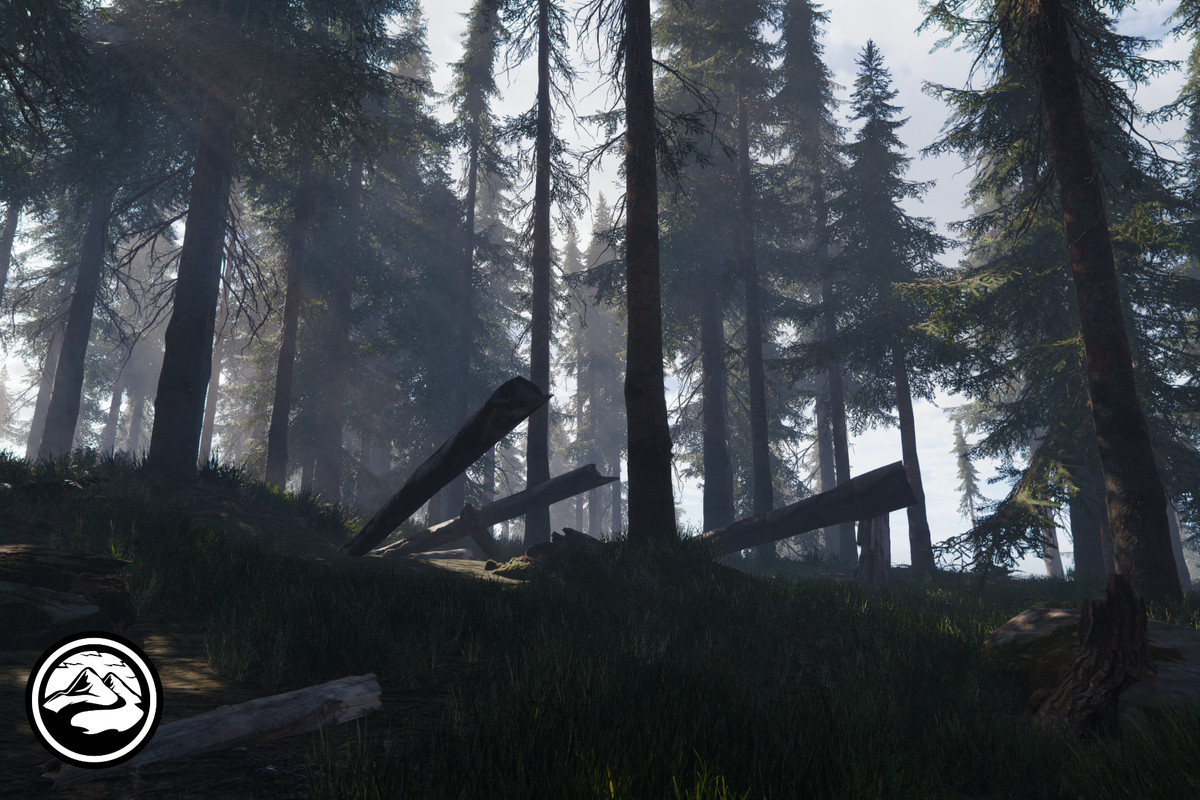
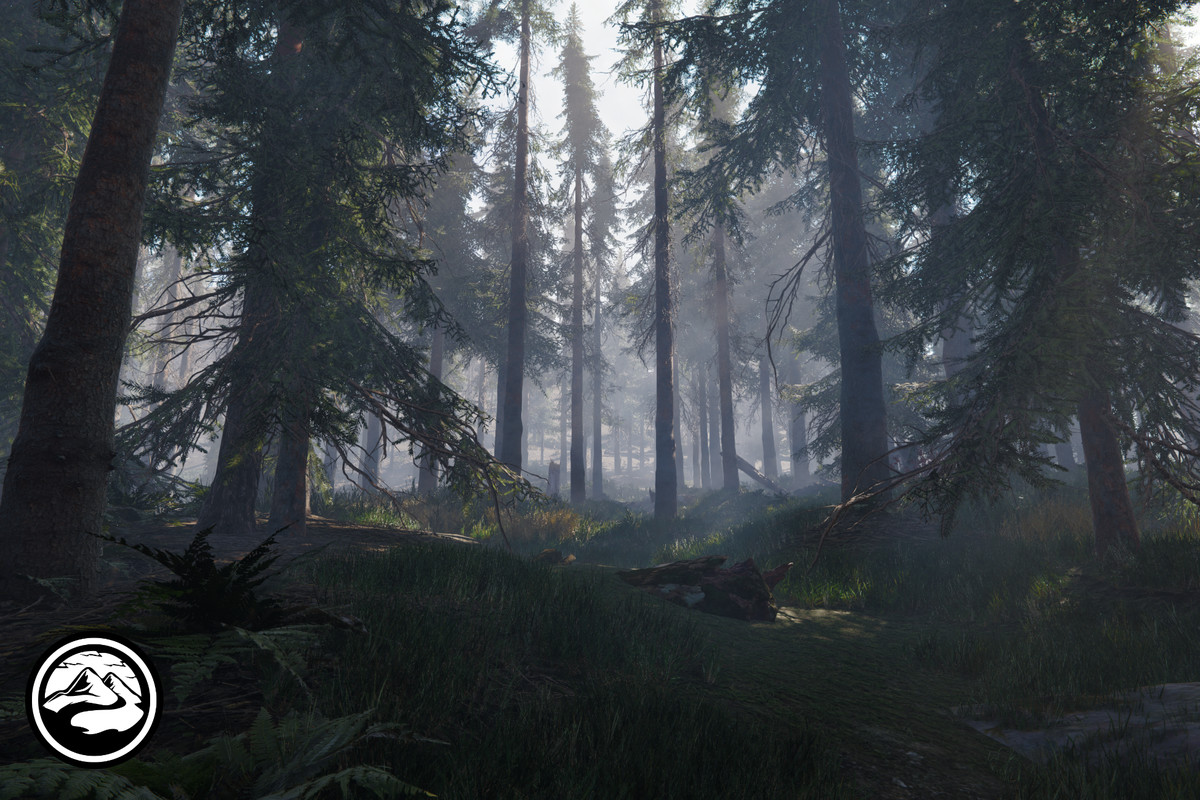
With Gaia Version 4.2.0, we now include assets from the popular "Book of the Dead" Unity Demo to provide you a complete forest biome that you can spawn and use in your own projects.
What additional features does Gaia Pro VS offer over Gaia for Unity 6?
Gaia Pro VS offers the following additional features. There is an upgrade fee to convert Gaia to Gaia Pro VS.
The things that Gaia Pro VS adds to Gaia include:
- Unity Verified Solution certification
- Massive world support with streaming
- Additional stamping, erosion & masking operations
- Stylized low-poly & impostor mesh terrain conversion
- Over 70 additional photogrammetry enhanced assets & presets
- Terrain addition/deletion support - dynamically grow your world
- Biome-based stamping - shape your terrain as part of your biome
- MMO-friendly export for client/server (colliders / addressables)
- Terrain stitching - dynamically connect terrains to remove gaps
- Weather system with rain and snow support (Built-In and URP)
- Multiple skies, lighting, VFX & sound fx systems
- GAIA API - call Gaia functions within the editor.
These additional features provide a more refined world-building experience that allow you to bring your creative ideas to life faster and with higher production value.
Video montage notes
The introductory video montage shows a range of scenes created with Gaia Pro and other assets and tools from the Asset Store. The workflow for Gaia and Gaia Pro is largely identical, as the two products share 95% of the same code base.
The intention here is to show that magic can happen when you combine tools with art and add a dash of creativity and effort. The video flythroughs were created using Pegasus and recorded with Unity Recorder.
Credits:
Big Environment Pack Reforged, Cartoon Insect Characters, Crest Ocean System HDRP, Fish School Bundle, GeNa Pro, HDRP Time of Day, Jungle - Tropical Vegetation, L.V.E. - Lava & Volcano Environment, Massive Clouds Atmos, SoulLink Spawner, Ultimate Medieval Constructor, Village Exteriors Kit, & Beech Forest Ecosystem (deprecated).
Quick links
Need help or want to know more?
- Contact us and subscribe to get the latest news and information
- Learn more in our Canopy forums
- Inspect our library of Tutorials
- Direct support support@procedural-worlds.com
Making a game?
- Join our Procedural Worlds Discord community
Social Media links:
- Website procedural-worlds.com
- Facebook facebook.com/proceduralworlds
- X/twitter x.com/ProcWorlds
- Instagram instagram.com/procedural.worlds
- YouTube Procedural Worlds
- LinkedIn Procedural Worlds Inc
Press or media - please email marketing@procedural-worlds.com
Subscribe for product and marketing updates
About Procedural Worlds:
At Procedural Worlds, our mission is to empower creators to build bigger, iterate faster, and play everywhere.
Procedural Worlds is an award-winning publisher with the following Unity awards and certifications:
2025 - Gaia Pro VS - Gaia is now a Unity Verified Solution
2024 - Gaia Pro 2023 - WINNER of 16th Unity Awards Best Development Tool
2023 - Procedural Worlds - FINALIST of 15th Unity Awards Best Publisher
2020 - Gaia Pro - WINNER of Unity Awards 2020 for Best Artistic Tool
2018 - GeNa - FINALIST of Unity Awards 2018
2017 - CTS - FINALIST of Unity Awards 2017
With our team and our tools, we service indies, professionals, and enterprises to deliver custom software and environments. Our special power is the combination of our deep procedural and AI powered technology stack, and our amazing team of experts. For specialized help, or customized tools then please contact us.
We are a Unity Partner, Intel Graphics Innovator, and have been a top asset store publisher since first launching Gaia in 2015. Our reviews, and the fact that we read and respond to them all, testify to our ongoing dedication to product and service excellence.
Release Notes
Gaia Pro VS 4.2.2
- Added new statues and other prop assets to the "Book of the Dead" biome
- Added the ability to filter spawn rules by render pipeline
- Fixed bugs with the terrain fixing manager tool
Gaia 4.2.1
- Fixed a bug where Gaia would always display the HDRP water info dialogue again.
Gaia 4.2.0
- Free "Book of the Dead" biome package: For this update we created a free biome package for the popular "Book of the Dead" Unity demo! This package can be used to easily bring the high quality vegetation and environment assets from the "Book of the Dead" demo to your own scenes. This package is included directly in Gaia for Unity 6, a similar update for Gaia Pro VS will follow shortly.
- Added an option to enable dynamic resolution scaling in the player setup when running in HDRP.
- Fixed a bug where a spawner could run forever after stamping on the terrain
- Lighting tweaks for the HDRP lighting presets.
- Fixed a bug where the target platform in the gaia manager would switch to "Custom" by itself.
- Fixed saving and handling issues with the terrain detail overwrite system.
- Fixed an issue with collision masks in HDRP that could lead to reduced spawn counts.
Gaia 4.1.5
- Fixed issue where the shadow settings from the system check would not save
- Removed dependencies to Gaia Water from the URP underwater setup
- Fixed issue where the sea level was not set up correctly in the URP underwater effects
- Removed old / outdated "Procedural Worlds Sky" lighting preset
Gaia 4.1.4
- Reviewed for compatibility with Unity version 6.2
- Extended the functionality of the Terrain Stitching tool into a Terrain Fixing tool: This tool can now fix heightmap gaps between Terrains, fix texture seams across Terrain borders and remove heightmap terraces. You can find this tool in the Advanced Tab of the Gaia Manager under Tools.
- Gaia Manager will now recognize existing Terrains made outside of Gaia better. It will offer to ingest those Terrains when you try to create a new world with already existing Terrains in the Scene. This is especially helpful in combination when importing real world heightmap data from Storm.
- Reworked the main lighting Presets for URP and HDRP (Day, Night, Morning, Evening). The older lighting presets are still available as legacy unitypackages that you can install if you still want to use those.
- Added a feature to height adjust the fog for the lighting presets so it better adapts to different Terrain sizes
- The Biome Controller now has two Buttons, one for spawning within the range and one "Spawn World" button that will spawn everywhere. (Same logic / workflow as with the spawners)
- Added fog blending to the URP cubemap shader - this will render a bit of the fog Color of the Scene at the horizon in the skybox - this helps bleding your fog seamlessly with the skybox.
- Fixed various issues with collision masks in URP and HDRP
- Migrated the checks for URP shadow distance and cascades into a single check as they could interfere with each other
- Fixed issues with render Pipeline detection if a Pipeline asset was used in the Quality Settings but no Default render Pipeline asset was set in the Graphics Settings
- The session recording is optional now and off by Default. This Speeds up processing in Gaia a bit, since it does not need to create / process the session entries anymore
- Reduced smoothness of the Terrain textures in the Gaia spawners
Gaia 4.1.3
- Reviewed for compatibility with Unity version 6.1
- Added the the water from the Unity URP 3D Sample pack and combined it with the Underwater effects from Gaia. You can use this water as alternative to the Gaia water. This water works with Screen Space Reflections and is compatible with single-pass rendering in VR.
- Added a check for sensible shadow settings in URP.
- Tweaked HDRP Daytime lighting for better contrast between light and shadows
- Added a new "Nordic cool lighting" preset for HDRP
- Automatically install Storm shaders for Gaia when Storm is already present in the project
- Added capability for Storm vegetation color baking in the Terrain Converter
- Fixed an issue with collision mask baking in URP in combination with the URP "Opaque Texture" setting
- Fixed scene view slowdowns stemming from the Gaia scene view panel and the Gaia Manager
- Added back the ability to increase/decrease the flying speed of the fly cam with the scrollwheel when using the input system
- Made the simple layer culling script work better when used in a prefab
Gaia 4.1.2
- Renamed Gaia 2023 to Gaia
- Fixed a bug where the collision mask output could be flipped in URP
- Fixed a bug with spawners not being listed in the Gaia Manager correctly
Gaia 2023 v 4.1.1
- Aligned version number with Gaia Pro
Gaia 2023 v 4.1.0
- Added new Polygon Mask: Freely draw a polygon shape to spawn biomes, textures, etc. inside
- Improved Stamp images to show less scaling artifacts when stamps are greatly scaled up across a wide and large area
- Improved compatibility with different versions of Cinemachine
- Updated Quick Start PDF with more information for the new Polygon Mask and Terrain Loading.
- Fixed an issue with Grow and Shrink Mask scaling
- Fixed an issue with alignment of the noise masks across multiple terrains
Gaia 2023 v 4.0.9
- Added compatibility with Unity 6 (please see notes below)
- Added optional "Dynamic Depth Of Field" component when using lighting presets
- Updated URP "Day" lighting preset
- Added a max shadow distance check for URP
- Added a quick light bake setting for lighting presets in URP
- Switched to GPU instanced grass in sample Synty biome
- Fixed a bug where the Gaia Maintenance would error on problematic prefabs
- Fixed a bug where the Gaia Distances on the Terrain Detail Overwrite script were not initialized correctly
Notes on compatibility with Unity 6:
- The Unity Input system package does not seem to require a restart anymore in Unity 6 like it did in earlier Unity versions. During testing we noticed this can lead to odd error messages in the console, and code not compiling anymore. If you install the Input System package (as advised from the Gaia Manager), it is recommended to restart the Unity Editor afterwards to avoid such issues.
- In HDRP there are various settings for the HDRP water system. In Unity 6 those settings do not seem to be accessible anymore through scripting which is why we cannot enable the water system automatically for you anymore. If you intend to use the HDRP water, please read the Water System documentation in the HDRP Manual and make sure your project is set up to use HDRP water with the required features.
Gaia 2023 v 4.0.8
- Improved handling for "unsafe" special characters in biome & spawner names when saving the biome.
- Added an option to use a VR-friendly water shader for the Gaia Water in URP
- Fixed a bug where the world designer would initially not use the correct tile height as shown in the Gaia Manager
- Fixed a bug where switching between unity and another application during world creation could lead to problems with the generated terrains.
- Fixed a bug with the Fly cam script when building for Android
- Fixed "shiny" terrain textures in URP in the synty biome
- Fixed issues with exporting from the world designer when the terrains from a previous run were turned into prefabs
- Added a check on package import that will add biomes from spawner packs automatically to the Gaia Manager
- Fixed a bug with water height when creating new scenes with different sea level
- Fixed player spawning under water when there was a lake in the middle of the created terrain
- Fixed a bug where custom lighting presets would fall back to the original Gaia profiles when the scene was not saved before closing it
- Fixed visual issues with the lighting setup in HDRP
Gaia 2023 v 4.0.7
- Fixed compile errors due to the irregular removal of the "numberOfBounces" HDRP sky property in the latest Unity 2022.3 LTS releases
- Removed "additional HD" camera component from the flycam prefab as it would display as "missing component" in other pipelines
- Fixed a bug where the depth ramp texture of the Gaia water would reset after customizing it
- Fixed a layout issue when setting up a tree collision mask without tree spawners in the scene
- Fixed issues with the HDRP water setup where the water would not appear or the scene would not save the added water
Gaia 2023 v 4.0.6
- Fixed compilation errors upon installation in the builtin pipeline
- Fixed bugs with the Time Of Day related API calls not returning/setting values



Basic Information
- Latest Version
- 4.2.2 (05 Dec 2025)
- Publisher
- Procedural Worlds Inc
- Category
- Tools/Terrain
- Size
- 1.10 GB
- Price
- €45.08
- Asset Rating
- ★ ★ ★ ★ ☆ (44)
Extended Information
- Unity Versions
- 2022.3.0
- Render Pipelines
- ✔ BIRP ✔ URP ✔ HDRP
- State
- Published