Crest Water 5 (Oceans, Rivers, Lakes)
Documentation • Email • Discord • GitHub • YouTube • X
Crest is a trusted water solution by many studios for its quality and performance. It has been implemented in several successful games and simulators and is the subject of SIGGRAPH talks.
Nominated for Best Artistic Tool in the 16th Unity Awards.
CREST 4 x 5 HIGHLIGHTS
————————————–
- Supports all render pipelines in one package.
- Re-architectured to further performance scalability.
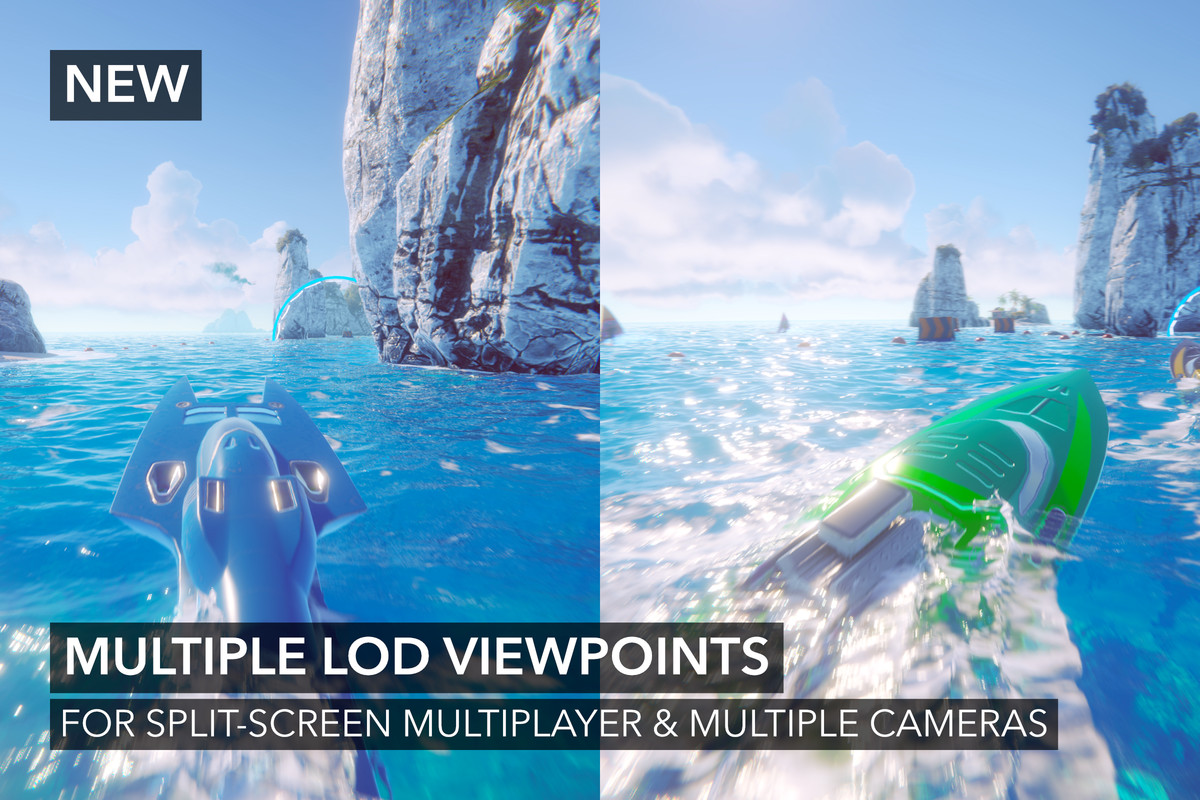
- Multiple LOD viewpoints for split-screen multiplayer etc.
- WebGPU support (experimental).
- Many new features and improvements.
Some features (mostly deprecated) have been removed, while others have been moved to separate packages. Please refer to the Release Notes for more information.
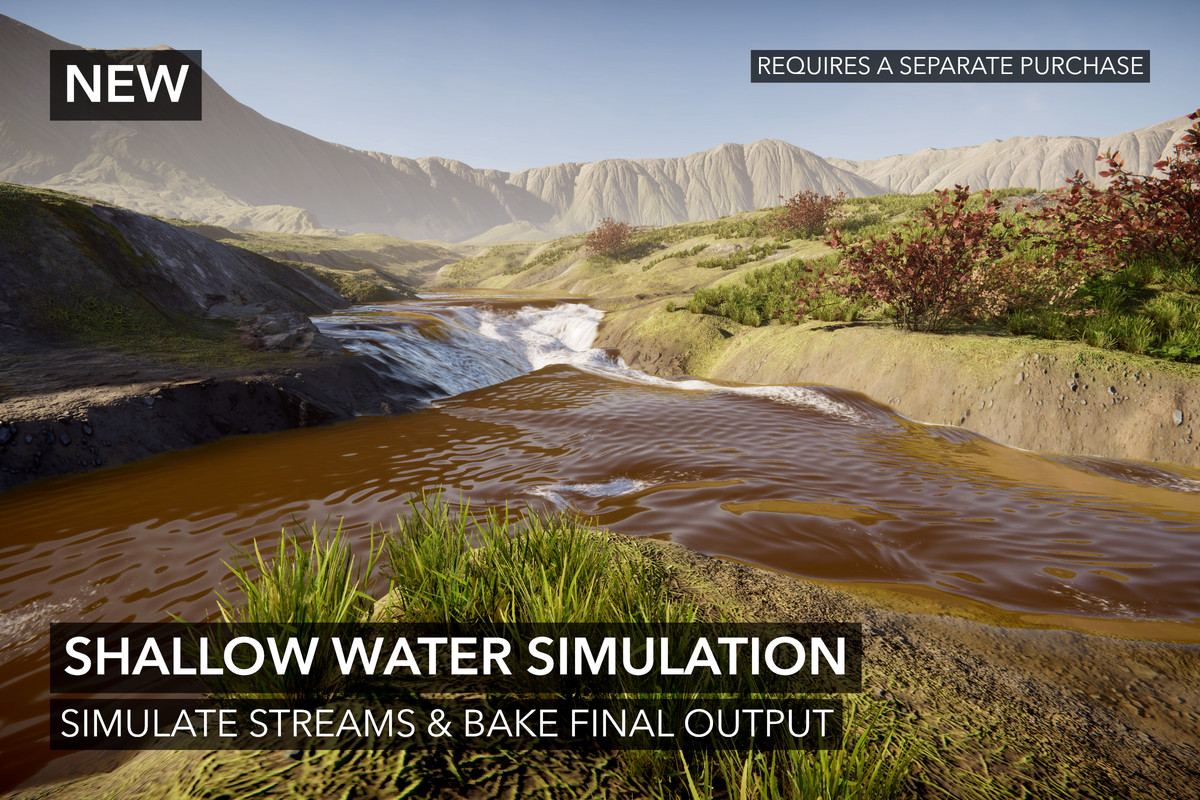
Important: The Shallow Water package is NOT required for shallow water. It is an integrated shallow water simulation - a next-generation feature. Crest 5 can still have shallow water using the same features as Crest 4 does.
WORKFLOW
——————
- Add water in minutes with two components (water surface and waves).
- Sane and balanced defaults.
- Helpful tooltips including materials properties.
- Detailed help boxes display validation errors directly in the inspector with buttons to fix problems directly.
- Online and offline documentation.
- Fully documented scripting API.
- Supports all three render pipelines in one asset.
- Imports into the Packages directory as an editable UPM package.
- No requirement to remove Crest before updating like other assets.
FEATURES
—————
Novel Level of Detail System
Both mesh and data are rendered using several LODs. This allows high fidelity up close without sacrificing performance. This system has been used for several years, including multiple successful titles, thus is mature and battle-tested. More information: https://docs.crest.waveharmonic.com/Manual/SystemNotes.html
Multiple Level of Detail Viewpoints
Crest can now have multiple LOD viewpoints to support split-screen multiplayer and multiple camera scenarios.
Rich Selection of Data
Due to Crest's scalable system, it can execute several data sets. These include Animated Waves (displacement), Dynamic Waves, Water Depth, Water Level, Albedo, Flow, Foam, Shadows, and Surface Clipping. The selection has been expanded since launch to now include Absorption and Scattering.
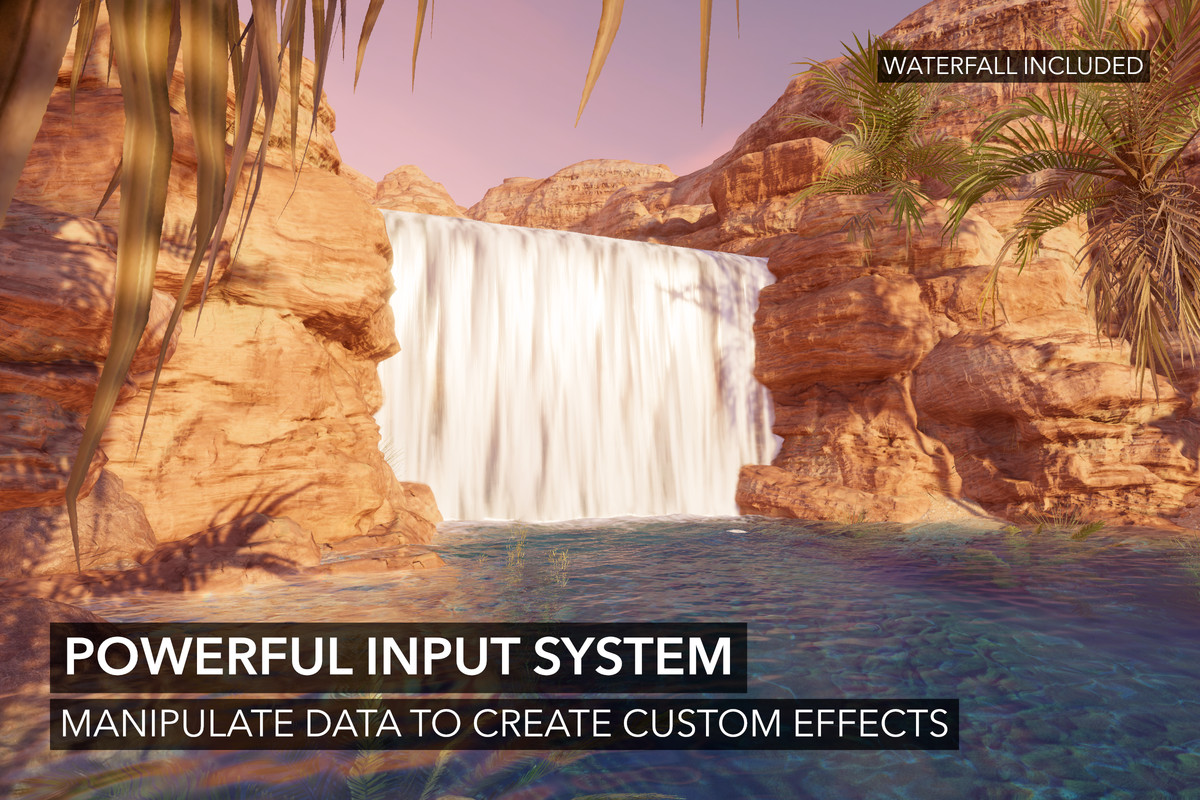
Powerful Input System
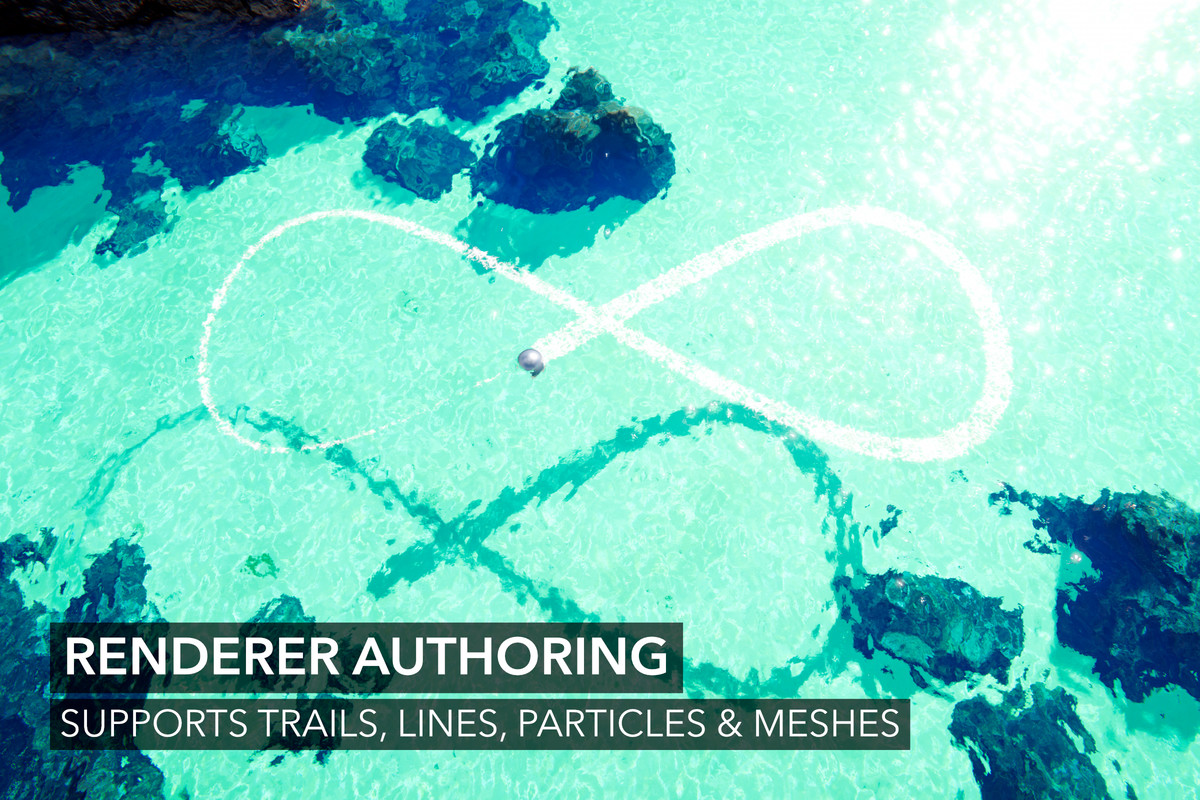
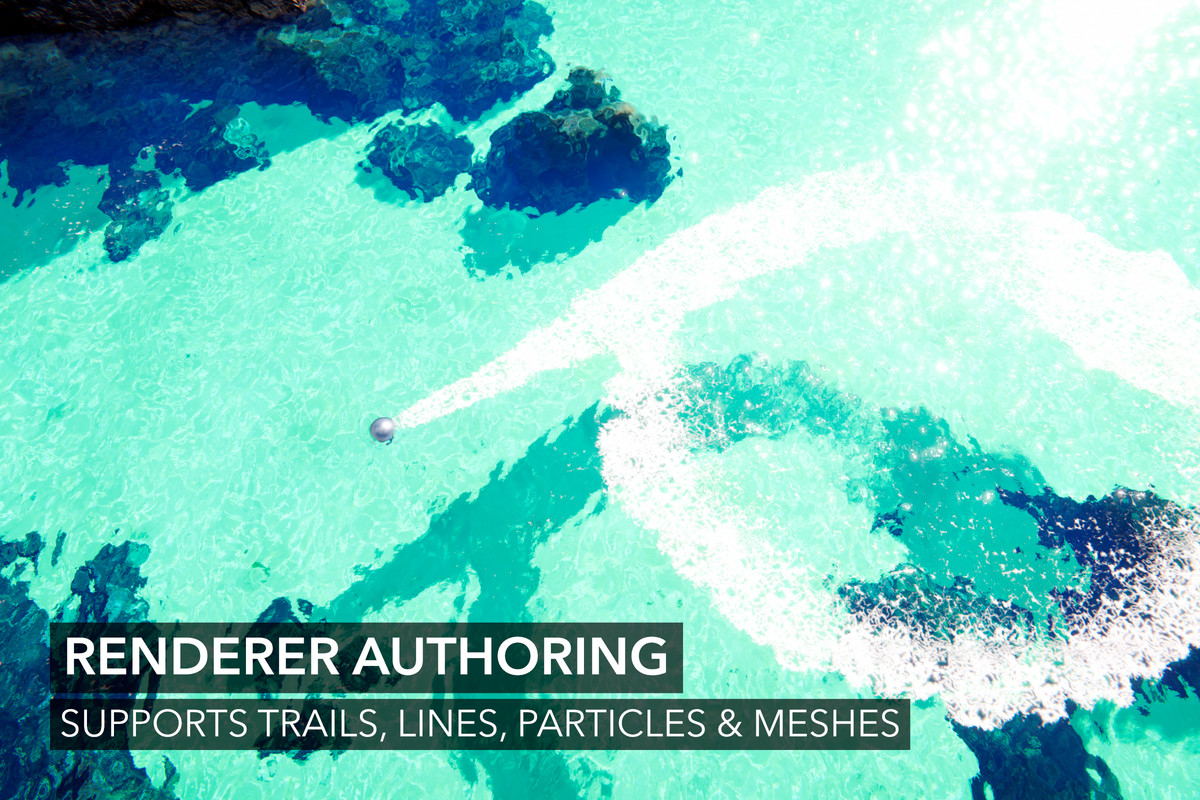
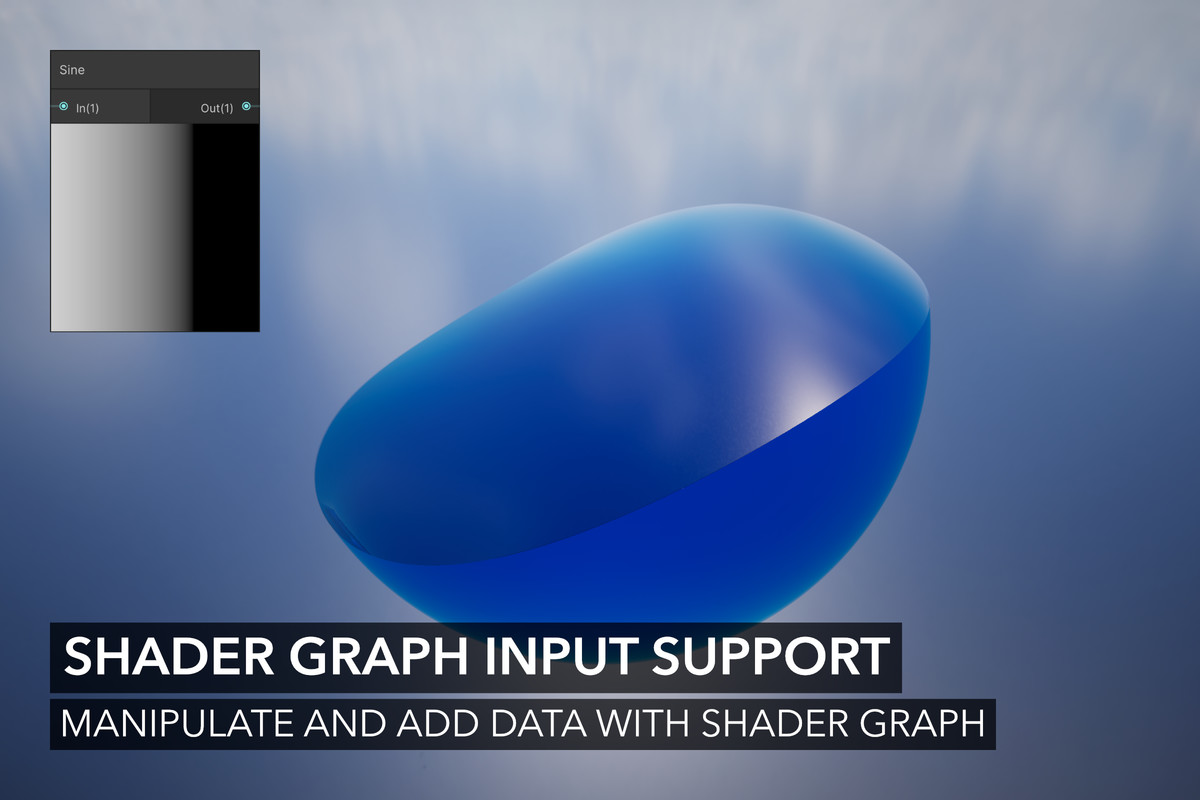
These data sets have accompanying inputs which can inject and manipulate data. They have different modes so you can use renderers (mesh, trail, line, and particles), textures etc as data sources - this includes Shader Graph support. We provide a waterfall sample to show what can be accomplished without any custom shaders.
Query System
Query water displacement, normals, and velocity (using asynchronous GPU read back) to get data to the CPU. Furthermore, other data can be queried like flow and signed-distance to the shoreline.
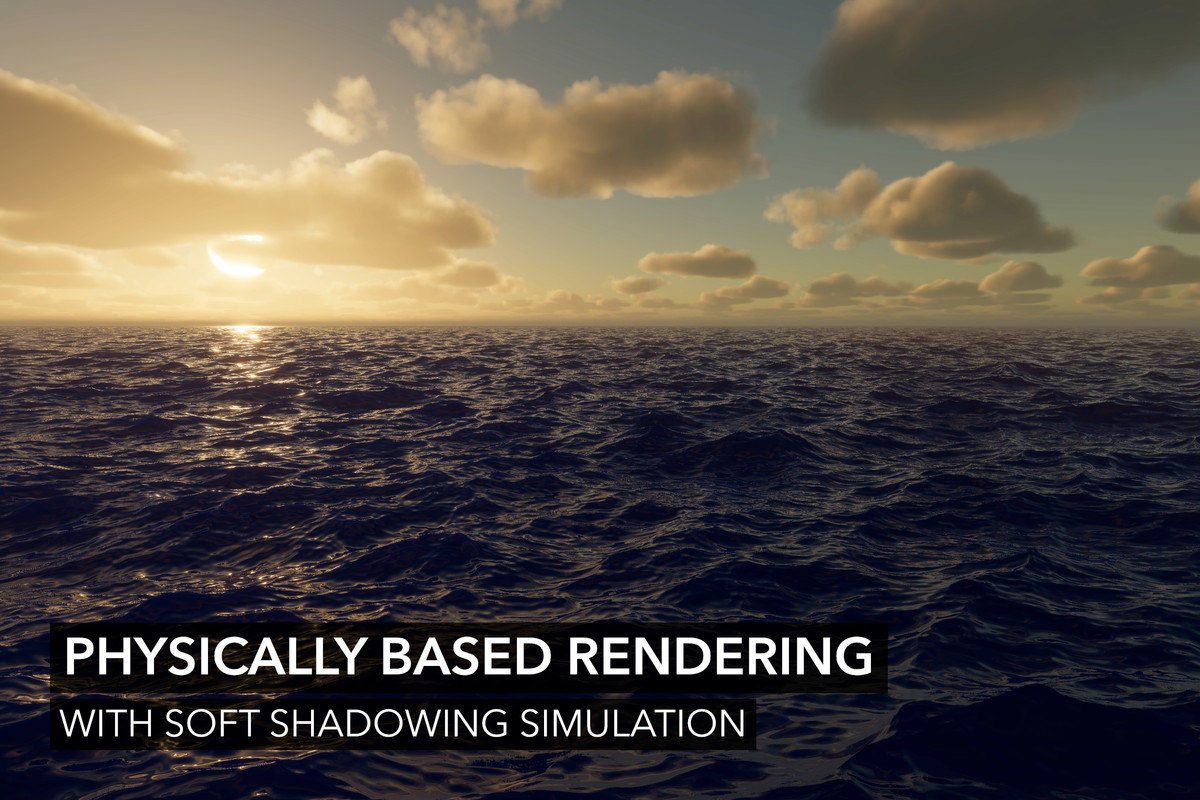
Physically Based Rendering
Simulated light transport including approximation of reflections, refractions, transmission, scattering, caustics, and shadowing.
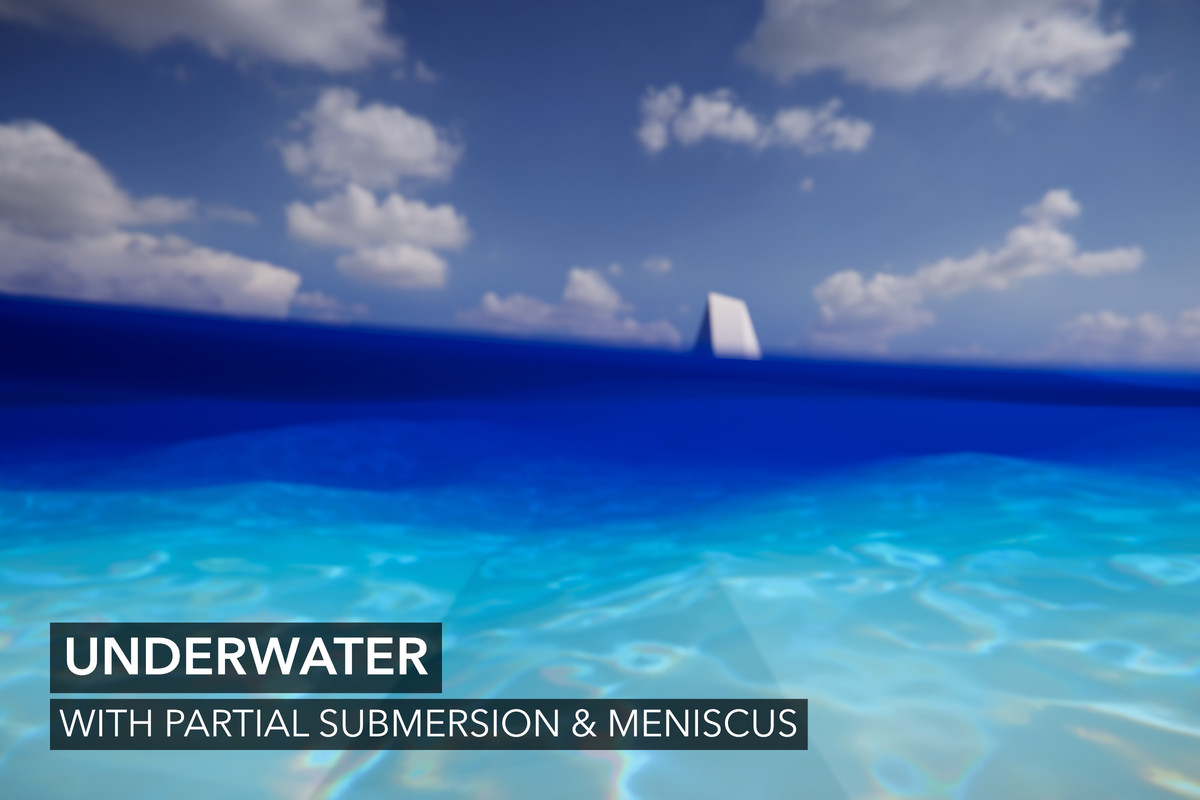
Underwater
Underwater effect with pixel-perfect partial submersion. Includes a meniscus (water line), and models out-scattering (darkening with depth).
Water Physics
Buoyancy and drag are provided with a semi-modular floating object system. With layers, physics can be nested to allow floating objects to behave correctly inside other floating objects (eg barrel in a boat).
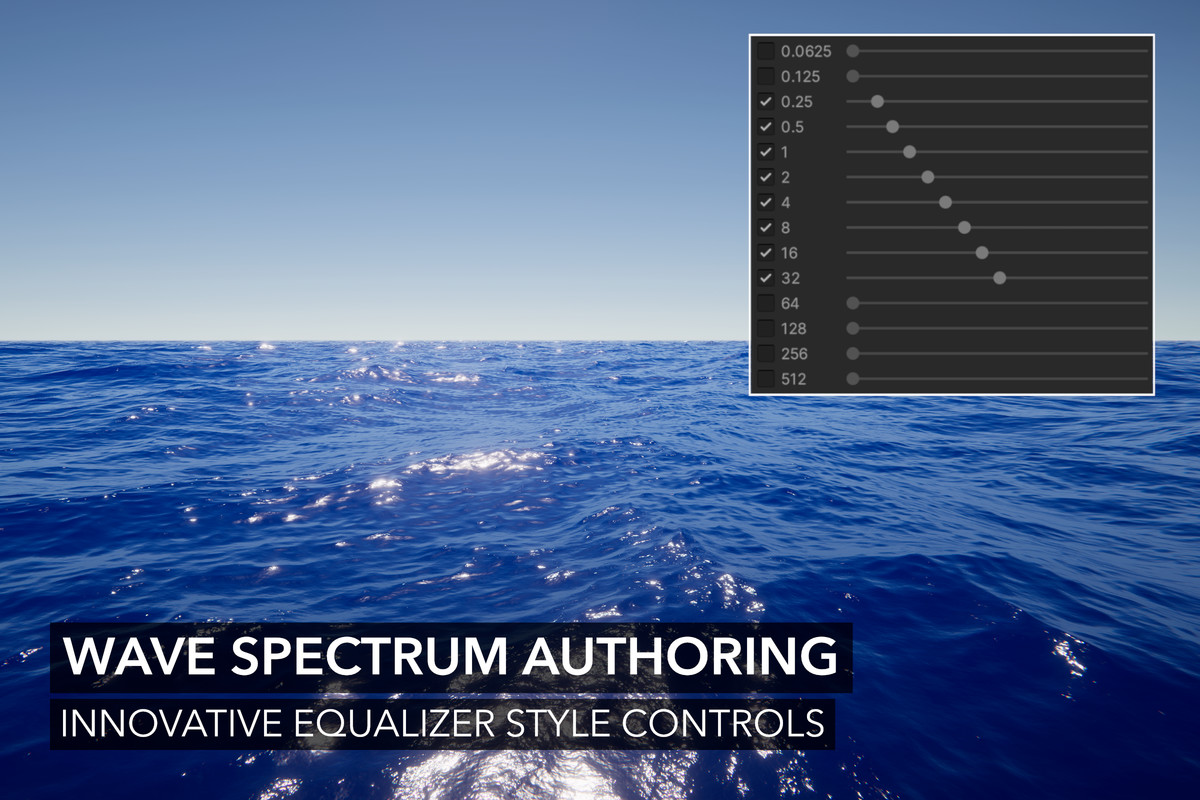
Deterministic FFT and Gerstner Waves
With innovative "equalizer" style wave authoring, create wave conditions from calm seas to monstrous waves for storms. Multiple wave sets can be blended together, including local waves with edge interpolation. This is the most powerful wave system for Unity.
Shallow Water Wave Attenuation
Dampens waves based on the water depth similar to how they would at shore, and importantly prevents waves from rising above the surface.
Important: This is not the same thing as the shallow water simulation, which is a separate asset.
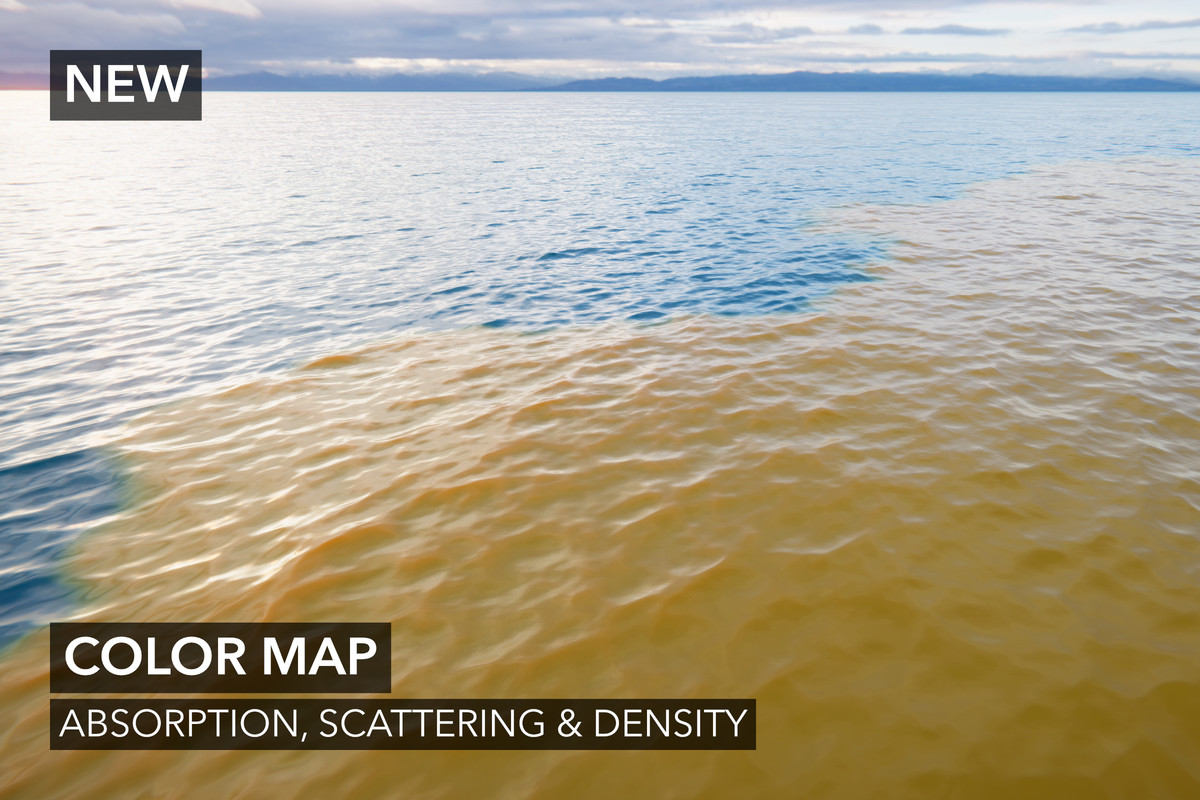
Absorption & Scattering Simulation
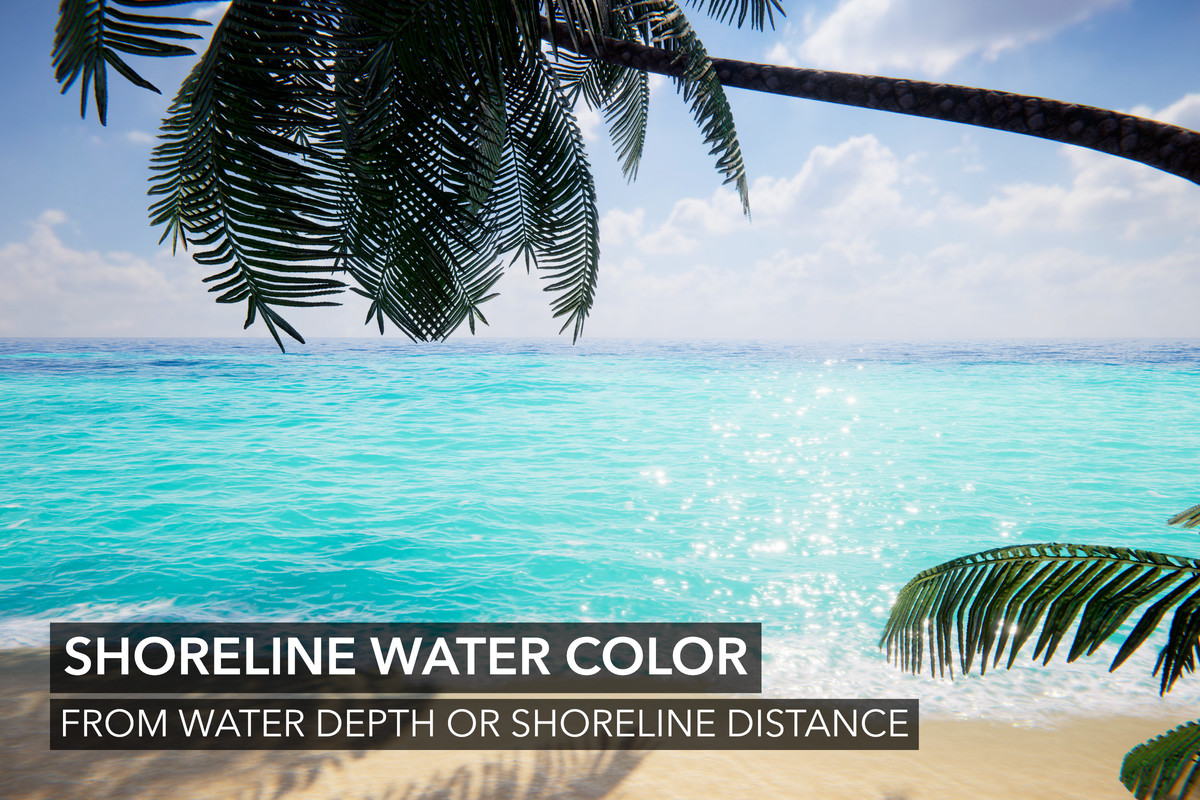
Change absorption and scattering at the texel level. Give rivers and lakes different colors, or simulate various beaches by using the shoreline absorption/scattering.
Dynamic Waves Simulation
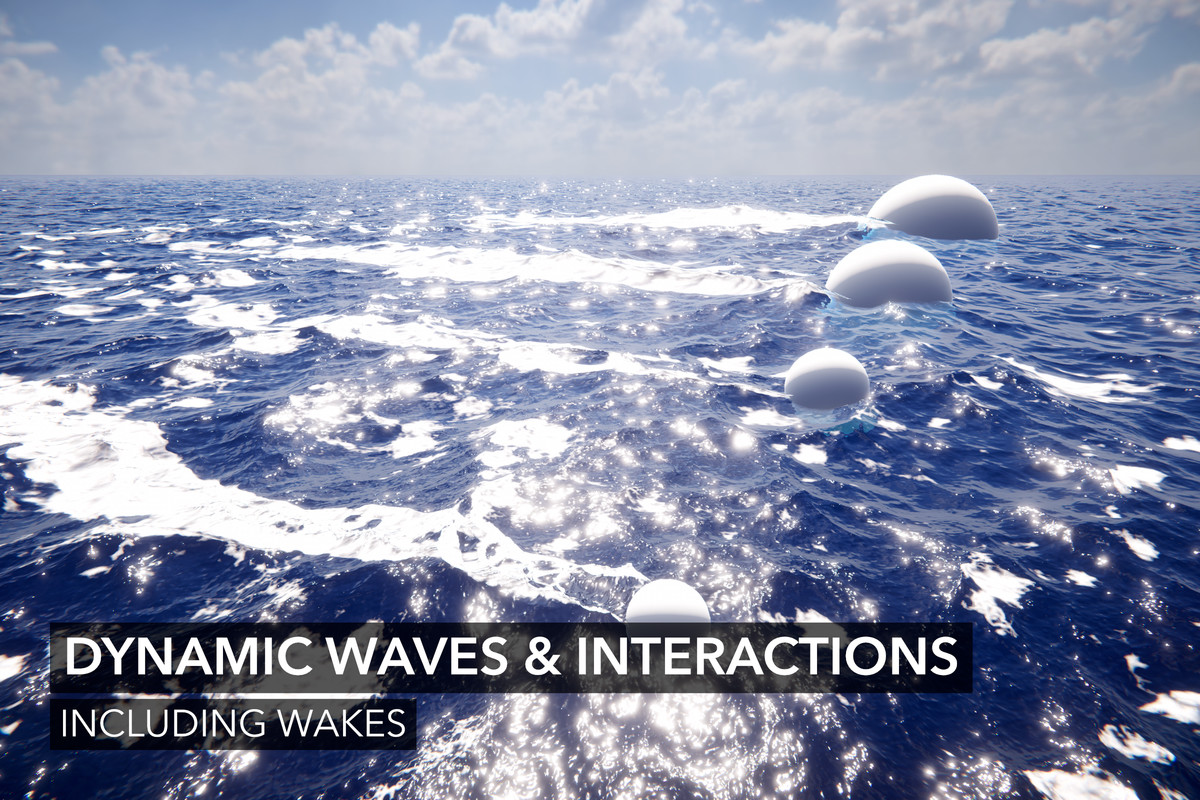
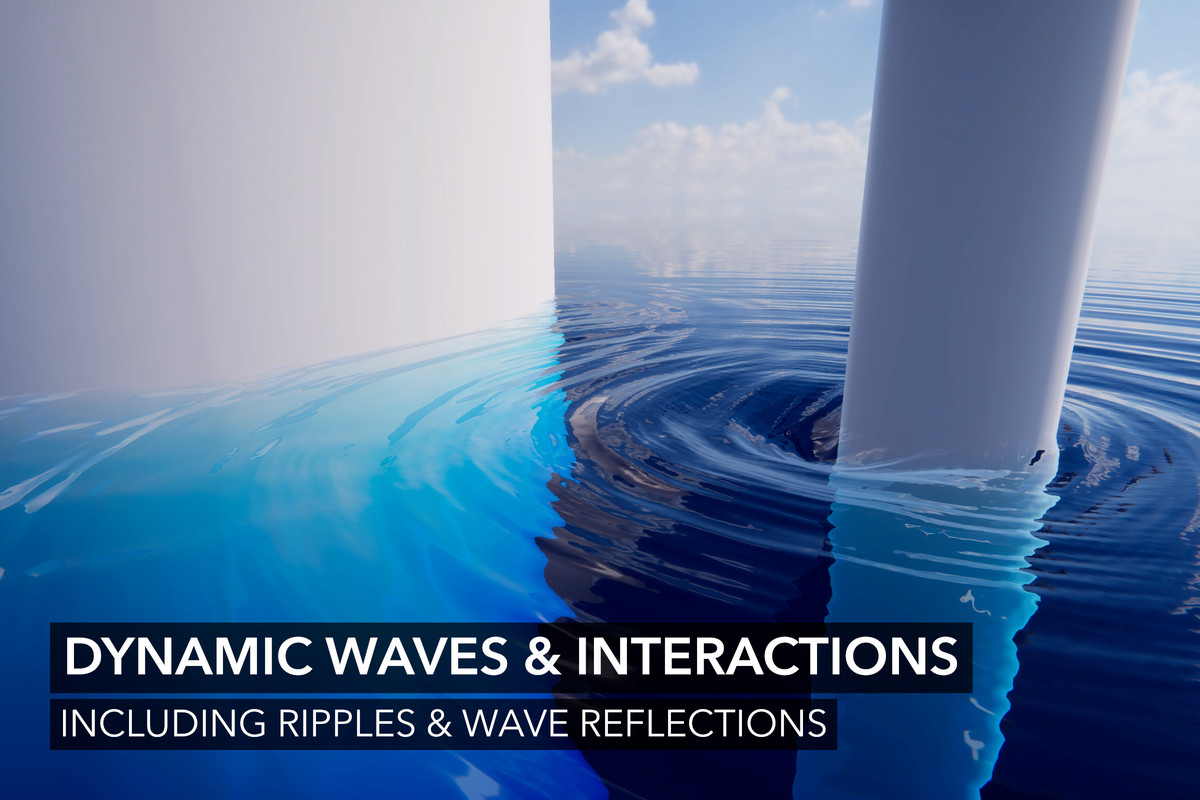
An advanced dynamic wave simulation used for modelling wakes, ripples, wave reflections, and other forms of waves.
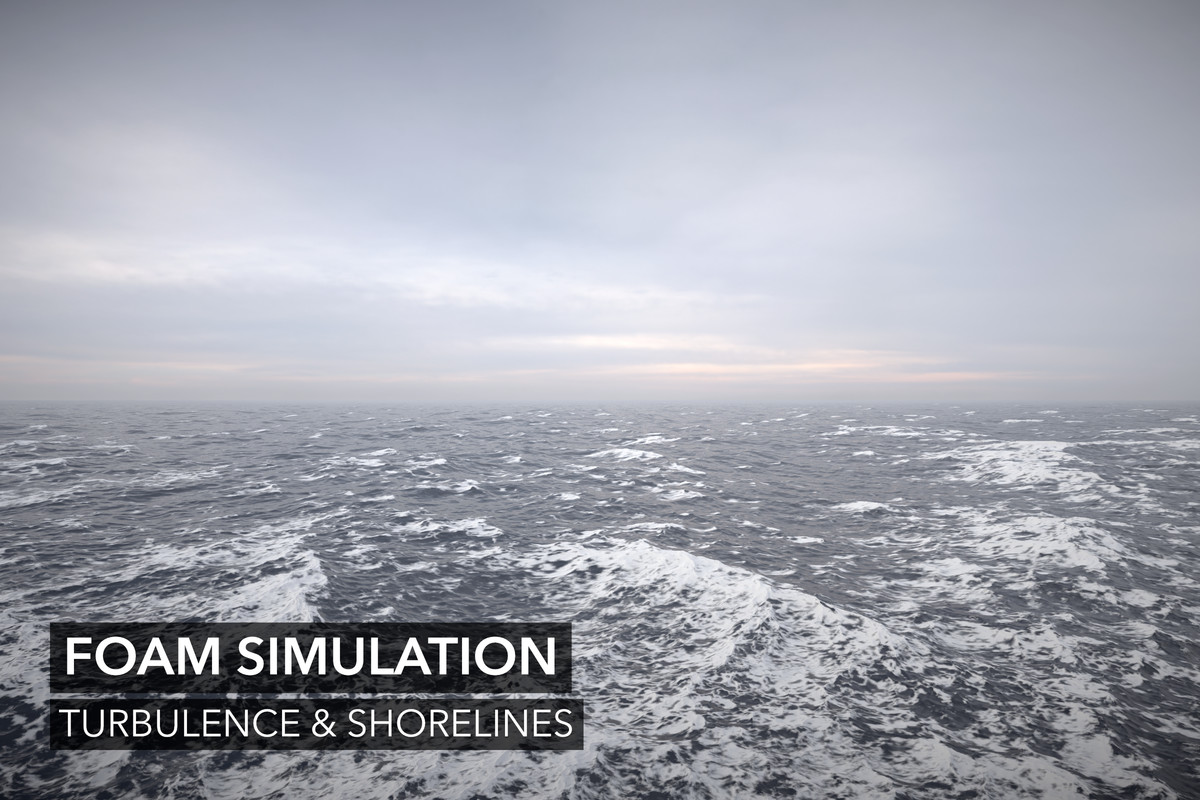
Foam Simulation
A rich foam simulation where foam dissipates over time. Foam contributions can come from turbulence, shorelines, and foam inputs.
Flow
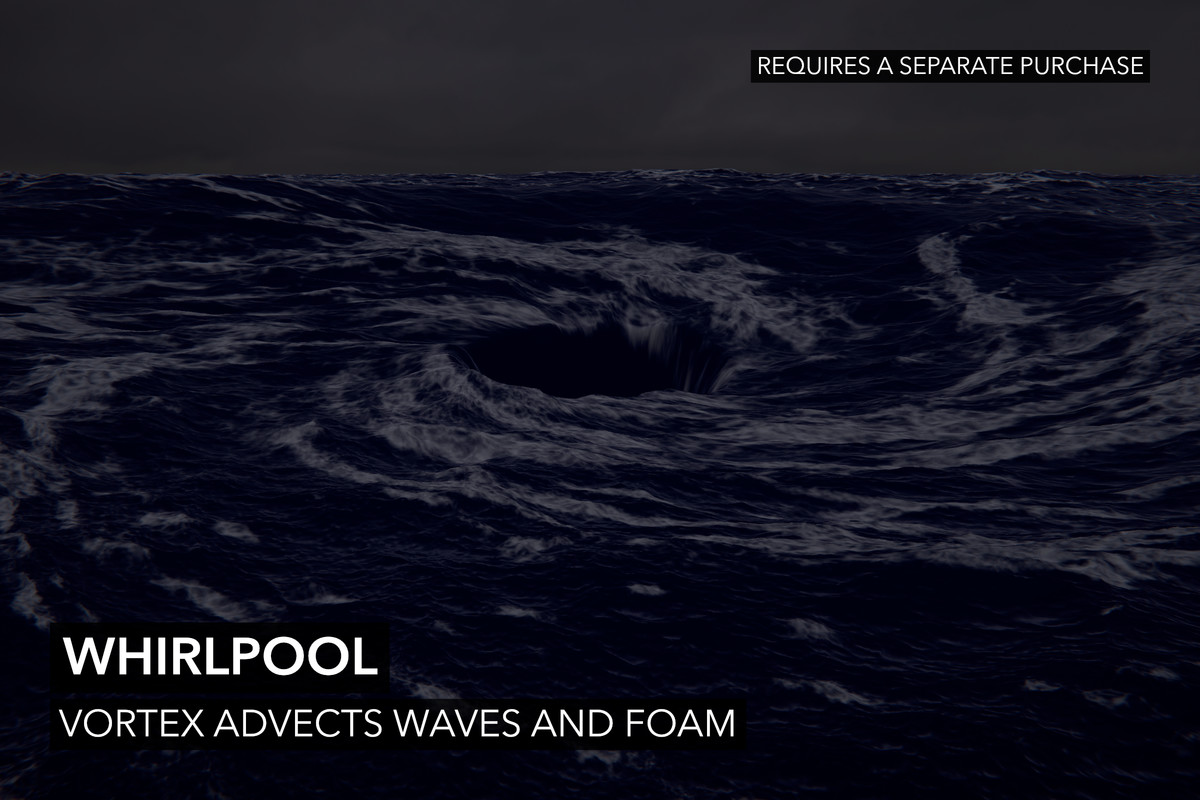
Advects waves, normals, foam, and caustics. Bring your own flow map via a texture or use our many other input modes.
Shadow Simulation
Provides both soft and hard shadows. The former is used for shadowing the water volume; it will vary the softness by the scattering/absorption coefficients. The latter is used to improve on Unity's shadows, which affect specular highlights.
Surface Clipping
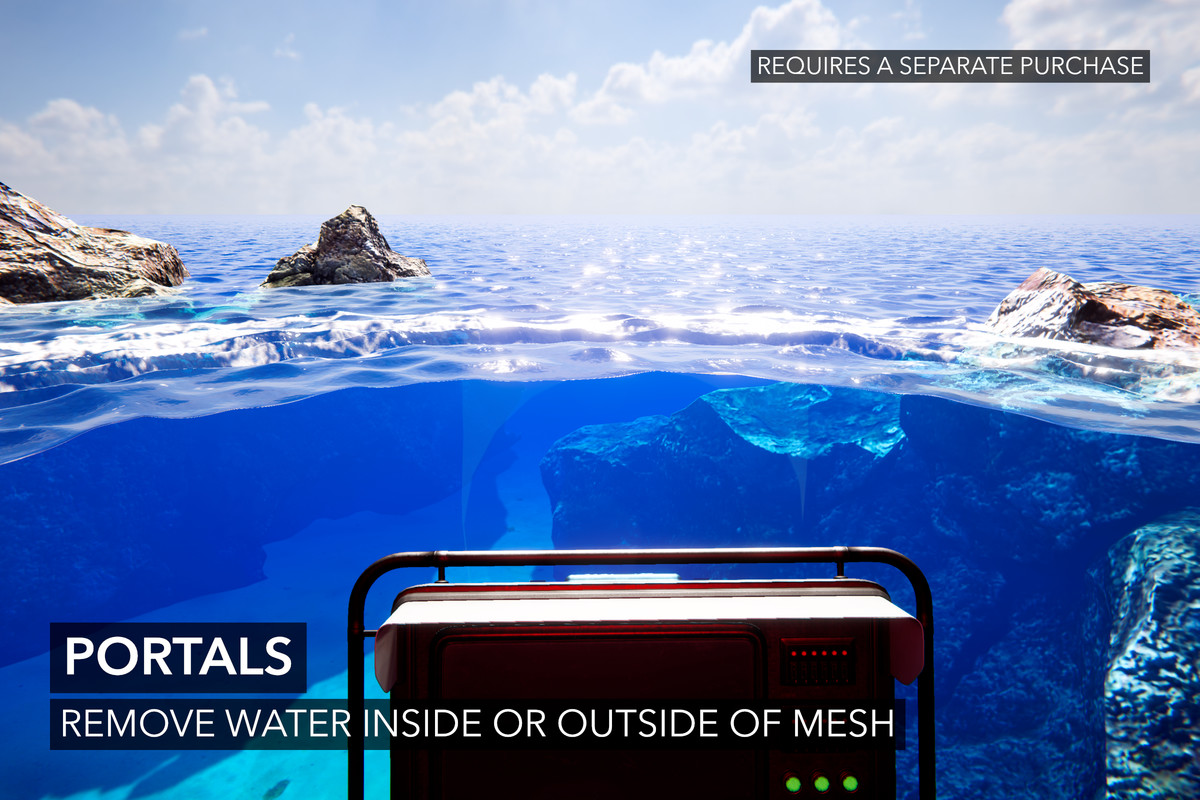
This is used to remove the water surface for boats, caves, etc. Holes can be cut using a mesh or signed-distance primitives for extra precision.
Varying Water Level
Change the water level to create elevated lakes. It is possible to create a gradient to create rivers and streams which blend seamlessly with lakes and oceans. Bring your own height map via a texture or use our many other input modes.
Albedo Layer
Apply color to the water surface similar to decals. This is perfect for algae in swamps.
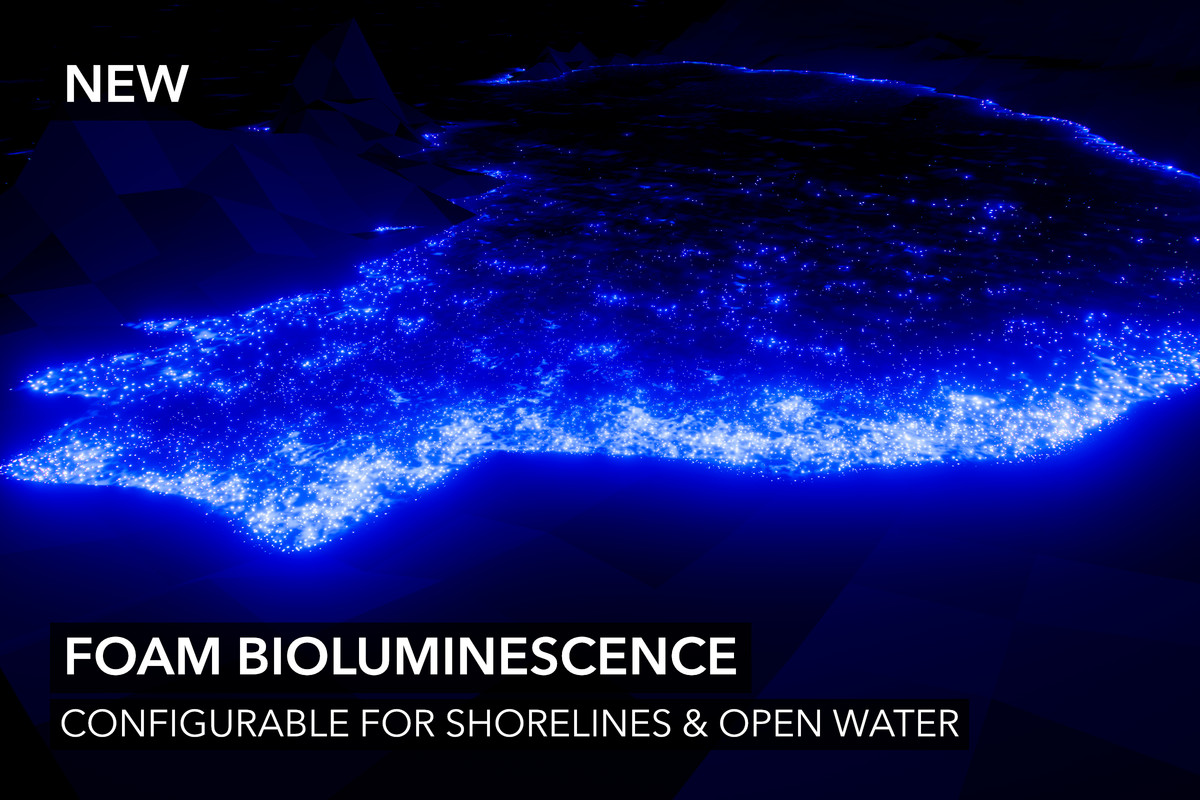
Bioluminescence
We have added the latest in water rendering trends: bioluminescence. It can be restricted to shorelines or include open water. The effect is very customisable.
Advanced Rendering
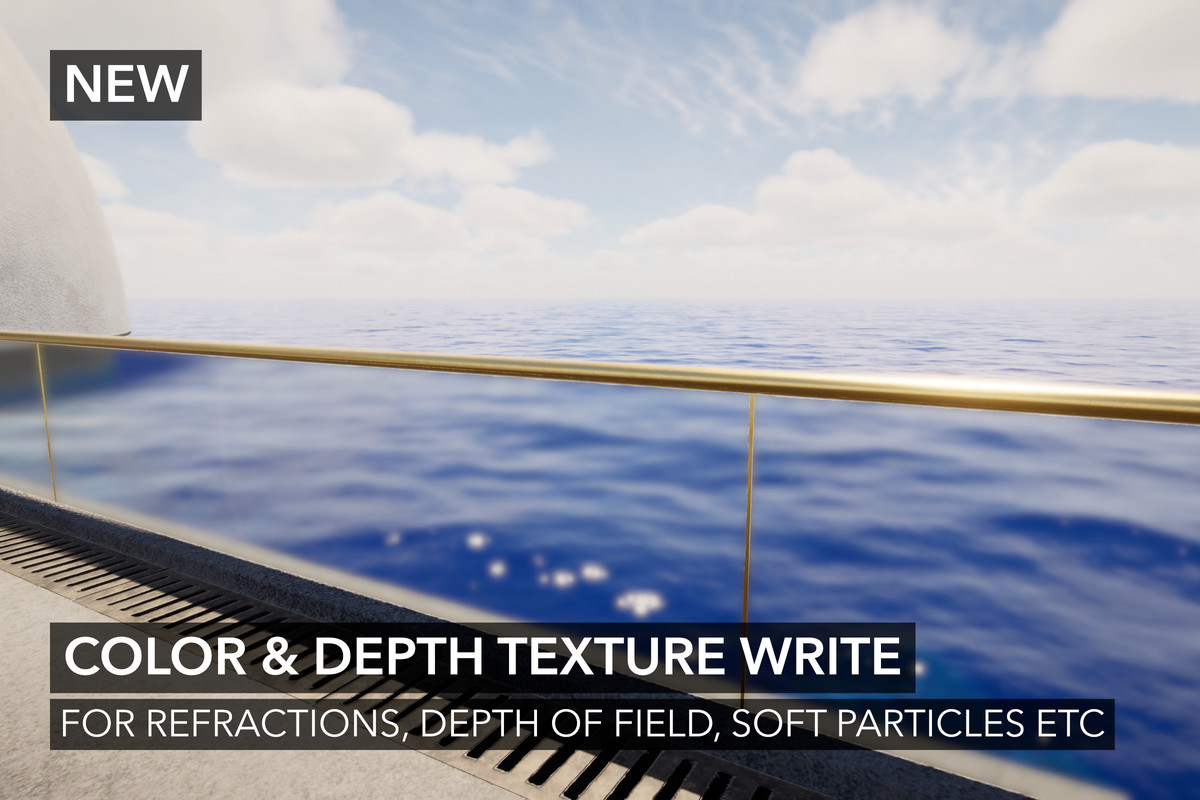
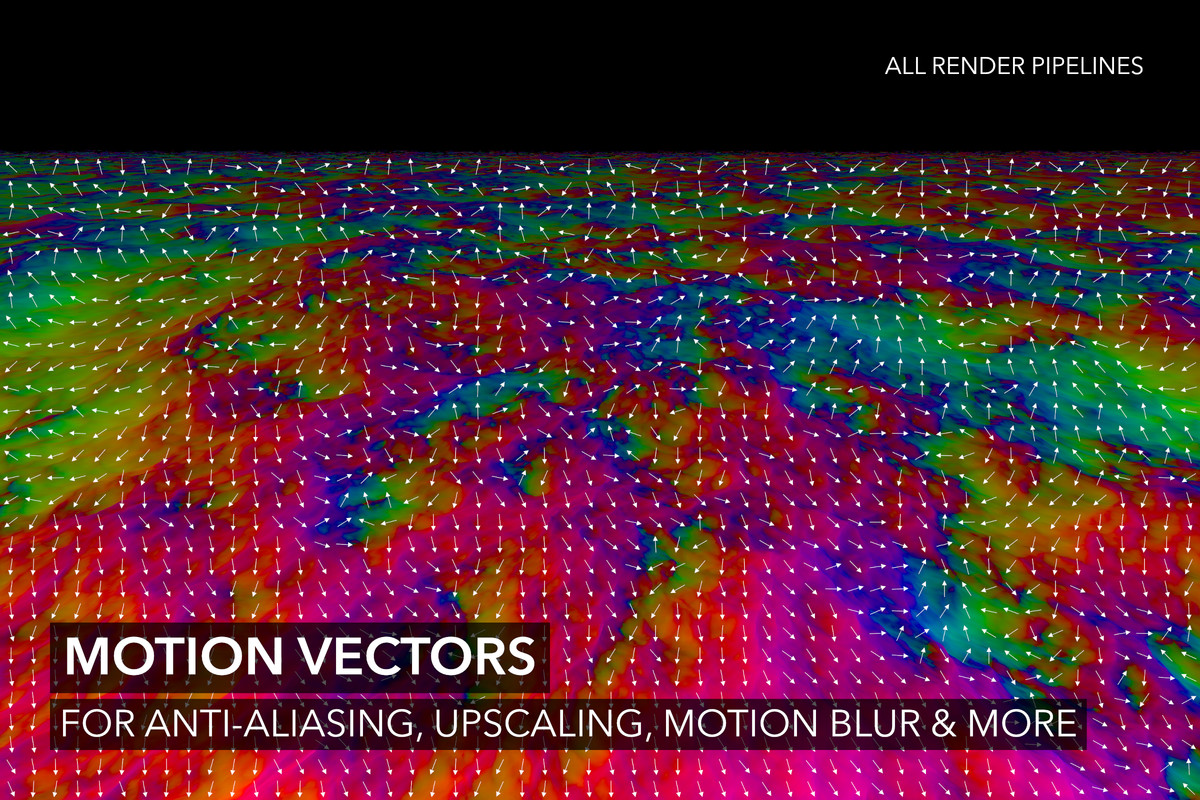
Crest can render motion vectors (as far as we are aware, other water assets do not), and depth for post-processing effects like Depth of Field. It can also render before transparency (experimental) to support Soft Particles, refractive objects like glass, and with a Shader Graph node, apply underwater correctly to transparent objects.
Platform Support
We have an entry under Project Settings which allow you to disable features based on the target platform. We have also added experimental web platform support via WebGPU:
https://docs.crest.waveharmonic.com/Manual/Platforms.html#web
Mobile Rendering Modes
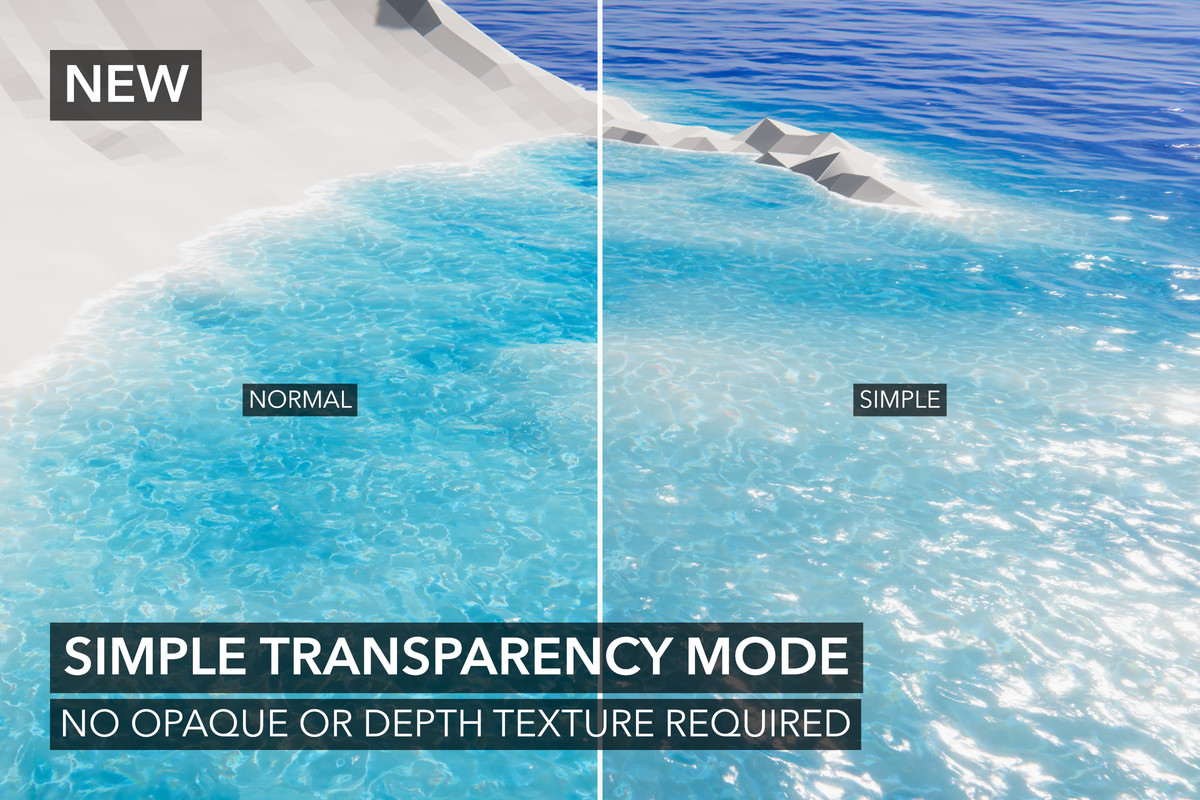
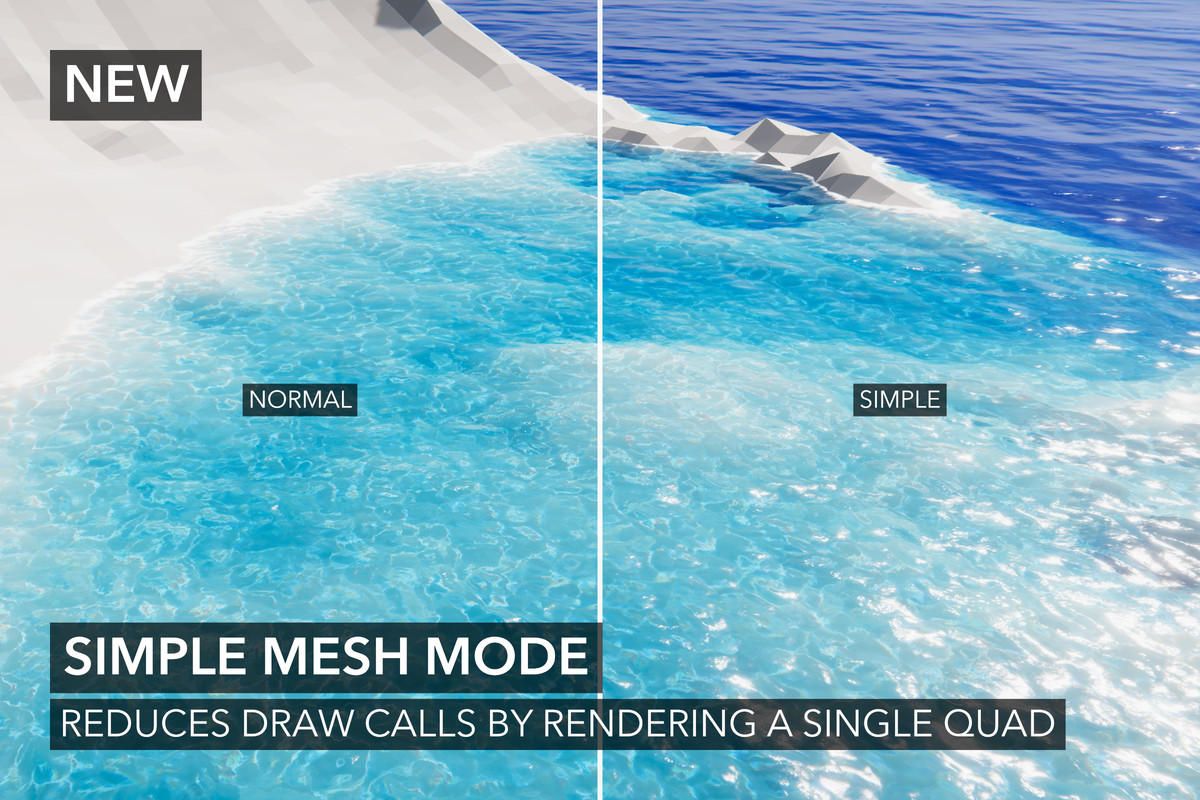
We have added two new rendering options: Simple Transparency (no opaque/depth texture needed) and Simple Mesh mode (quad with no displacement). Both of these options trade accuracy and fidelity for improved performance. They can be very effective on restrictive hardware, like mobile, where tiled rendering is common. For more information:
https://docs.crest.waveharmonic.com/Manual/PerformanceGuide.html#mobile-performance
Online & Offline Documentation
We provide documentation both online and offline. Documentation includes a fully documented API. Offline documentation is in the form of a PDF. Online documentation can be found here: https://docs.crest.waveharmonic.com/About/Introduction.html
Documented API
We provide an extensive API which is fully documented. Here is the page for the main component: https://docs.crest.waveharmonic.com/API/WaveHarmonic.Crest/WaterRenderer.html
Much More
- Planar reflections including Total Internal Reflections
- Flexible time synchronisation to support networking and cutscenes
- Water shader is a Shader Graph (only two nodes, internals are still HLSL)
- Gaia Pro VS integration
- And much more
Please see extension assets below for more features.
Please see the Frequently Asked Questions section in our documentation for more important information.
Sample scene selection may not include ones shown in marketing materials and screenshots.
COMPATIBILITY
————————
- Unity 6 supported.
- Unity 6 URP Render Graph & compatibility mode supported.
- Motion Vectors.
- Depth-based effects like Depth of Field.
- Raytraced Reflections (HDRP only).
- Forward, Forward+, Deferred, Deferred+, Perspective, and Orthographic supported.
- Single-Pass (Instanced), Multiview and Multi-Pass Stereo Rendering (VR/XR) supported.
LIMITATIONS
——————–
- Planar reflections currently do not support XR.
- Motion Vectors are more expensive for BIRP than other RPs (Unity bug).
- Depth-based effects (like DoF) are more expensive for BIRP than other RPs (Unity limitation).
- WebGPU is experimental
These known limitations may be solved in future versions. Please also read the Technical Details foldout.
REQUIREMENTS
————————
- Unity 2022.3, Unity 6.0 or Unity 6.3
- Shader Graph package
- Shader compilation target 4.5 or above
- Graphics API that is not OpenGL or WebGL
- WebGPU requires texture-formats-tier2 support
- 3D rendering (ie URP 2D rendering not supported)
- One license required for each individual user (see EULA)
As a general requirement, it may be necessary to update to the latest patched version of Unity in order for a problem to be solved. Furthermore, legacy versions of Unity are not supported. We only support "Supported" or LTS versions.
EXTENSIONS
——————–
These are optional extensions.
- CPU Queries: Not required as there are GPU queries provided. This is for GPU-less environments.
- Paint: Paint data with a non-destructive workflow.
- Portals: Restrict rendering to a mesh. Useful for aquariums and portholes.
- Shallow Water: A shallow water simulation. Not required for shallow water, as Crest has wave attenuation. It is a next-generation feature.
- Shifting Origin: Keeps the camera at zero. Only needed for very large worlds.
- Splines: Powerful tool for creating lakes, rivers, and more.
- Whirlpool: Bespoke feature to create a customizable whirlpool.
ASSET COMPATIBILITY
———————————–
We avoid non-standard techniques and are not aware of any major incompatibilities. We have a list of known integrations, including Cozy 3, Dynamic Water Physics 2 (DWP2), Enviro 3, Expanse and Gaia.
Release Notes
Changes
- Hide legacy underwater dependent options if not legacy underwater is enabled
- Show culling override in water level gizmos
- Improve Ripple Generator UX by renaming fields and adding tooltips
- Reduce foam pixelation by using higher texture compression quality. This can be improved further by using no compression
Fixes
- Fix “ambiguous call to ‘mul’” and “ambiguous call to ‘clamp’” shader errors for PS4
- Fix ShapeCombine possibly sampling out of bounds
- Fix NullReferenceException on disabling Editor Multiple Viewpoints
- Fix a render texture being replaced with multiple viewpoints on initialization (possible leak)
- Fix potential exception if simulation is disabled
- Fix queries not executing per scene view in edit mode
- Fix NaNs if certain simulations are disabled
- Fix broken scene camera shadow simulation
- Fix shadow simulation not working correctly for game camera
- Fix accumulation blur for Shadows, Foam and Dynamic Waves simulations
- Fix objects underwater being black if flow is disabled on the Water Renderer but flow and caustics enabled on the material
- Fix Water Body causing flickering of water surface
- Fix several potential NullReferenceExceptions
Optimizations
- Optimize blur compute shader
- Remove two unecessary copy texture passes for simulation blur
- Remove dead code including unused shader uniform
- Save VRAM bu reducing render texture count for Shadows, Foam and Dynamic Waves simulations
- Ensure the viewpoints (LOD center / system) is only executed once per-frame for a camera
Documentation
- Add Foam Shading section
- Add notes/tips for integration
5.8.1
Changes
- Validate that Before Transparency and opaque water material are not used together
- Get Rendering Layer Mask from Chunk Template when using quad mesh
Fixes
- Fix incorrect Sphere Water Interaction filtering if Dynamic Waves resolution differs from Animated Waves
- Fix destroy asset error with ShapeFFT/Gerstner
- Fix zero feather when using texture mode for inputs writing outside of bounds
- Fix texture mode multiplier not applying to ShapeFFT/Gerstner
- Fix diffuse lighting missing for quad mesh
- Fix potential incorrect lighting - especially at night HDRP
- Fix exception spam if custom shader is used
- Fix water level input gizmo “not implemented” exception
- Fix background data potentially not working
- Fix ShapeFFT/Gerstner UI potentially breaking
- Fix shadow simulation not clearing command buffer with multiple viewpoints BIRP
- Fix underwater not working for multiple viewpoints
- Fix water shader build error “variable ‘context’ used without having been completely initialized” HDRP
- Revert “Remove redundant clears” to fix inputs not clearing on PS5
- Silence “InvalidOperationException: Stack empty”
Optimization
- Optimize data types in shape combine step
5.8.0
Changes
- Support using water material with other renderers via Custom Mesh toggle
- Add fresnel stylize controls
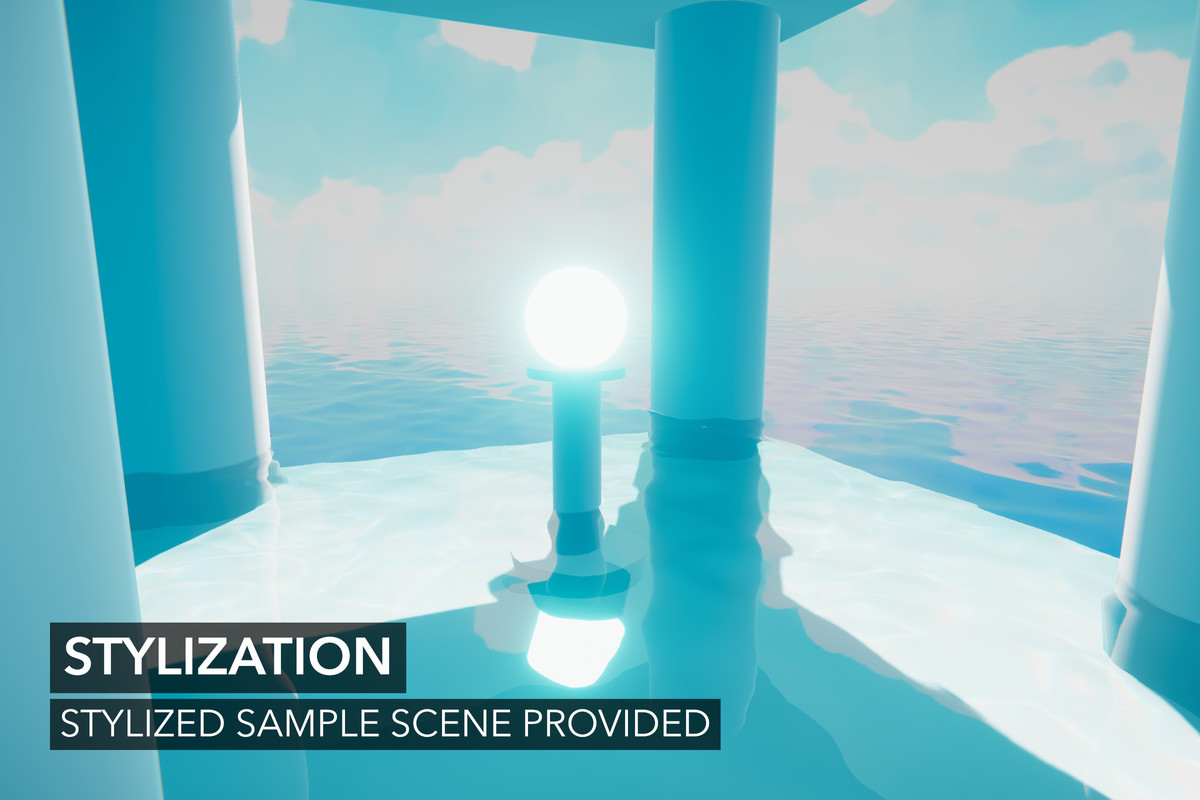
- Add stylized sample
- Add foam sampling options including None, Multi-Scale and Stochastic in the project settings
- Add time and chop scales to FFT wave spectrum (under Show Advanced Controls)
- Add attenuation scales to wave spectrum (under Show Advanced Controls)
- Add Integration.shadersubgraph where users can place their sub graphs to modify the water surface shader fragment. This file will unlikely be changed unlike the main Shader Graph file
- Add method for adding custom atmospheric fog or changing the final color of the water surface without converting the Shader Graph to HLSL
- Add additional (punctual) light support HDRP
- Add rudimentary sub-surface scattering to volume lighting from additional lights
- Add Additional Lights Blend property to water shader
- Add Additional Lights Term property to water shader
- Add Renderer Index to Reflections URP
- Add Placement to Depth Probe to have it follow transform or viewer
- Add Apply Displacement Normals to water material
- Add vertical displacement culling control to Dynamic Waves
- Add dynamic waves horizontal displacement to chunk bounds for culling
- Apply scripting symbol changes to non-current build targets
- Hide shader properties if disabled in settings
- Add out-scatter to feature stripping
- Add apply smoothness to feature stripping
- Add Advanced heading to Reflections
- Add EveryFrame real-time option to DepthProbe
- Rearrange Surface foldout fields
- Validate precision issues with displacement
- Update several “override” fields as inline toggles
- Add Enable Chunk Culling to enable/disable underwater chunk culling
- Add Additional Lights stripping option to project settings
- Update and add extra validation for wind speeds
- Improve Minimum Reflection Direction Y by only applying to Unity reflections
- Add missing wind zone APIs
- Space out fields on ShapeFFT/Gerstners and fix order
- Update outdated Legacy Underwater tooltip
- Skip SurfaceSelfIntersectionFixMode logic when no underwater only if set to Automatic
- Better handle Gerstner wave randomness for phases
Fixes
- Fix script compiler warnings for Unity 6.3, 6.4 and 6.5
- Fix potential issues with embedded editors
- Fix wave spectrum advanced controls alignment
- Fix missing cases where project settings feature stripping was not applied
- Fix various cases of changes to Reflection properties not applying
- Fix applying water level normal twice
- Fix planar reflection non-distorted ghost image
- Fix caustics and scattering when baked lighting is used
- Fix flow missing from Simple Mesh
- Fix chunks disappearing due to incorrect chunk culling from incorrect input reporting
- Fix exception when enabled Blur on Albedo simulation
- Fix script compilation errors if VR module is disabled
- Fix XR not working in Unity 6.5
- Fix (kind of) shadow simulation when using multiple viewpoints BIRP
- Fix log spam with Render Graph and planar reflections if gizmos enabled URP
- Fix Minimum Reflection Direction Y not applying to Unity reflections if no sky in planar reflections
- Fix script compilation error if no Input System package
- Fix script compilation errors if Wind module is disabled
- Fix warnings if no Shallow Water package and Gaia is installed
Optimizations
- Improve chunk culling performance
- Optimize feature culling in camera loop
- Eliminate non-cached Shader.PropertyToID usage
- Optimize queries by moving more work to CPU
- Move some work for flow to CPU
- Minor optimization to normal map sampling
- Only compile additional lights for water surface
- Optimize surface normal calculation
- Reduce normalize usage in water shader
- Skip Minimum Reflection Direction Y calculation if not needed
- Skip Normal Overall Strength calculation if not needed
- Add flow variants to not sample flow in various simulations
- Minor optimization to keyword usage in vertex stage in water shader
- Remove unused but active global shader property
- Skip water level derivatives when calculating motion vector
- Add water level derivatives to normal varying instead of own varying
- Optimize shader includes
- Minor optimizations to query system
- Remove redundant texture clears
- Minor optimization of data types for volume lighting calculations
- Optimize per-camera water chunks code path
- Optimize Gerstner compute by replacing buffer with array
- Add variant for wave pairs to Gerstner to save on performance cost, as it is often not needed
- Add sealed to classes that were reccently missed where appropriate
Documentation
- Add troubleshooting for global waves affecting other inputs
- Add Integrations page
- Fix missing pages in PDFs
- Add Unity Version Control issue to Known Issues
Please see the release notes page for complete history.






















Basic Information
- Latest Version
- 5.8.2 (31 Mar 2026)
- Publisher
- Wave Harmonic
- Category
- Scripting/Effects
- Size
- 39.1 MB
- Price
- €220.81
- Asset Rating
- ★ ★ ★ ★ ★ (124)
Extended Information
- Unity Versions
- 2022.3.62
- Render Pipelines
- ✔ BIRP ✔ URP ✔ HDRP
- State
- Published