Hierarchy Designer
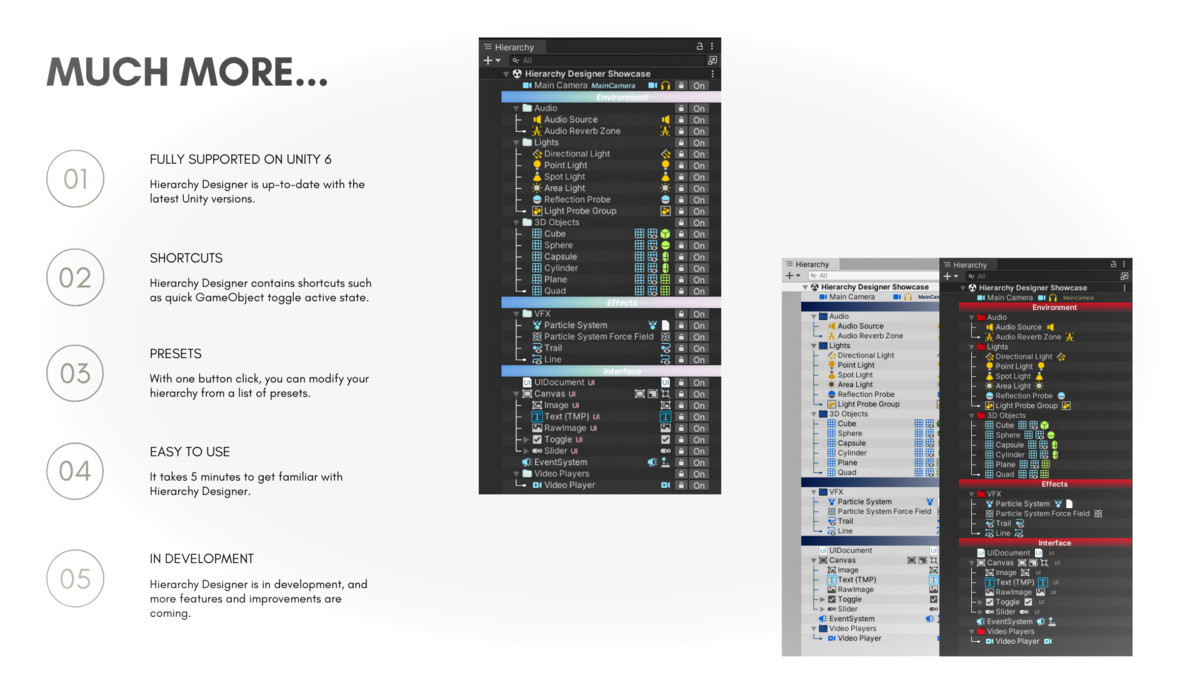
Hierarchy Designer is a lightweight, editor-only tool that upgrades your Unity Hierarchy window—making it cleaner, more customizable, and far easier to navigate.
With no DLLs, no extra GameObjects, and no intrusive changes, it integrates seamlessly into your workflow. Whether you're organizing a large scene or just want a visually tidy Hierarchy, Hierarchy Designer gives you the tools to make it yours.
[Highlights]
- Editor-only – Does not affect builds or add runtime overhead.
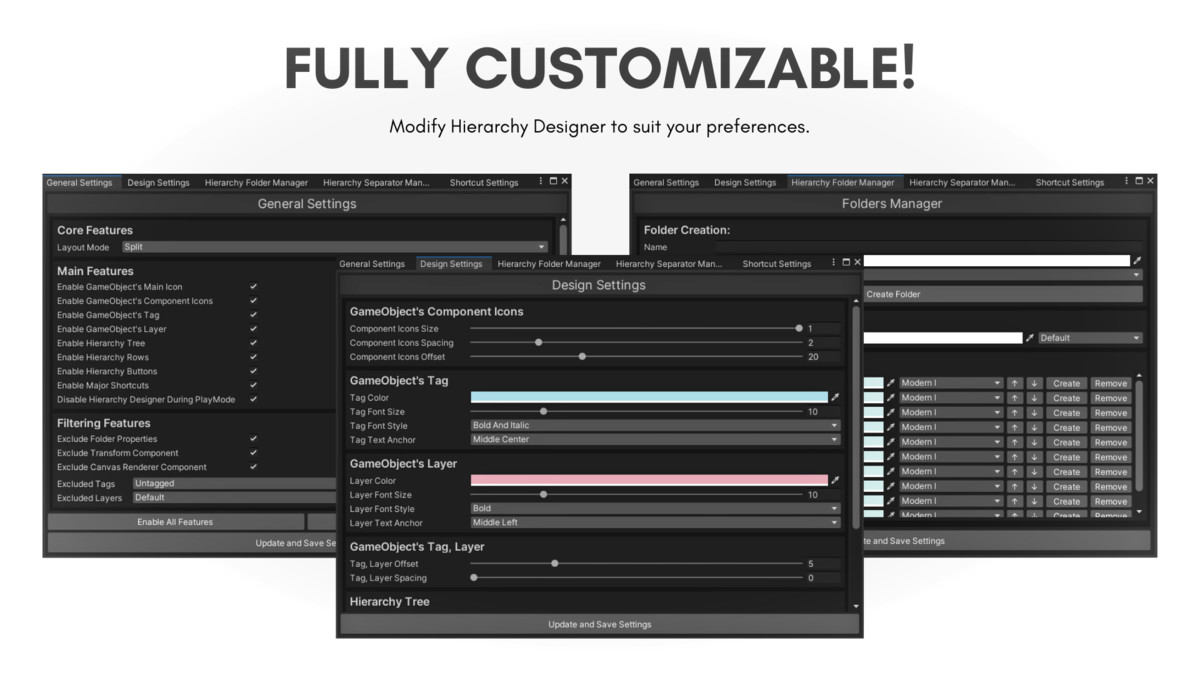
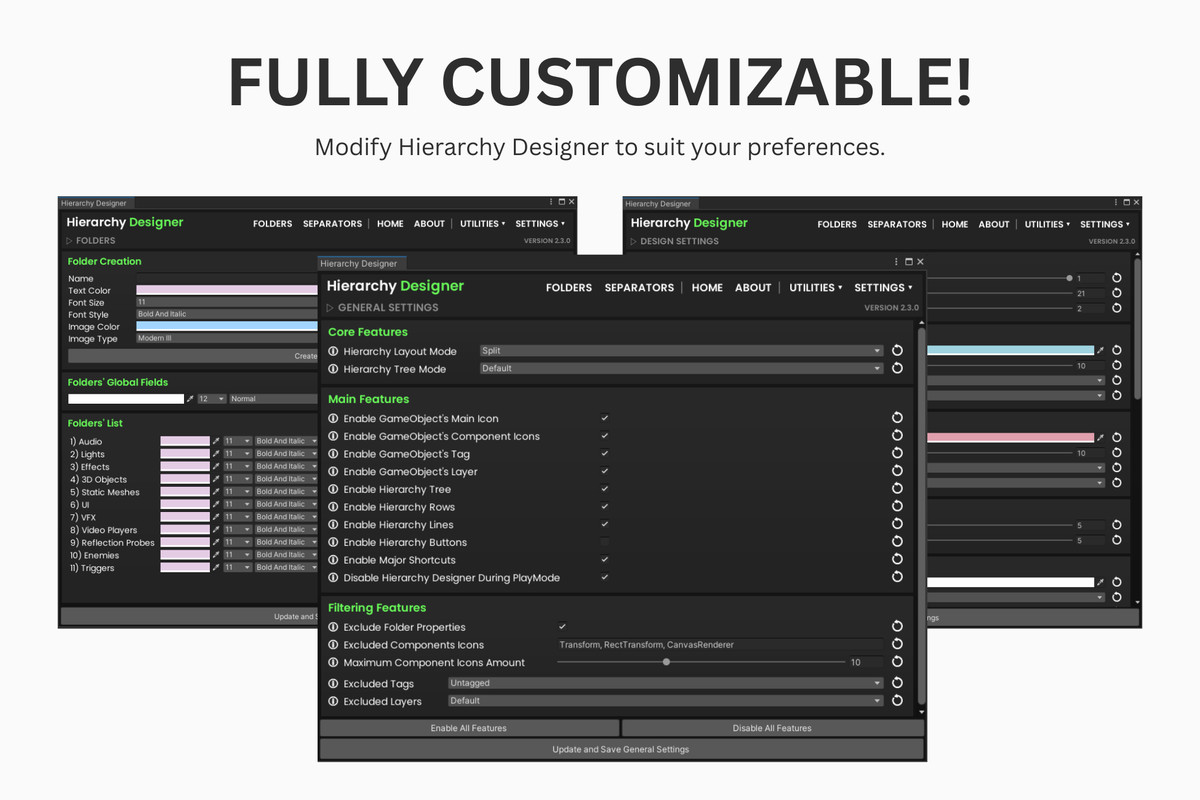
- Fully customizable – Fonts, icons, colors, styles, and behavior.
- Dark & Light Theme support – Looks great in both.
- No DLLs – 100% C# source code, fully editable.
- No clutter – Doesn’t add tags, layers, ScriptableObjects, or unwanted GameObjects.
[Features]
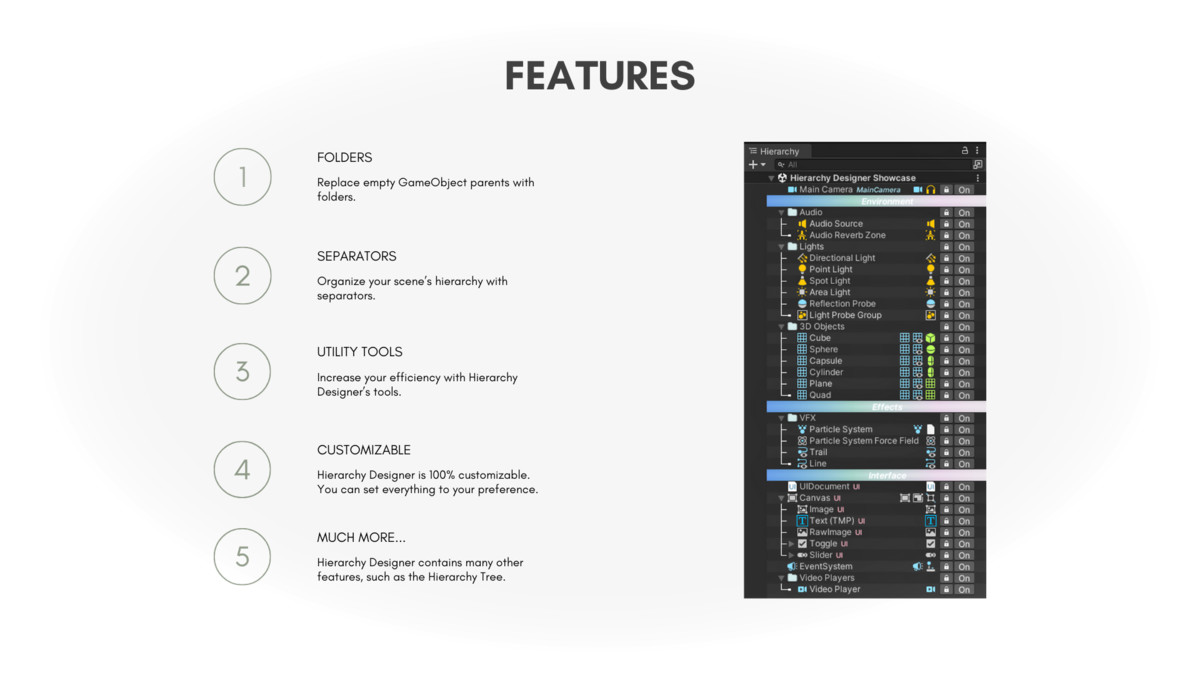
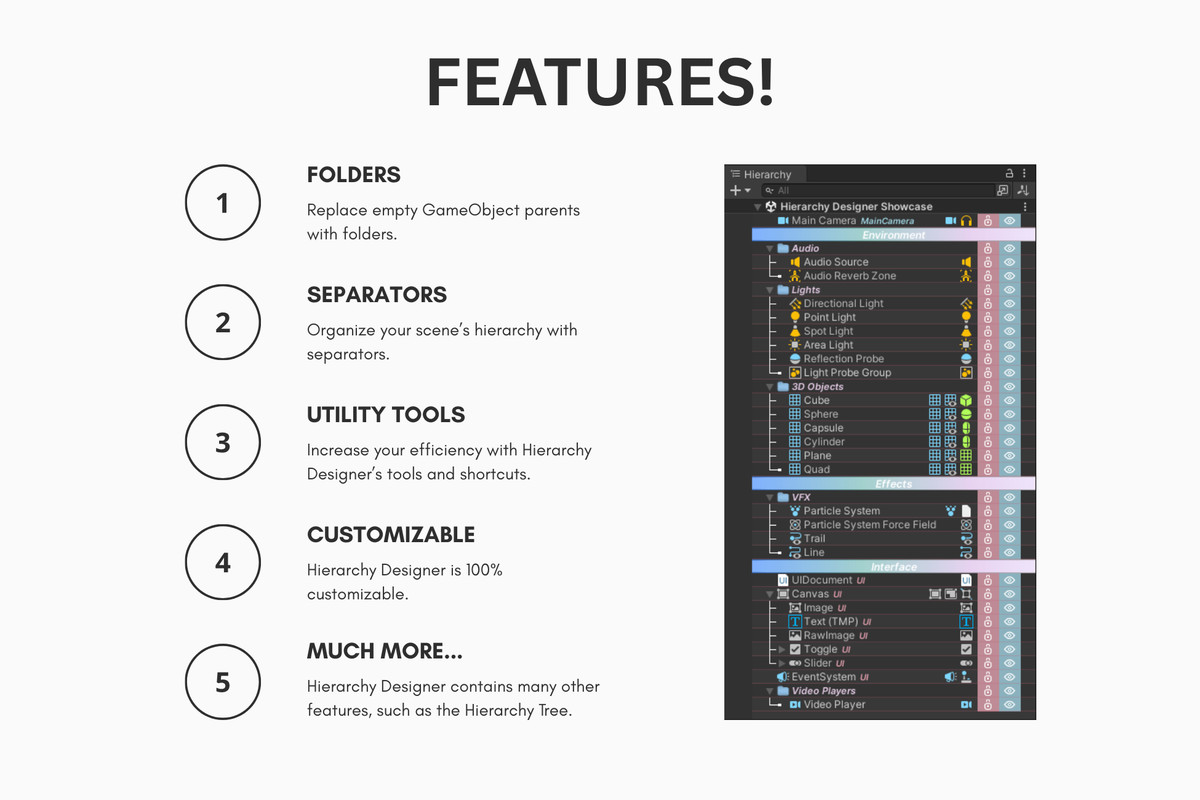
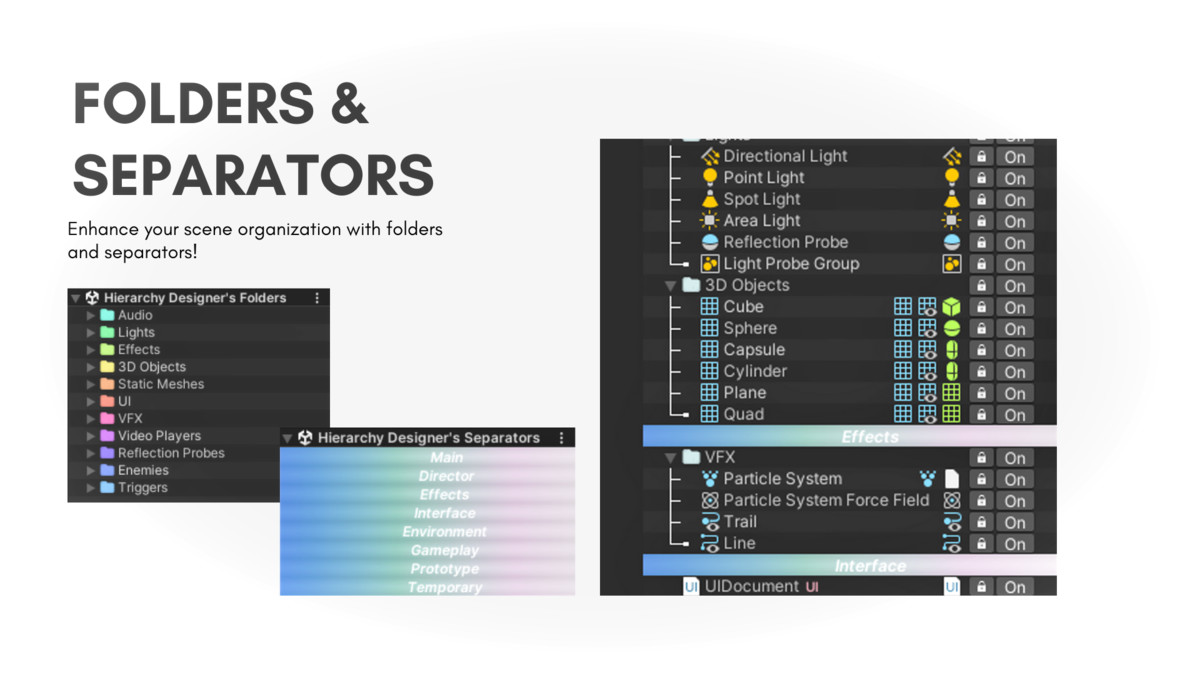
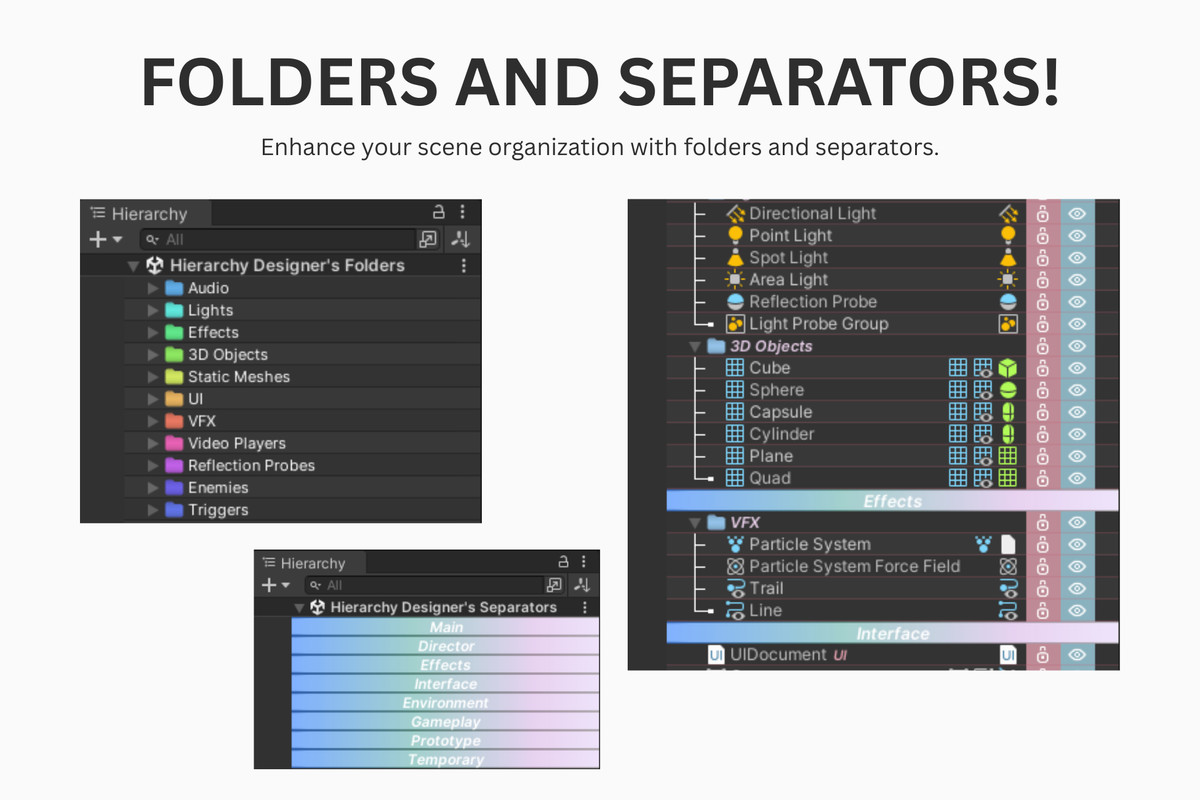
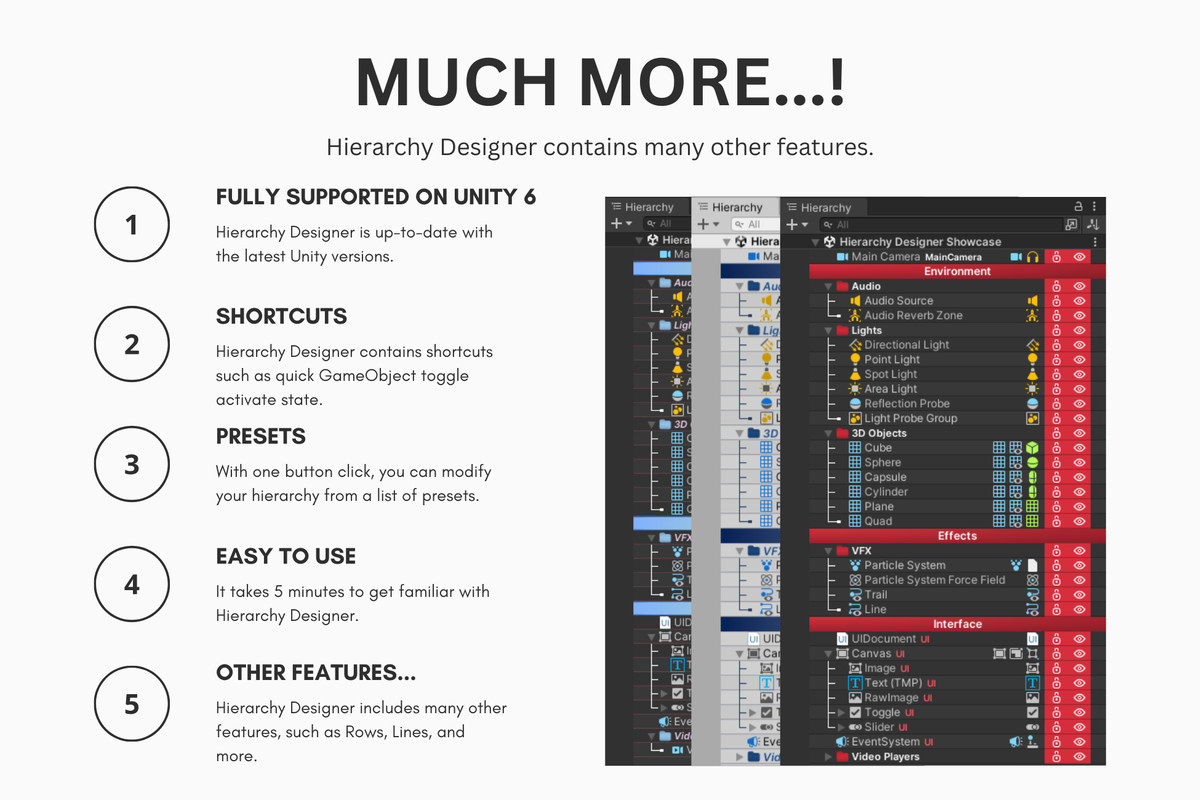
- Custom Folders with colors, icons, and flattening logic.
- Visual Separators to break up your hierarchy.
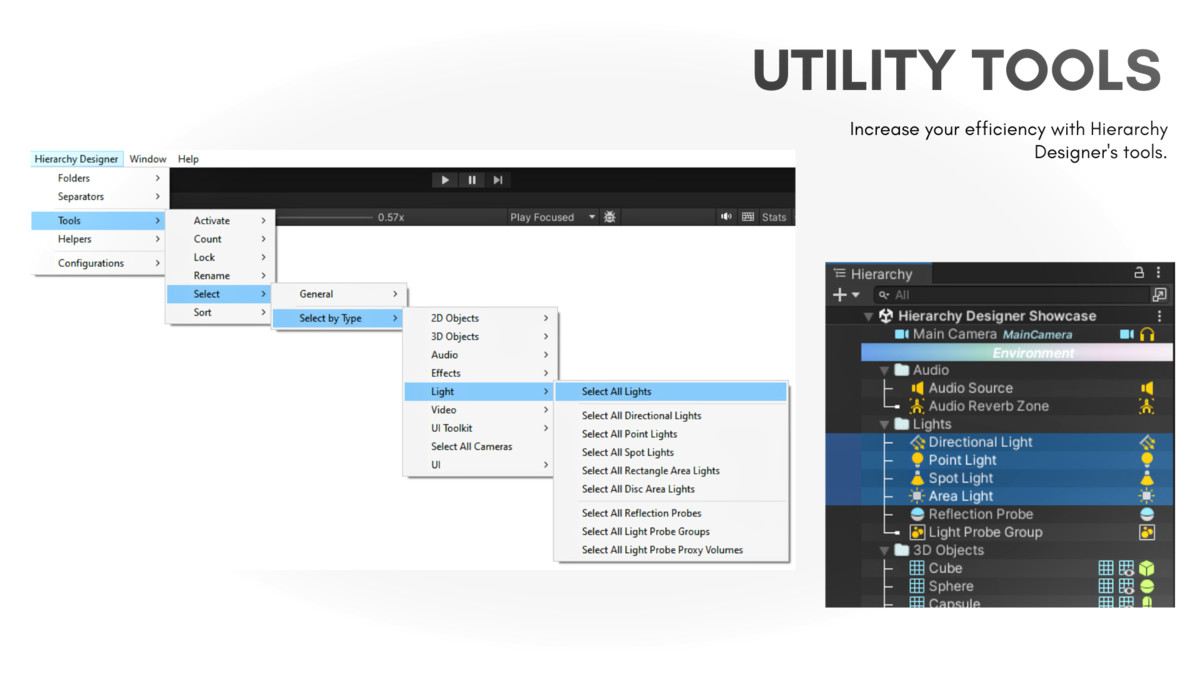
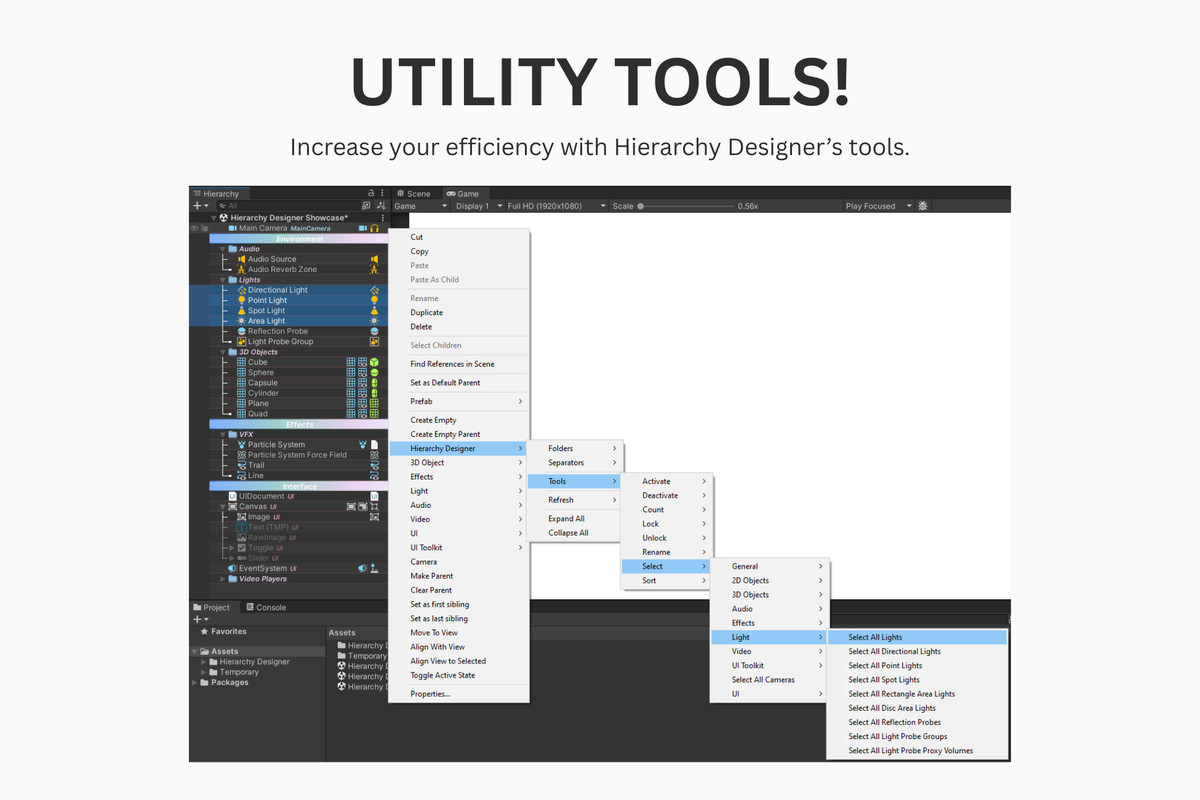
- Powerful Utility Tools (Activate, Lock, Sort, Count, etc.).
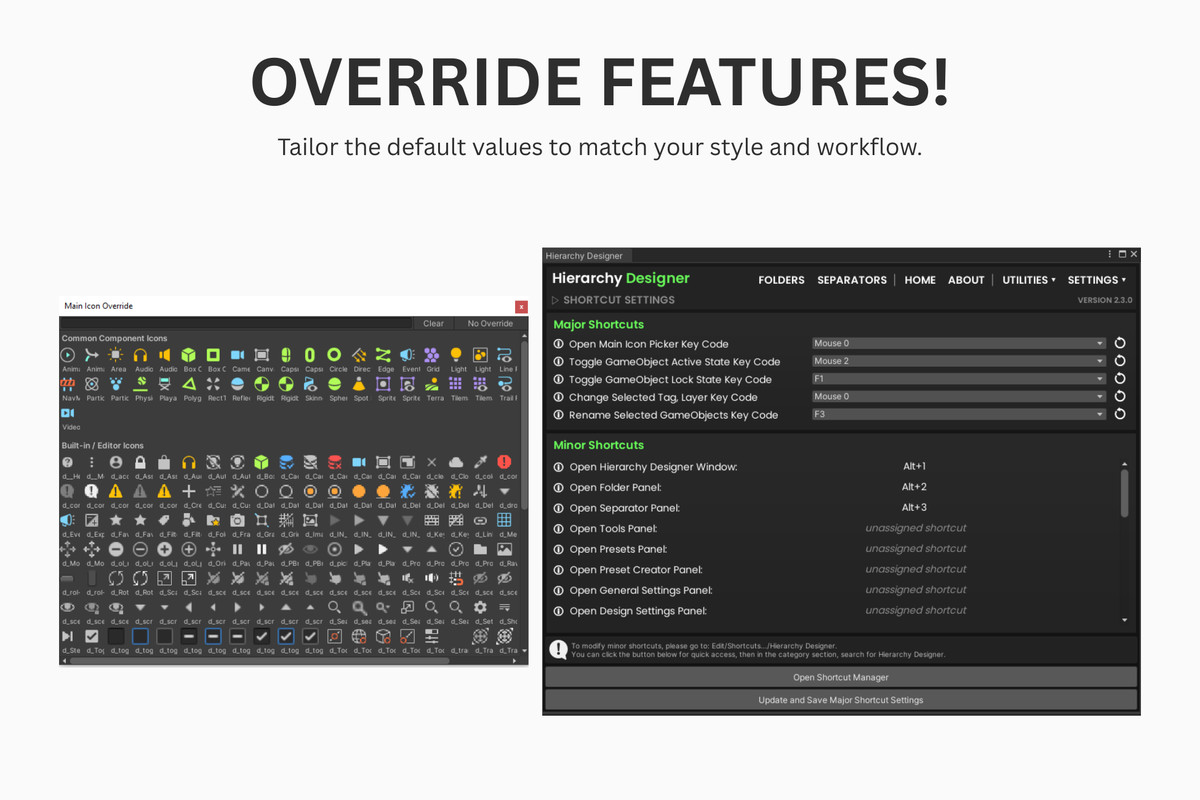
- Smart Shortcuts for power users.
- Hierarchy Tree Lines for visual structure.
- Displays each GameObject’s Main Icon.
- Shows key Components as inline icons.
- Tag and Layer indicators.
- Settings panel to toggle and tweak every feature.
- Presets for quick styling.
- …and much more.
Release Notes
Version 3.0.1
• Fixed a bug where the header collapse button would not work in the latest Unity versions.
Version 3.0.0
• Added a new field to the Hierarchy Folders: MoveChildrenToHierarchyRoot.
Version 2.9.1
• Fixed the warnings in Unity 6.3.
Version 2.9.0
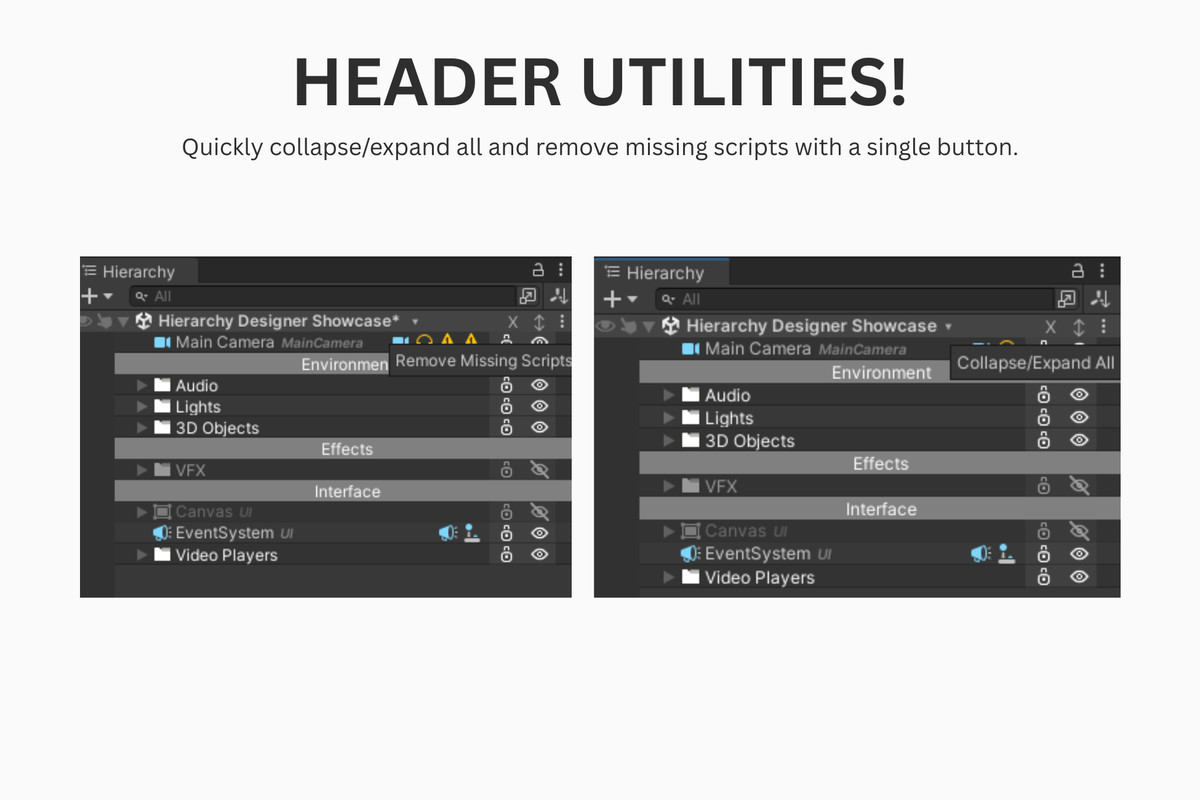
• Added a new header utility: Remove Missing Scripts.
Version 2.8.0
• Added a new advanced setting: Enable Project Textures in Main Icon Override Window.
• Minor changes.
Version 2.7.2
• Fixed the loading issue of the main Icon Picker window.
Version 2.7.1
• Fixed the slow initialization of the main Icon Picker window.
Version 2.7.0
• Added a new feature: Expand/Collapse button on the Hierarchy header.
• Renamed the class HD_Scene to HD_Header.
• Renamed the General setting Enable Scene Switcher to Enable Header Utilities.
Version 2.6.0
• Added three new presets: Coral Reef, Graphite Mint, and Rose Quartz.
• Minor changes and performance improvements.
Version 2.5.0
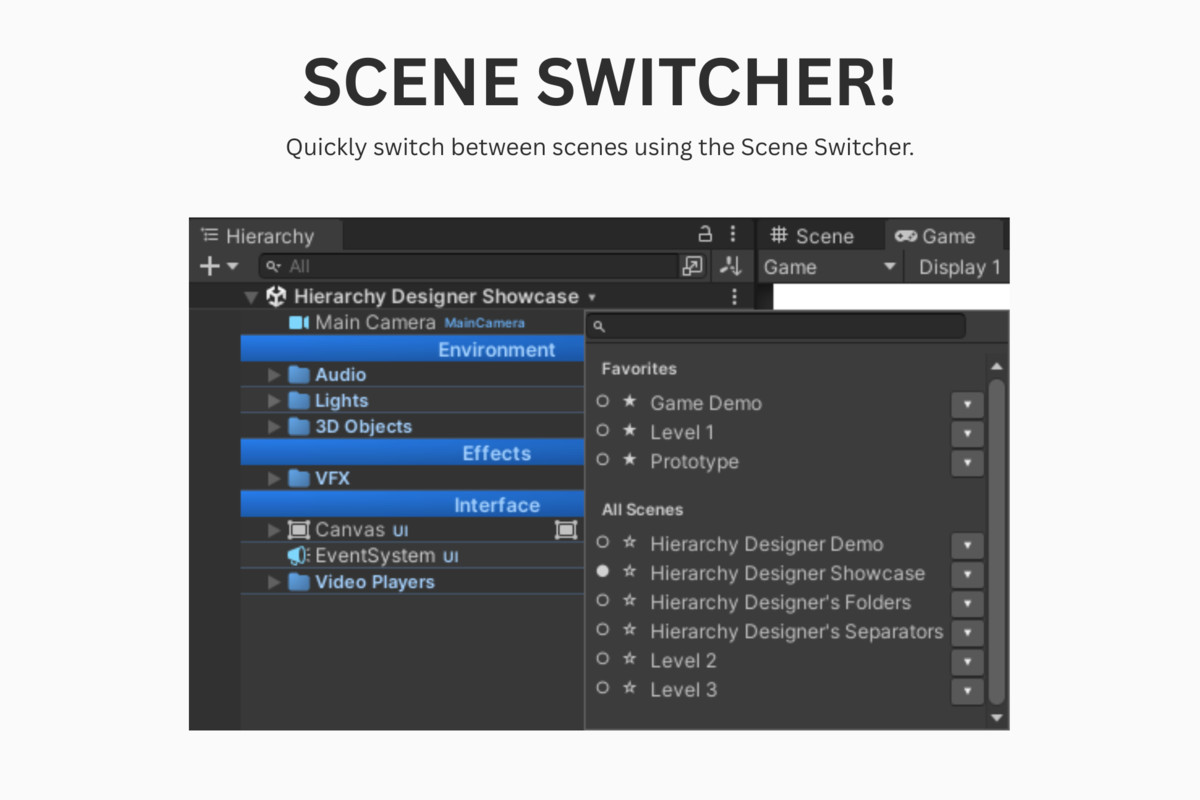
• Added an option to favorite scenes in the Scene Switcher.
• Minor changes.
Version 2.4.0
• Added a new feature: Scene Switcher.
• Added a new general setting: Enable Scene Switcher.
Version 2.3.0
• Added a pin feature to the Component Minimap windows.
• Added three new presets: Arctic Aurora, Slate and Lime, and Lavender Nights.
• Major and minor refactors across all classes.
• Renamed all classes.
• Minor changes and cleanup.
Additional Notes: This update requires a fresh download. If you have Hierarchy Designer in your project, please delete it (except the Saved Data) before updating to the new version.
All previous and current versions are cataloged in the 'patch notes.txt' inside the documentation folder.


Basic Information
- Latest Version
- 3.0.1 (23 Feb 2026)
- Publisher
- Pedro Verpha
- Category
- Tools/Utilities
- Size
- 0.7 MB
- Price
- €27.6
- Asset Rating
- ★ ★ ★ ★ ★ (56)
Extended Information
- Unity Versions
- 2022.3.62
- Render Pipelines
- ✔ BIRP ✔ URP ✔ HDRP
- State
- Published