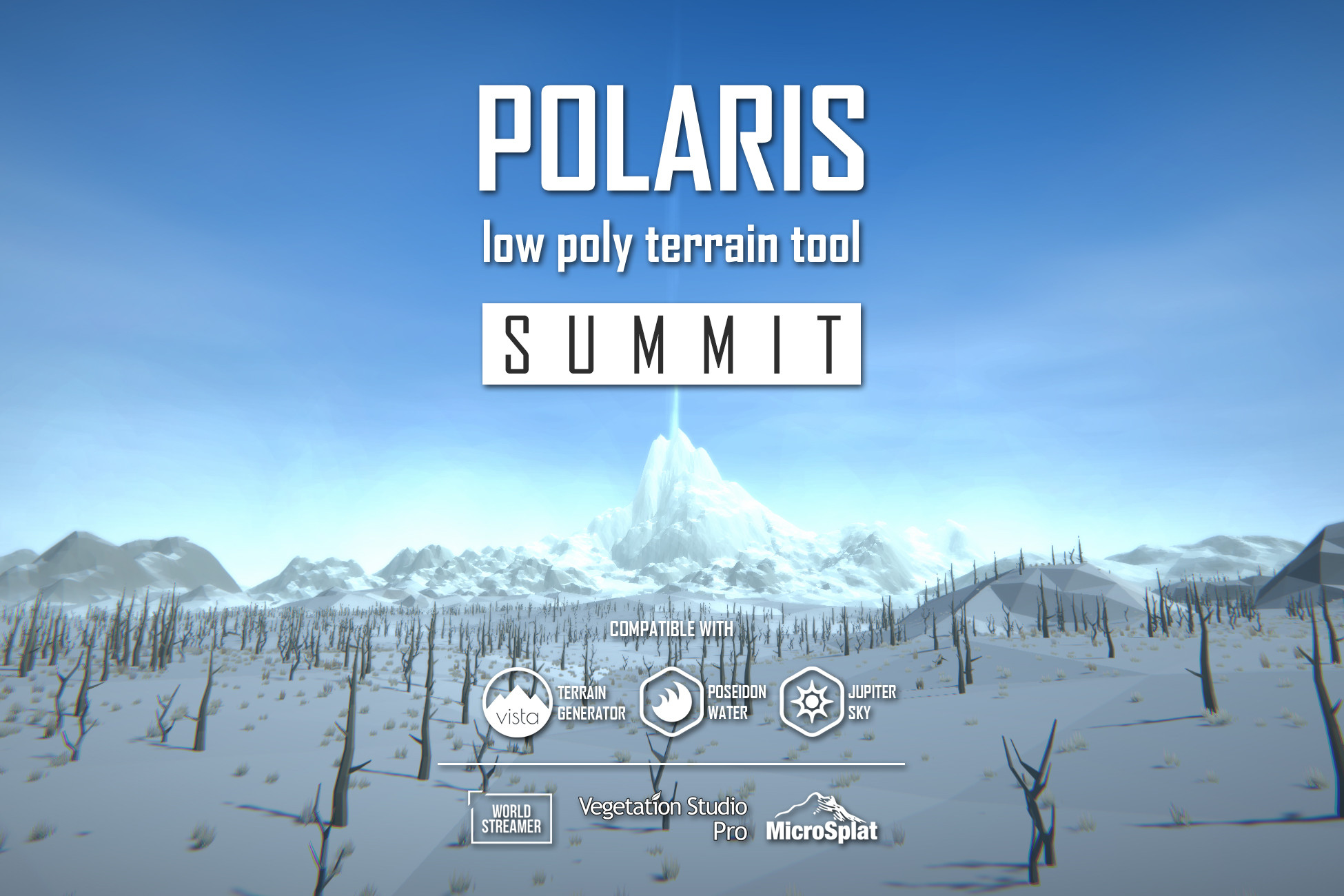
Polaris Summit - Low Poly Terrain Editor
Stylized terrain that looks the way you wanted, without fighting built-in Terrain.
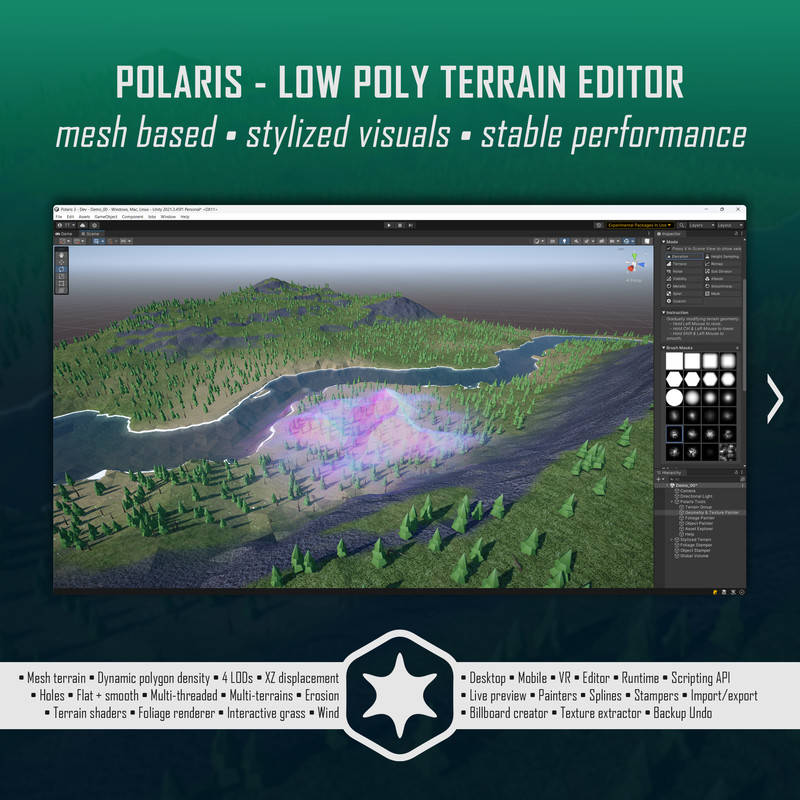
Polaris Summit is a mesh based low poly terrain editor for Unity, built for stylized and performance sensitive projects. It is a native alternative terrain workflow inside Unity, not a built-in Terrain add on. If you want terrain that behaves like the rest of your mesh pipeline, Polaris is built for that job.
BUILT FOR
- Stylized and low poly games that need stronger look control.
- Projects where you want terrain to fit naturally into a mesh based workflow.
- Runtime editable terrain.
- Mobile, VR, and performance budgeted projects.
WHY BUILT-IN TERRAIN MAY NOT FIT
Built-in Terrain is fine for many projects. But for stylized low poly terrain, it can become a detour. You can reduce the geometry and still end up with terrain that reads smooth instead of properly faceted. You can force a sharper result with geometry shader style tricks, but then the look starts depending on rendering workarounds and narrower platform compatibility (DX11 only).
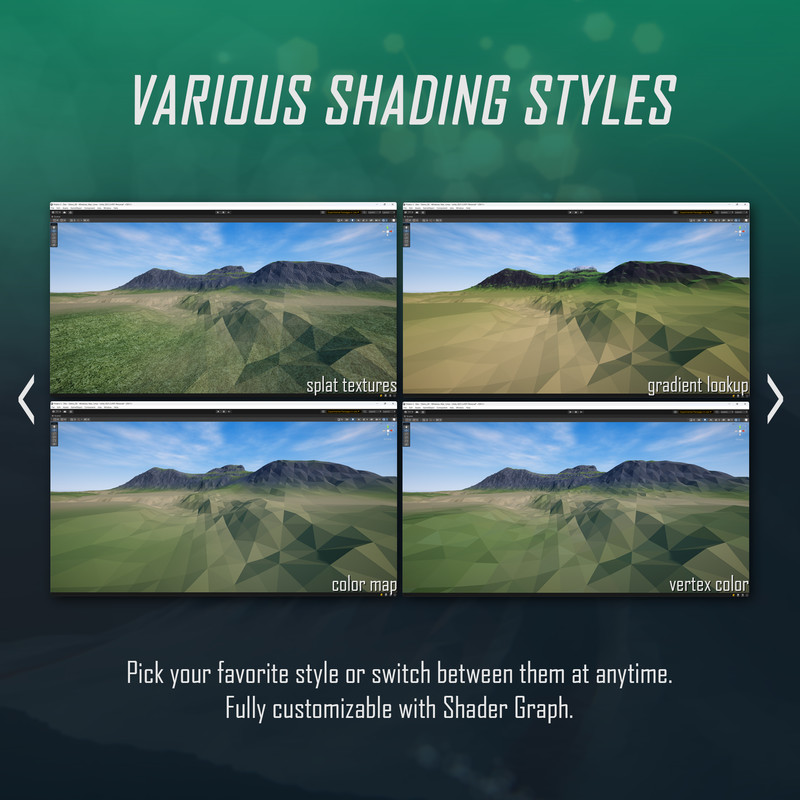
Polaris avoids that detour by rendering terrain as regular meshes from the start. Faceted, smooth, and hybrid shading are part of the workflow itself, so the final look is easier to direct and closer to what a stylized low poly project actually needs.
WORKFLOW
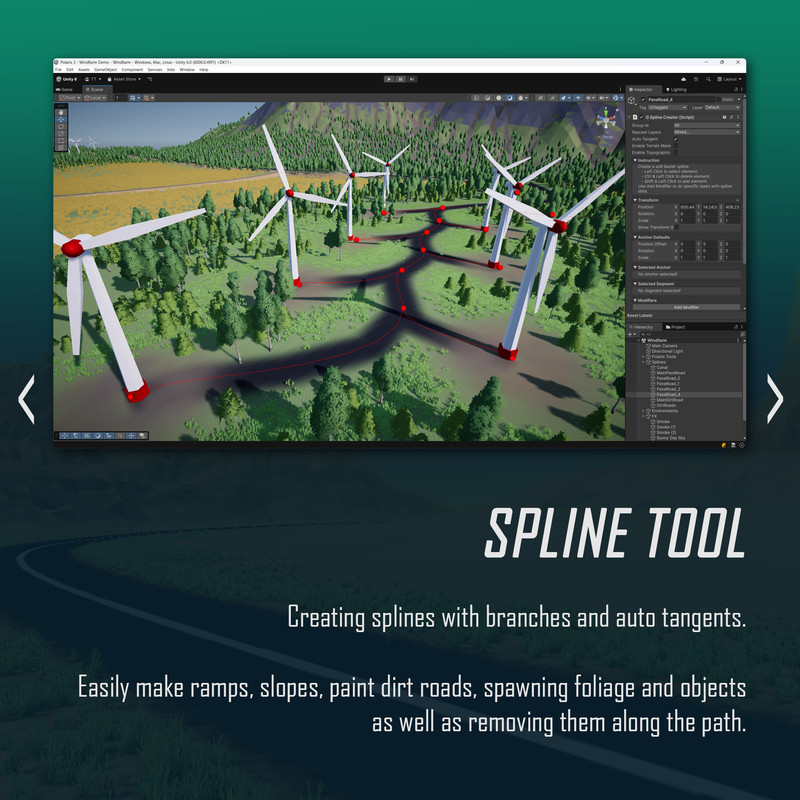
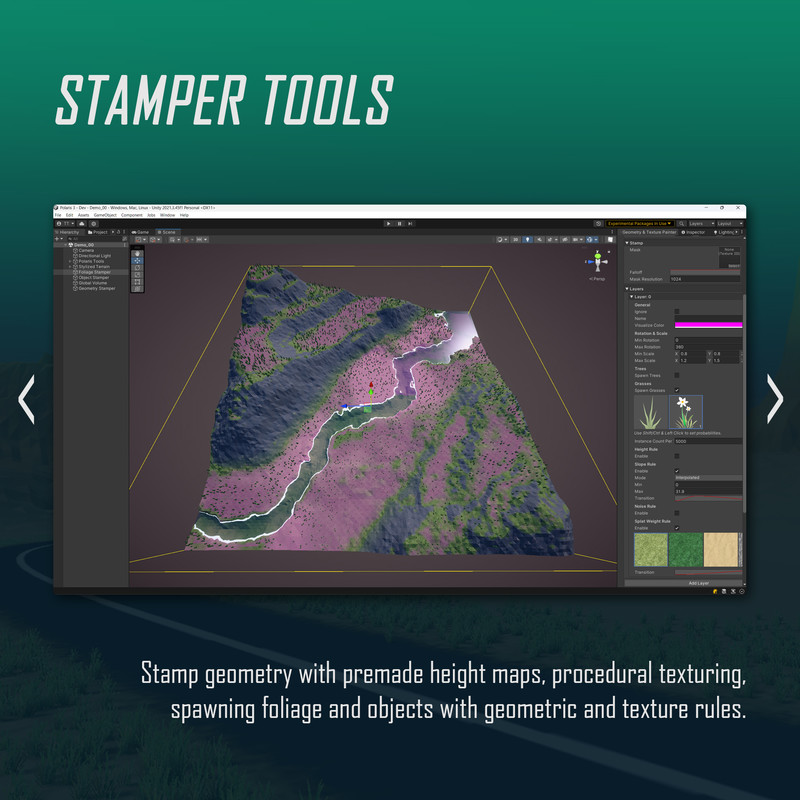
Start broad, then refine. Stamps and splines handle the overall result. Brushes handle local shaping and cleanup. Both modes can shape geometry, texture the surface, and drive population.
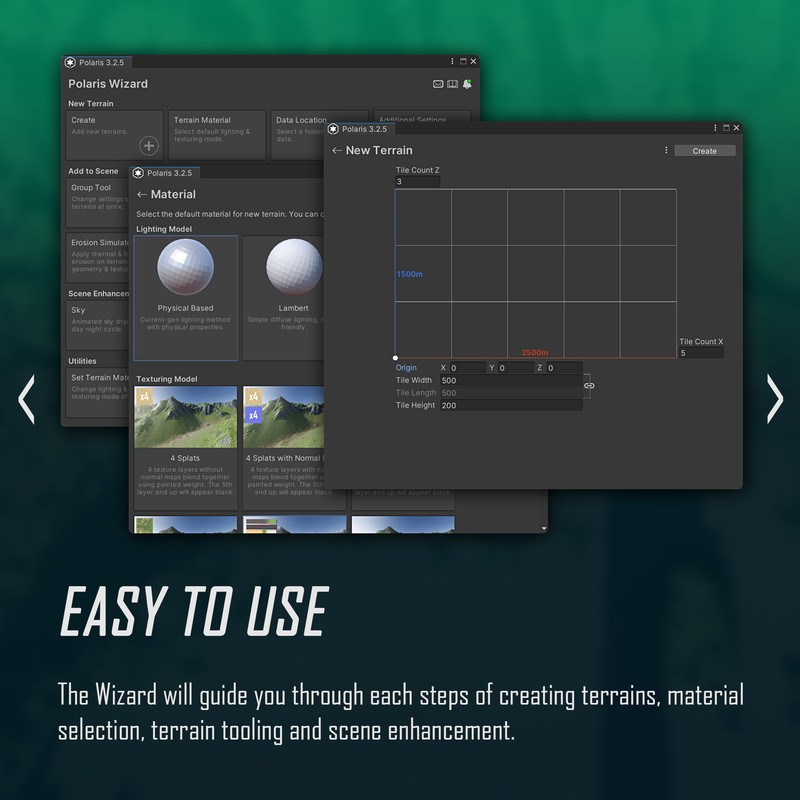
- Create multi tile terrain with the setup wizard.
- Block out shape, textures, and population with stamps and splines.
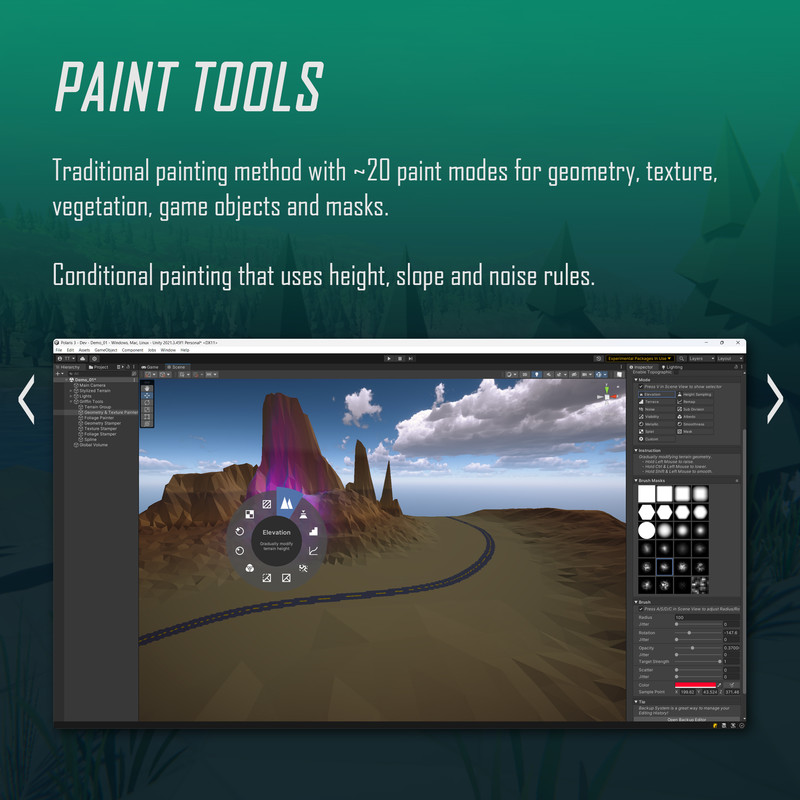
- Polish locally with around 20 brush types.
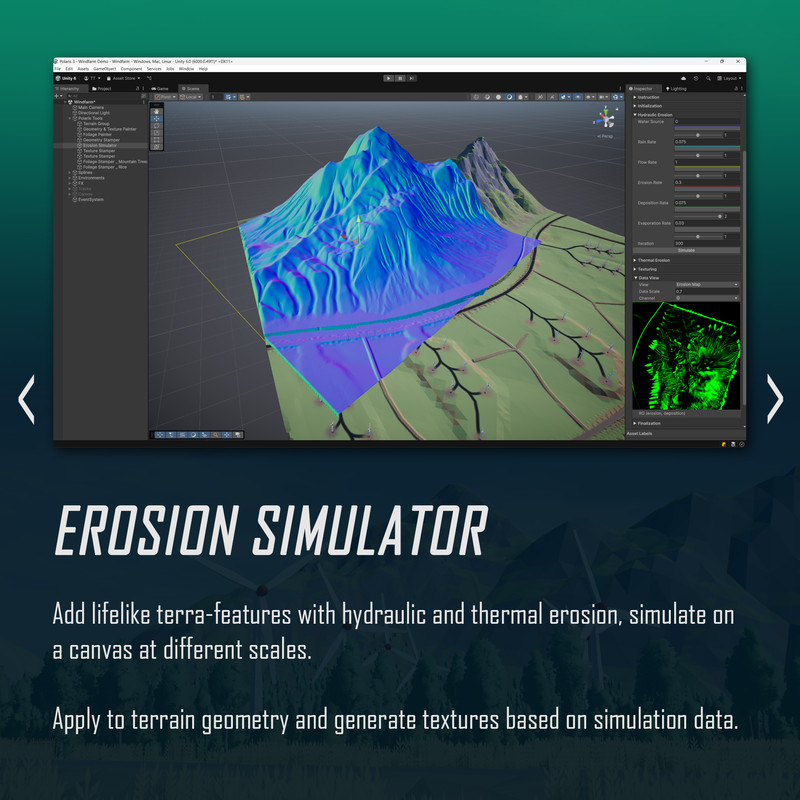
- Refine with hydraulic and thermal erosion.
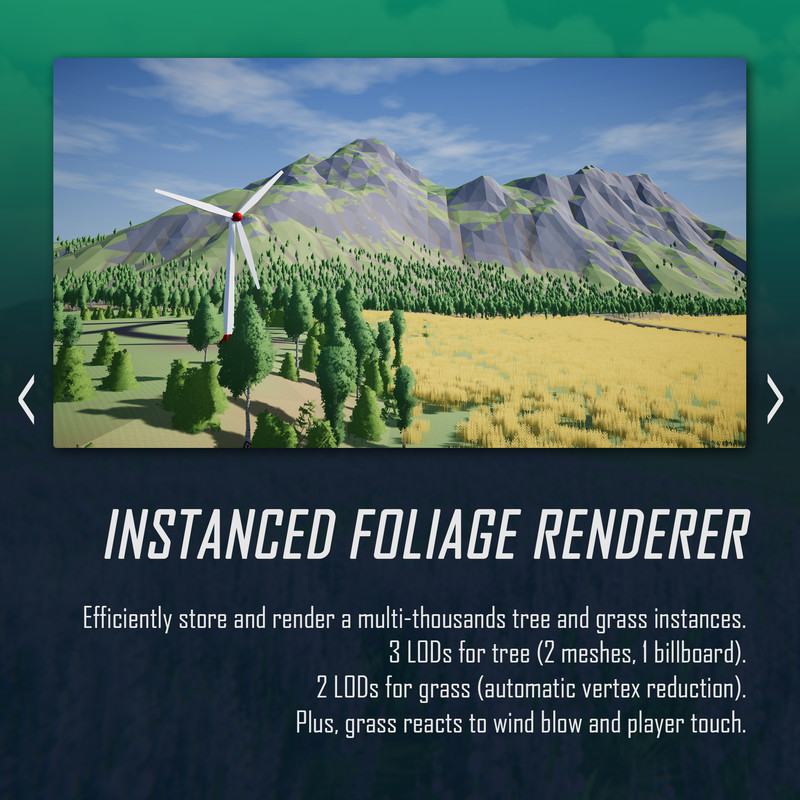
- Populate with trees, grass, and props.
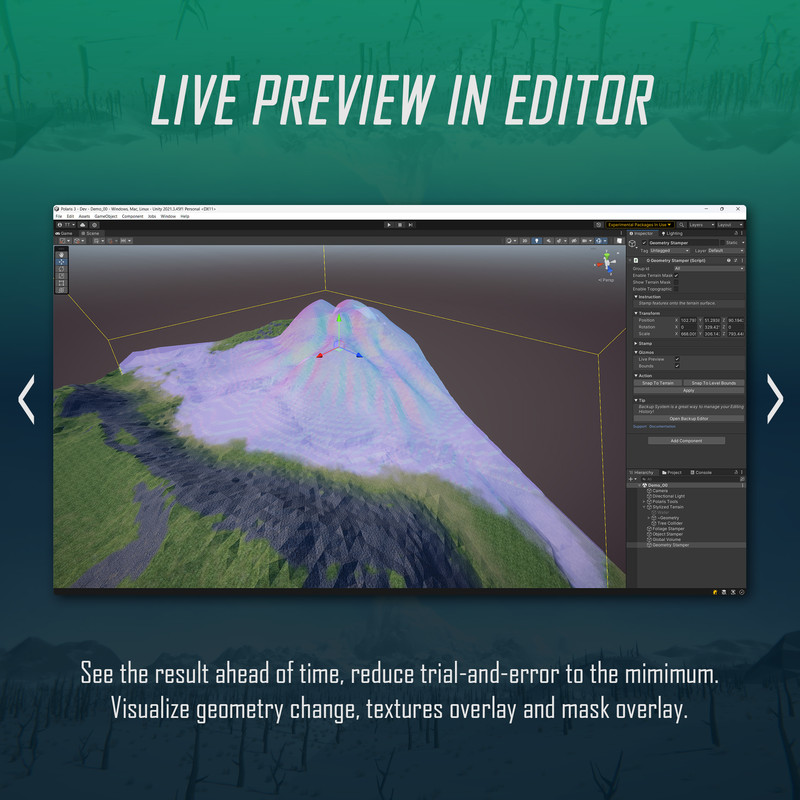
Live preview lets you see the result before any change is committed.
WHAT YOU CAN DO WITH POLARIS
- Create and edit multi tile terrain.
- Shape the terrain with stamps, splines, and brushes.
- Color and shade it for stylized low poly visuals.
- Populate it with trees, grass, and props.
- Keep it editable at runtime.
- Extend and adapt it to your game with scripting API.
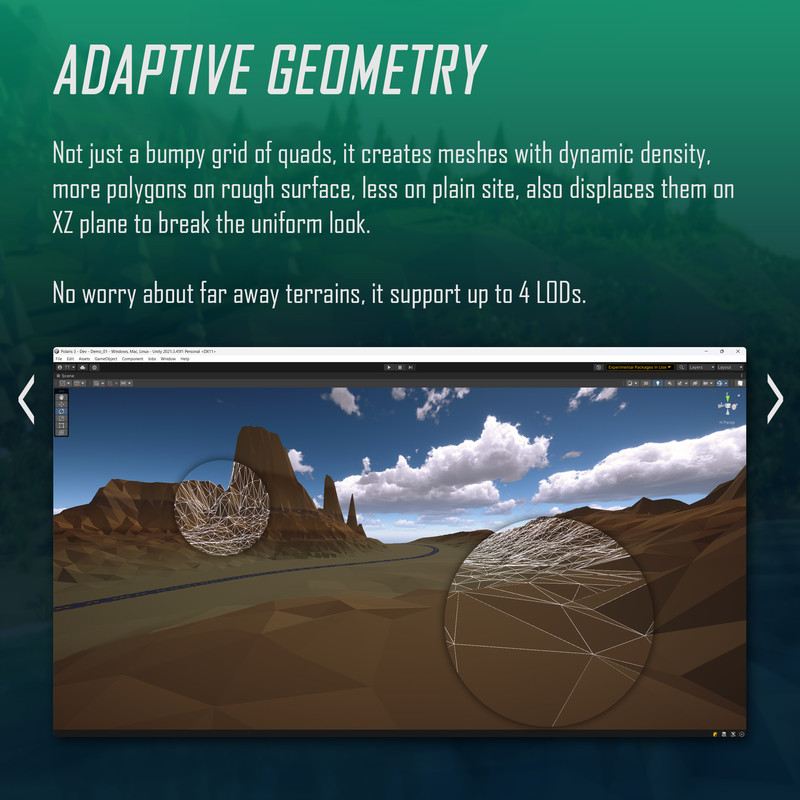
Under the hood, Polaris also supports adaptive geometry, multiple shading models, vegetation culling and LOD, and integrations with tools like World Streamer, MicroSplat, and Amplify Shader Editor.
NO LOCK IN
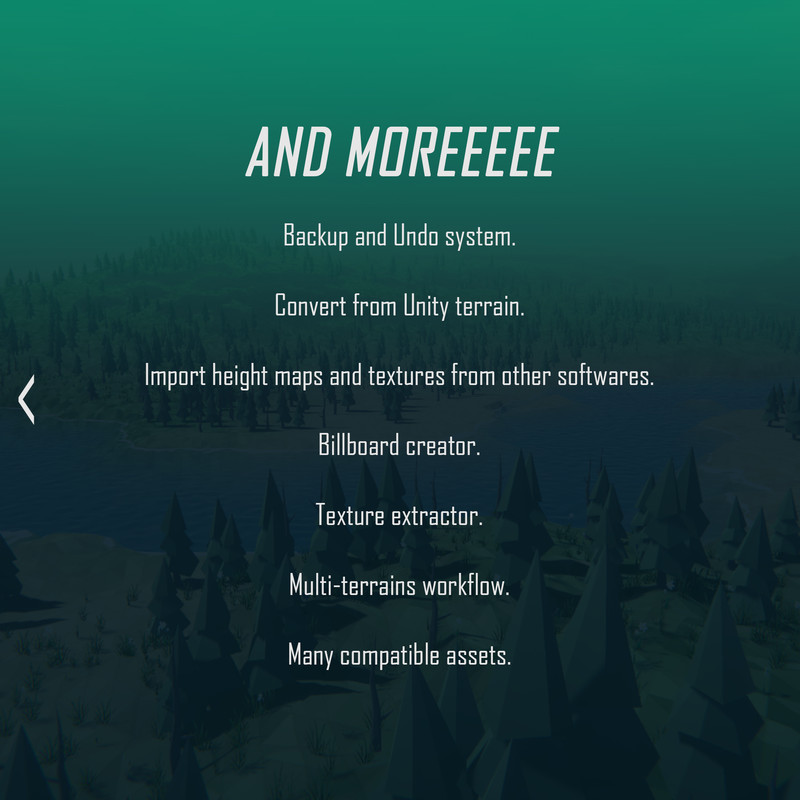
Polaris gives you a practical bridge in and out of the workflow. Convert from built-in Terrain into Polaris when you want a mesh based stylized pipeline, then convert back when a third party tool needs built-in Terrain format. Import and export raw heightmaps and textures from tools like World Machine, World Creator, and Gaea.
WHY SUMMIT
Summit is the complete Polaris and the edition we recommend by default. It is the clearest expression of the full Polaris workflow.
Valley is the entry point. Highland expands the procedural workflow. Summit is the full flagship. If you are unsure which edition to choose, start with Summit.
Upgrade from a lower edition at a reasonable fee. No re-purchase required.
USED IN
Some examples of games using Polaris:
FAQ
- Requires built-in Terrain? No.
- Migrate from built-in Terrain? Yes, two way converter.
- Mobile? Yes.
- VR? Yes.
- Large or streaming worlds? Yes, multi tile plus World Streamer.
- Holes? Yes.
- Caves or overhangs? No. Polaris is heightfield derived.
- Render pipelines? Built in RP and Universal RP.
- Shader customization? Shader Graph and Amplify Shader Editor.
- WebGL? No.
WORKS ALONGSIDE
Polaris can sit inside a broader terrain workflow when needed:
- Vista.
- MicroSplat.
- Amplify Shader Editor.
- Vegetation Studio Pro.
- World Streamer.
BUNDLES
Polaris Summit is included at a discounted price in Terrain Tools Bundle and Low Poly Tools Bundle 2.
PINWHEEL ECOSYSTEM
Polaris sits inside a broader environment tool family from Pinwheel Studio, alongside Vista, Poseidon, Jupiter, Contour, and Beam. That gives it the context of a focused product line rather than a one off asset, which matters if you want to build on tools from a studio that stays invested in terrain and worldbuilding workflows.
STARTER CONTENT
Polaris ships with low poly terrain, trees, grass, and rocks from Pinwheel Studio, plus props from Total Game Assets and trees from Distant Lands.
DOCS AND COMMUNITY
===============================
NOTE
Some assets in the screenshots such as water and sky are NOT included in this package.
Release Notes
V3.4.3
FIXES
- Terrain: script errors occurs on entering playmode, or when starting the editor, if Geometry>Storage Mode set to GenerateOnEnable
V3.4.2
IMPROVEMENTS
- Paint Tool: Display slider for metallic/smoothness value in replace of generic color field.
FIXES
- Scripts: inconsistent line ending warning.
V3.4.1
FIXES
- Project initialization issue on BiRP.
V3.4.0
NEW FEATURES
- Wizard: add low poly water for scene decoration, using a subset of Poseidon's features (Poseidon is not required).
- Wizard: add animated sky for better ambient and lighting, using a subset of Jupiter's features (Jupiter is not required).
IMPROVEMENTS
- Terrain data: use shorter ID, change naming format with ID appears first for better sorting.
- UI: cleaner foldout layout and appearance.
FIXES
- Temporary fix for painter cursor glitching on Mac editor.
- Build: fix incorrect shader stripping, display log when a Polaris shader was stripped.
=====
V3.3.11
IMPROVEMENTS
- Adding option to match height map resolution to mesh density, mapping 1 vertex location to 1 pixel. (In Geometry context options)
FIXES
- Remove power-of-two constraint for texture size.
V3.3.10
FIXES
- Incorrect GroupId and textures reference in new terrains created with Neighboring tool.
V3.3.9
FIXES
- Scripting error on build (Live Preview & LOD Count initialization).
- Set default resolution for RAW file importer to 1024.
V3.3.8
NEW CONTENTS
- Sample water shader (BiRP & URP)
CHANGES
- Project restructured.
V3.3.7
FIXES
- Minor editor fix.
V3.3.6
FIXES
- Minor UI fix.
V3.3.5
FIXES
- Script: wrap some script files inside GRIFFIN keyword.
- Fix compile errors on import.
V3.3.4
FIXES
- Package initialize: some UPM packages not recognized as installed.
- Editor: dark splat texture preview when using MicroSplat texture array.
IMPROVEMENTS
- UI/UX update.
- Remove some unnecessary files.
V3.3.3
IMPROVEMENTS
- Move URP Support folder into main Polaris folder.
- Setup package for URP by default.
FIXES
- Billboard Tool: incorrect billboard mesh size (usually happens for "wide-trees".
- Billboard Tool: dark color atlas, better alpha handling for low mips (dilate filter).
- Billboard Tool: disable scene fog in atlas.
- Billboard rendering: new tree billboard shader for URP, better mesh orientation, better image selection & lighting.
- Tree renderer: display a warning when billboard material is missing.
V3.3.2
IMPROVEMENTS
- Wizard window: Adding shortcut for material selector when creating new terrains; reducing Repaint calls.
- Terrain: extracting polygonal height map & normal map is now faster.
- Texture stamper: Reducing load time on selecting the stamer in the editor.
FIXES
- Texture stamper: Texture only applied on the first terrain at world origin (with height rule enabled & multiple stamp layers).
V3.3.1
IMPROVEMENTS
- Adding detail documentation to the code base.
- Deprecated APIs removal.
- Adding link to the new documentation site.
- Minor UI and typos fixed.
V3.3.0
NEW FEATURES
- Foliage & Object Stamper: support masking with splat control textures.
===
V3.2.5.1
FIXES
- Minor script compilation fix.
V3.2.5
IMPROVEMENTS
- Complete redesign of Wizard window.
- Check for new update and inform user in Console window.
- Minor code fixes and refactoring.
REMOVAL
- Obsoleted APIs related to SplatPrototype have been removed.
- Some extensions have been removed.
===
V3.2.4
IMPROVEMENTS
- Adding contact links at many places in the editor
FIXES
- MicroSplat integration shader naming bug.
- Missing grass LOD1 material on installation.
===
V3.2.3
FIXES
- Fix geometry LODs losing material.
V3.2.2
Adding support for Unity 6
FIXES
- Fix texture stamper height blend issue when Merge UV option is enable on the terrain.
V3.2.1
FIXES
- Minor scripting error fix around MicroSplat integration.
V3.2.0
NEW FEATURES
- MicroSplat Integration: adding support for streams effect (wetness, puddles, streams, lava), except dynamic flow.
- Paint Tool: adding 4 paint modes: Wetness, Puddles, Streams, Lava for MicroSplat shader.
V3.1.1
FIXES
- Minor fix for Splats Model options on URP.
V3.1.0
IMPORTANT NOTES
- In this version, the asset will be relocated under PinwheelStudio/Polaris/ folder.
NEW FEATURES
- New Tree Renderer: The tree renderer was completely rewritten, supports cell based culling, additional LOD1, LODs fallback, LODs transition distance, zero GCAlloc, better billboard shader.
- New Grass Renderer: Rewritten renderer supports an additional LOD1, automatic vertex reduction on LOD1, LODs transition distance, zero GCAlloc, simpler shader for LOD1.
- See blog post for detail on the new renderers.
- Group Tool: Allow overriding more properties of the new renderers.
- Radial Selector & Brush Adjuster for Paint Tool: You can press V/C/D/S/A key while focusing on the Scene View to bring up the radial paint mode selector, as well as adjusting the brush size/rotation/density/opacity/scatter.
- Raw Importer: 8/16/32 bits raw files (.raw, .r16, .r32) will be imported as R8, R16 and RFloat, so you can easily use them with the stamper/data importer.
- Adding 24 brush masks replacing the old ones targeting specific painting purposes: make platforms, hexagon grids, smoothing, make mountains, detail noise, earth cracking, pixelated fx, etc. Those are R8 png files that will be imported at 8 bits depths.
- Adding 20 stamp textures to be used with the geo stamper. Those are raw files that automatically imported with R16 texture format (16 bits depth)
- Polaris API: A new set of utility static functions allowing you to do most performed tasks on the terrain such as runtime terrain creation & modification, get dominant texture index for footstep system, etc. The API will be updated overtime.
- Wizard Window: adding Explore tab so you don’t miss important news/announcements without needing to update the asset.
IMPROVEMENTS
- Greatly improve mesh generation process that takes way less time & lower GC Alloc. See blog post for detail.
- Better seams/gaps matching.
- Adjacent tiles edges matching now writes to the terrain data.
- Mesh gen: The use of LOD Transition Curve becomes optional, allowing using simpler equations for that.
- Better Tree Billboard shader for BiRP/URP
- Billboard Creator: turn on Instancing for generated billboard material by default.
- Scripting: Adding some callbacks when tree/grass prototypes changed.
- Tree Prototype: automatic LOD0/LOD1 assignment using the prefab.
- Billboard Creator: Quicker setup of Main Texture property when using popular third party assets.
- Grass: Clump grass now has a few more quads.
- Editor menus simplified.
- Sample assets: Clean up unused files, reduce file size, strip them off from the build.
- Texture Resolution: On terrain creation, unused terrain texture will be set to lowest resolution depending Texturing Mode (set Albedo/Metallic size to 32 if using Splats mode, etc.)
- Wizard Tool: Now it can also upgrade tree billboard materials to URP.
- Terrain Component: terrain Inspector now has some icons.
- Adding new asset icons for Terrain Data, Terrain Generated Data, Splat/Tree/Grass/Object Prototype Group.
- Spline Tool: spline modifiers now have their own Curviness/Width/FalloffWidth property, allowing more complex effect on spline path.
- Spline Tool: generate better mesh that follow the tangent/normal vectors.
- Spline Tool: better alpha blending on branches.
- Foliage Painter: Snap instances to world objects if set on the terrain.
FIXES
- Billboard Creator: Fix incorrect angles in billboard images/atlas
DEPRECATIONS
- Terrain component: Pre/Post Process Height Map callbacks were deprecated.
- Spline Creator: Smoothness/Width/FalloffWidth properties and related functions (create meshes, sweep tests, etc.) were deprecated. The properties moved to spline modifiers.
- Rendering settings: Remove Enable Instancing option for tree rendering. Instancing is now mandatory.
- Grass Renderer: Configure Grass Material callback was deprecated/removed.
- Splats Mode: Splats4Normals4 and Splats8 are removed for mobile, they will be brought back when Unity fixes their Shader Graph compilation error.





Basic Information
- Latest Version
- 3.4.3 (12 Mar 2026)
- Publisher
- Pinwheel Studio
- Category
- Tools/Terrain
- Size
- 73.9 MB
- Price
- €70.42
- Asset Rating
- ★ ★ ★ ★ ★ (92)
Extended Information
- Unity Versions
- 2021.3.45
- Render Pipelines
- ✔ BIRP ✔ URP
- State
- Published