Lockable Prefabs
Overview
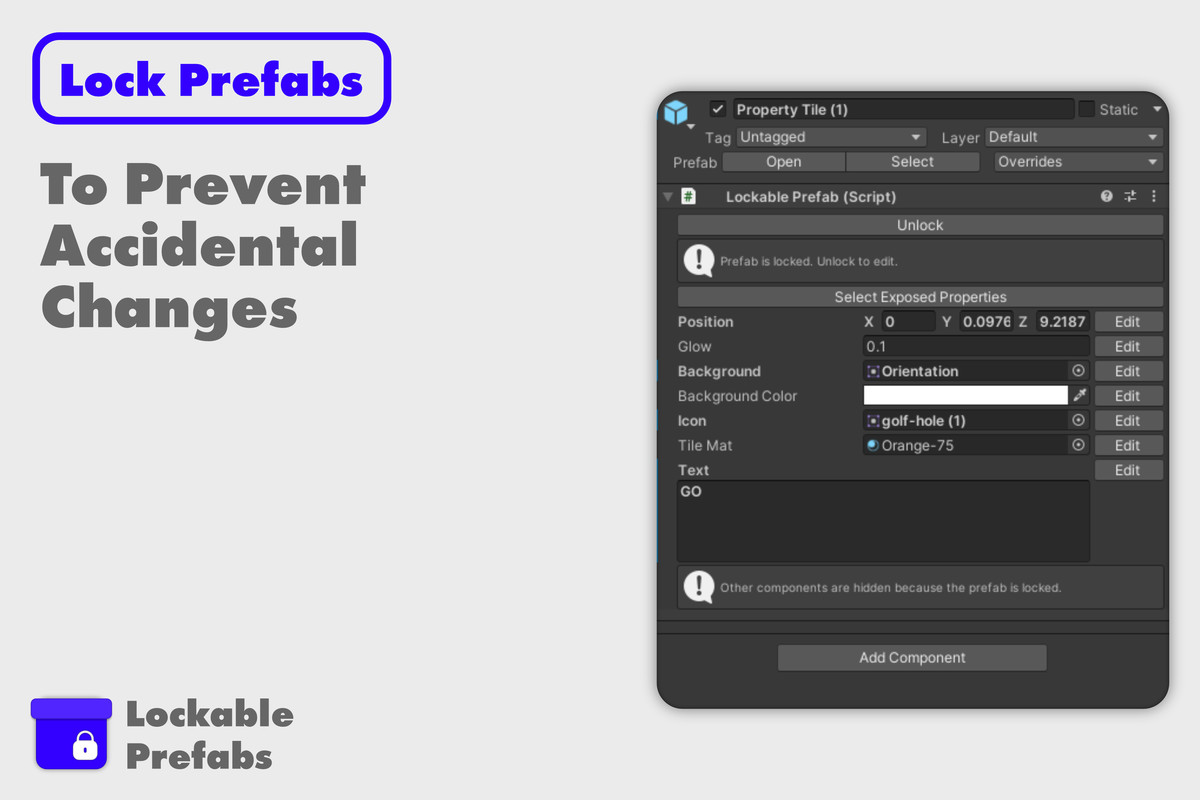
The Lockable Prefab component allows you to streamline your workflow by locking prefabs in Unity, hiding unnecessary components and nested objects, and exposing only the properties you need to edit. This is ideal for teams working on large projects where prefab consistency and ease of use are crucial.
Adding the Lockable Prefab Component
- Select Your Prefab: In the Unity Editor, select the prefab you want to lock.
- Add the Component: In the Inspector, add the `Lockable Prefab` component.
Locking and Unlocking the Prefab
- Locking: Click the "Lock" button to hide all components and nested objects within the prefab. Only the exposed properties will remain visible and editable.
- Unlocking: Click the "Unlock" button to restore the visibility of all components and nested objects.
Exposing Properties
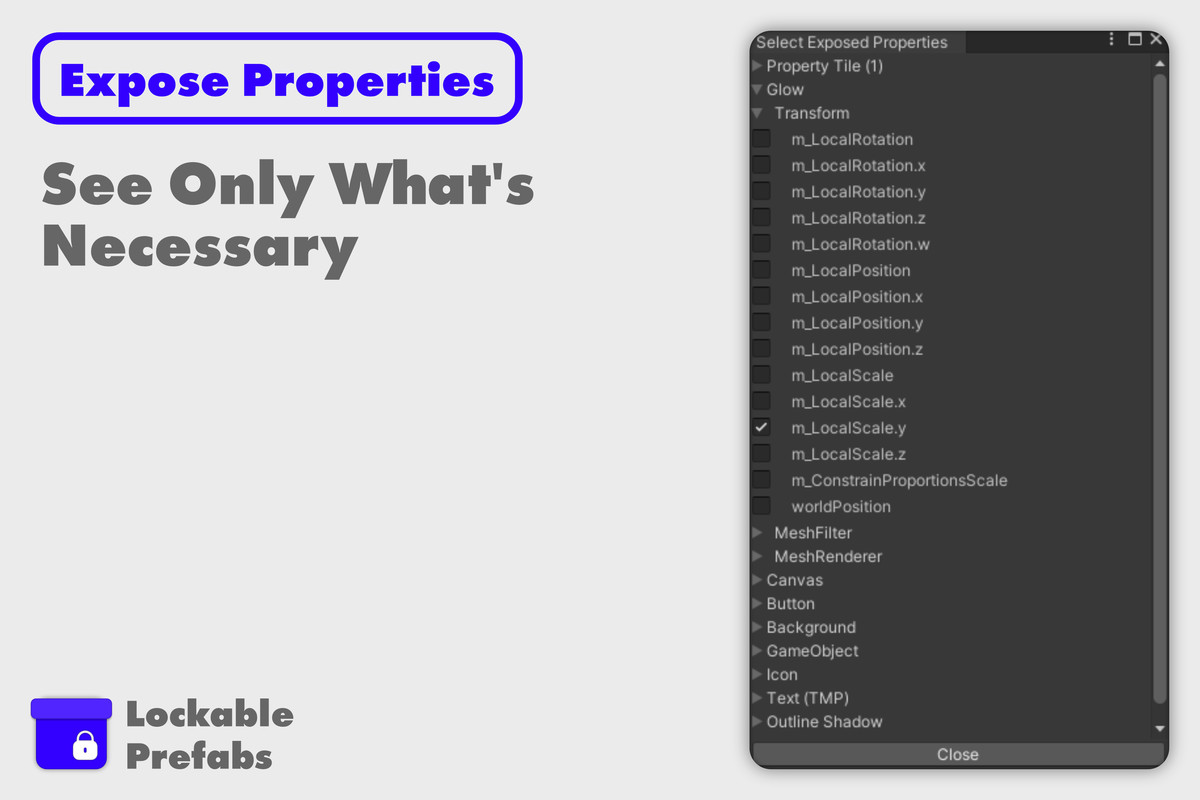
- Selecting Exposed Properties: After locking the prefab, click "Select Exposed Properties" to choose which properties to expose. These properties will remain editable even when the prefab is locked.
Use Cases
- Team Collaboration
- Focused Editing for Level Designers:
- In a team environment, developers can create complex prefabs and expose only the necessary properties for level designers or other team members. This ensures that the prefab’s core structure remains intact, while designers can freely adjust the exposed properties, such as colors, positions, or materials, without risk of accidental changes to critical components.
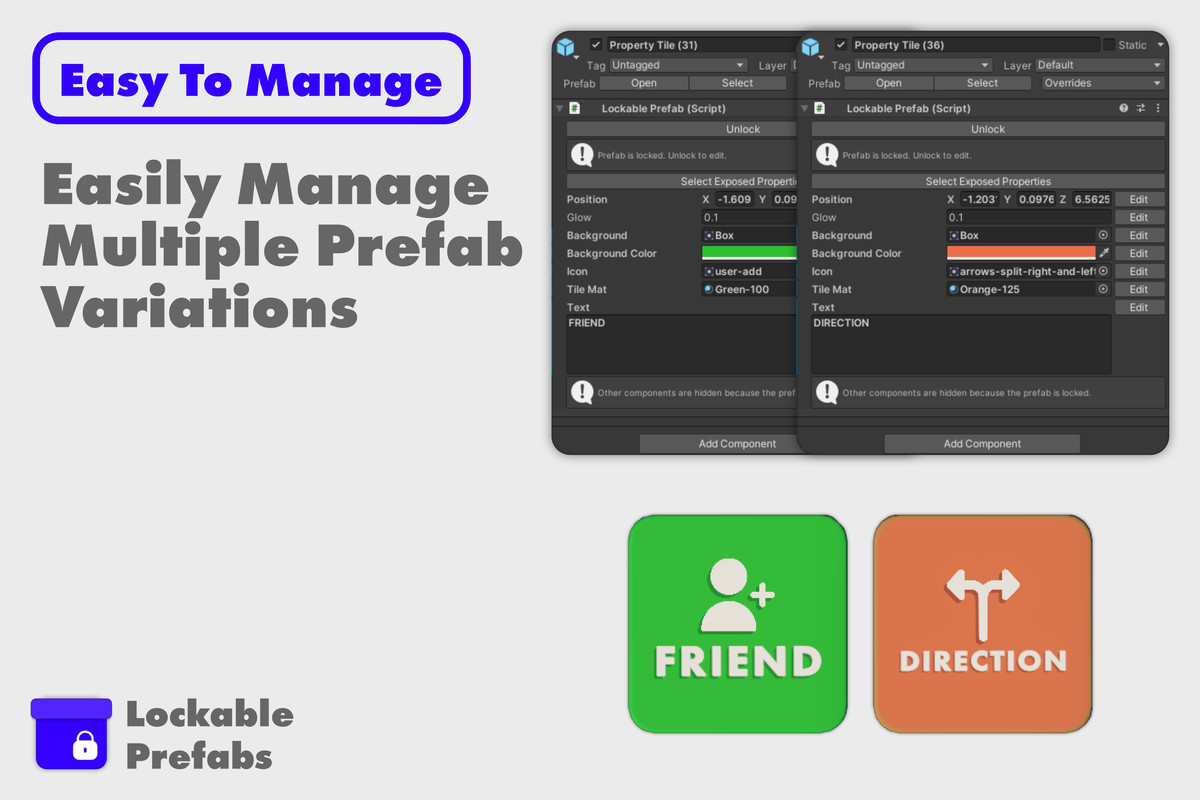
- Managing Multiple Prefab Variations
- Efficiently Edit Prefab Variations:
- When working with a large number of prefabs that are similar but require slight variations, this asset makes it easy to manage those differences. By locking the prefab and exposing only the properties that need tweaking, you can quickly adjust multiple prefabs without sifting through unnecessary components, leading to a more streamlined workflow.
Best Practices
- Use Locking for Consistency: Locking your prefabs ensures consistency across your project, especially when multiple team members are involved. This reduces the chances of unintentional changes to essential parts of the prefab.
- Expose Only What’s Necessary: Keeping the Inspector clean by exposing only the relevant properties helps maintain focus on what matters most, making the editing process faster and more intuitive.
Support
For support or more information, please contact me on Discord: @DJICore or visit our website at https://inkscape-rr.com
Release Notes
New Features
- Prefab Locking:
- Ability to lock prefabs, hiding all components and nested objects in the Inspector, except for the `Lockable Prefab` component and exposed properties.
- Exposed Properties:
- Option to expose specific properties of a prefab, allowing these properties to remain visible and editable even when the prefab is locked.
- Ability to edit the display name of exposed properties for clarity and ease of use.
Changes
- Inspector Simplification:
- The Inspector is simplified when a prefab is locked, showing only the `Lockable Prefab` component and any exposed properties, improving focus and reducing clutter.
Fixes
- None:
- This is the initial release, so no fixes are included.

Basic Information
- Latest Version
- 1.0 (27 Jan 2025)
- Publisher
- InkScape Studios
- Category
- Tools/Utilities
- Size
- 11.6 KB
- Price
- free
Extended Information
- Unity Versions
- 2021.3.29
- Render Pipelines
- ✔ BIRP ✔ URP ✔ HDRP
- State
- Published