Missing Scripts Tool
Missing Scripts Tool for Unity
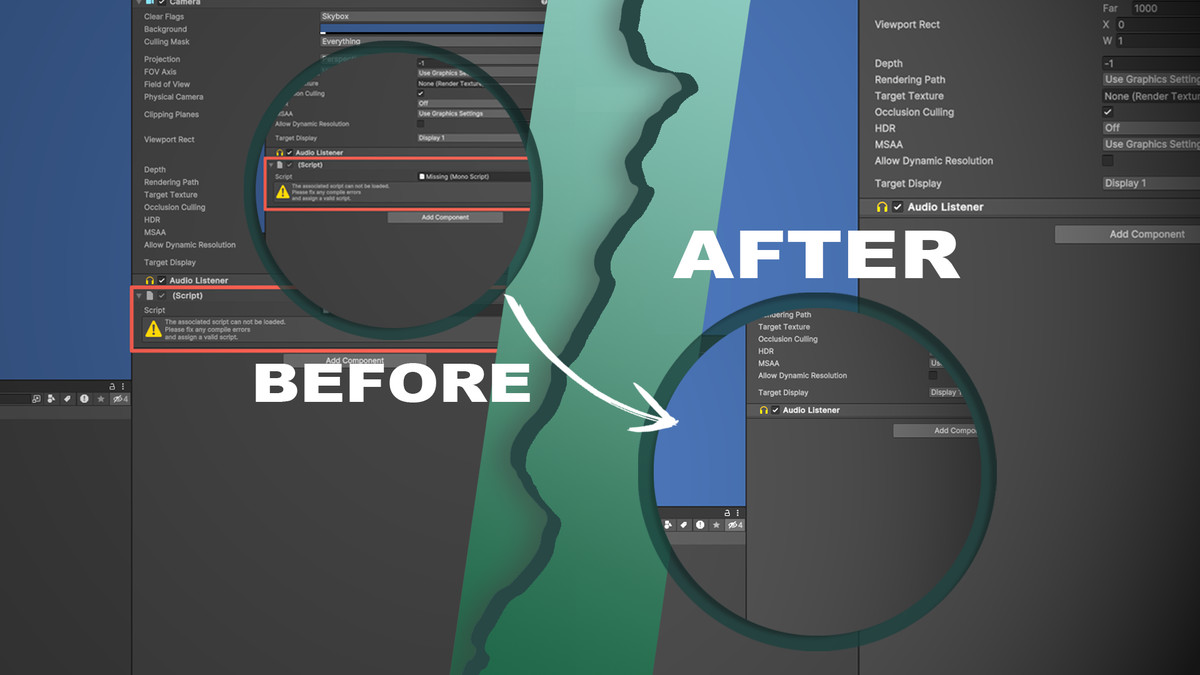
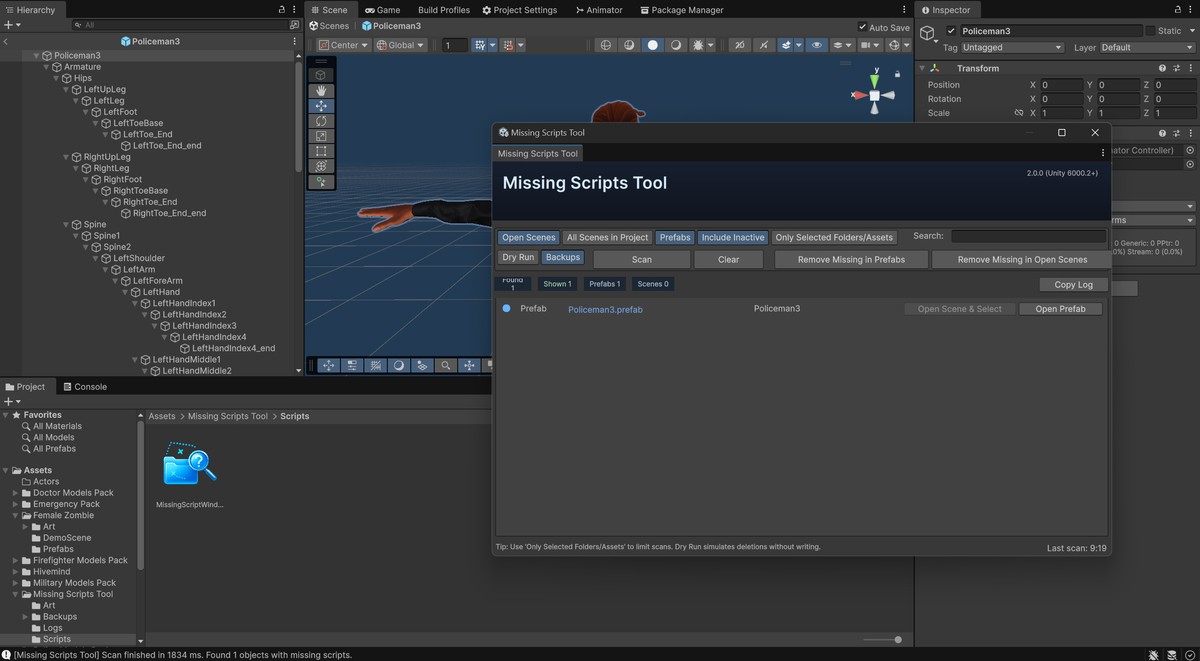
A fast, safe utility to find and remove missing MonoBehaviour references across Scenes and Prefabs. Ideal after refactoring, renaming, or deleting scripts—eliminates orphaned links, prevents errors, and keeps your project clean.
Key Benefits:
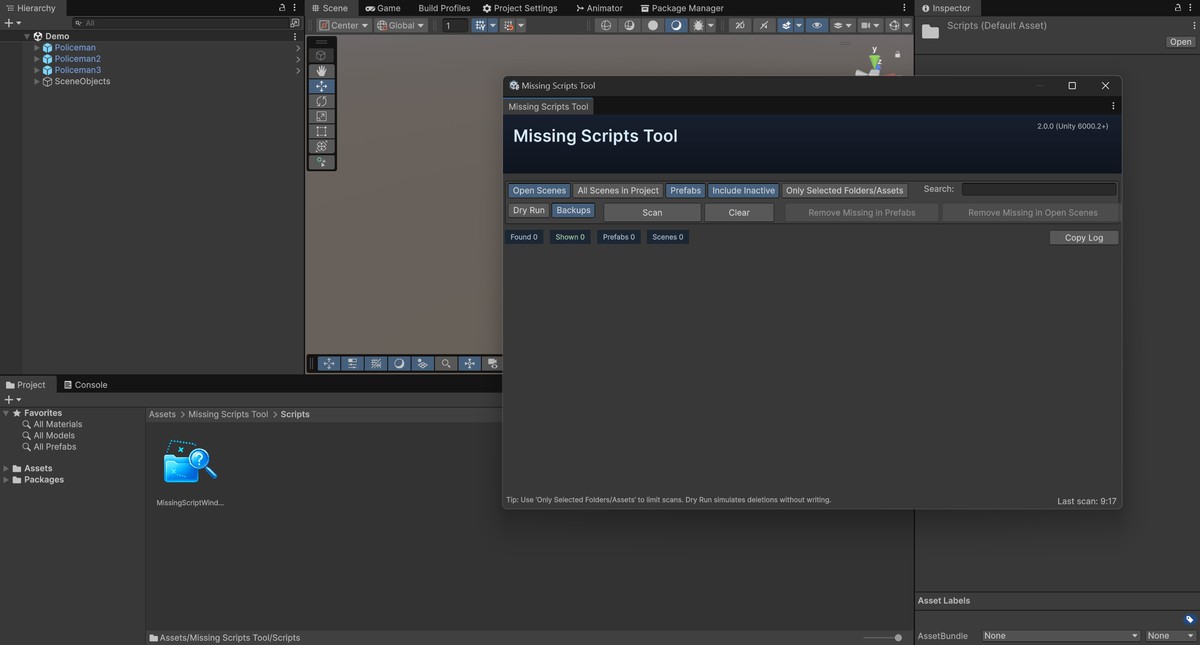
- Scan scopes: Prefabs, Open Scenes, or All Scenes in Project
- Safety-first: Dry Run (simulate) and optional Backups (Assets/Missing Scripts Tool/Backups)
- Filters: “Only Selected Folders/Assets”, “Include Inactive”, quick Search
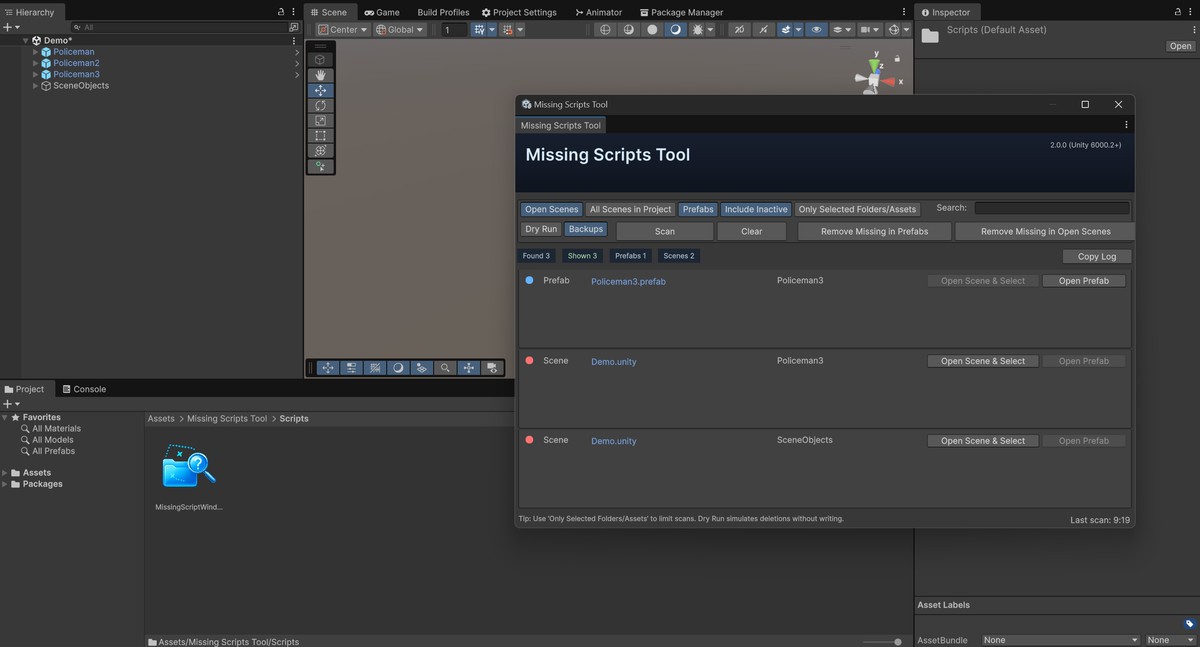
- One-click actions: Remove Missing in Prefabs / Open Scenes, Copy CSV log
- UX: Progress bars with cancel, open target via Open Scene & Select / Open Prefab
Quick Start
- Enable and Backups → Scan
- Review results, then Remove Missing (disable Dry Run to commit)
- Menu: Tools → Missing Scripts Tool · Hotkey: Ctrl/Cmd+Shift+U
With the Missing Scripts Tool, keeping your scenes clean and error-free becomes fast and effortless.
Release Notes
- Added prefab cleanup via LoadPrefabContents (removes Missing MonoBehaviours across entire prefab hierarchies).
- Dry Run mode and optional Backups (stored under Assets/Missing Scripts Tool/Backups).
- New scan scopes: Prefabs, Open Scenes, All Scenes in Project.
- “Only Selected Folders/Assets” filter to limit search roots.
- Search box and CSV-style “Copy Log” (Kind;AssetPath;ObjectPath).
- Progress bars with cancel support.
- Quick actions: Open Scene & Select / Open Prefab.
- UI polish, performance tweaks, and safer defaults.


Basic Information
- Latest Version
- 2.0.1 (02 Nov 2025)
- Publisher
- AisenCorporation
- Category
- Tools/Visual Scripting
- Size
- 64.5 KB
- Price
- free
- Asset Rating
- ★ ★ ★ ★ ★ (7)
Extended Information
- Unity Versions
- 6000.2.6
- Render Pipelines
- ✔ BIRP ✔ URP ✔ HDRP
- State
- Published