Asset Inventory 3
Everyone buying the tool from now on will get version 4 for free.
NOMINATED FOR BEST DEVELOPMENT TOOL 2024
Put your asset workflow on steroids and say good-bye to the Package Manager as you know it! Asset Inventory is your ultimate asset companion: a lightning-fast search for assets for your current project. Find content in assets you purchased or downloaded without importing and bring single files in with just a click.
Eliminate the time-consuming task of finding a sound file, a texture or a model you know you purchased but which is hidden inside one of your many Asset Store purchases. The Asset Inventory provides a complete list of all assets you own, including their content.
Web | Discord | Forum | Documentation | Roadmap
➤ Powerful Search
Browse & find anything inside your purchased assets. Quickly preview audio files. Narrow your search using asset type, tags, image dimensions, audio length, color and more. Exclude items you don’t want to see. Save and recall searches.
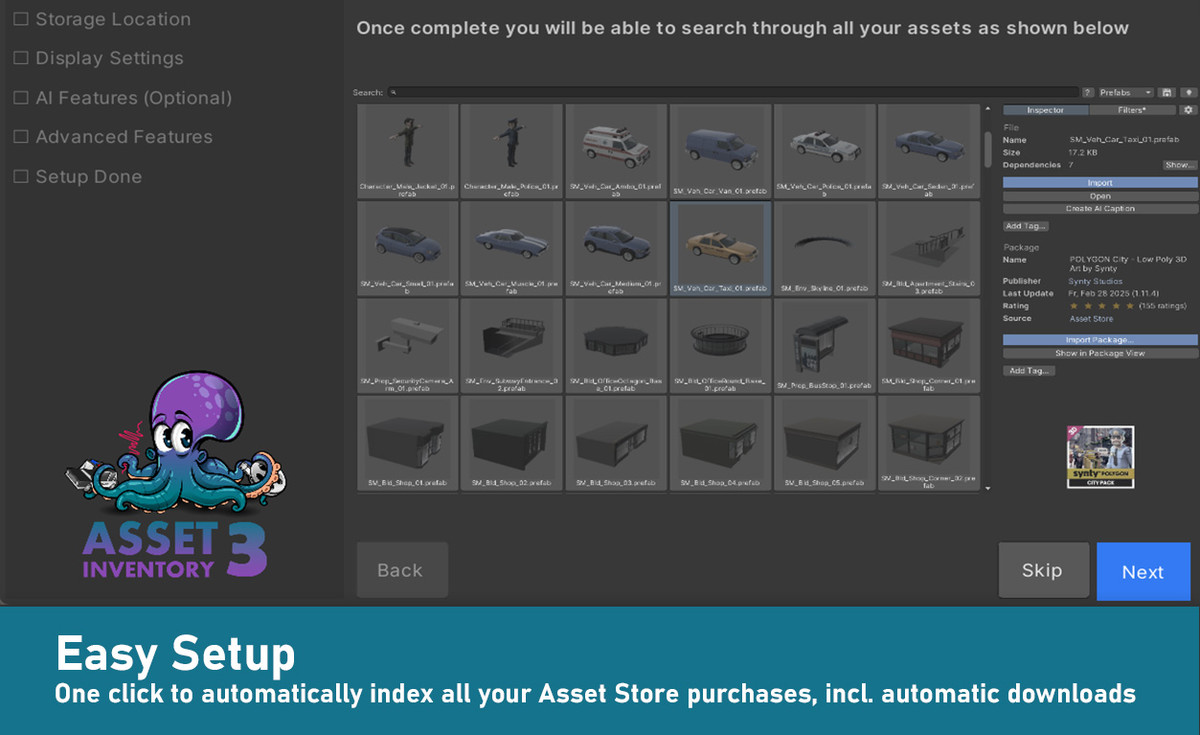
➤ Easy Setup
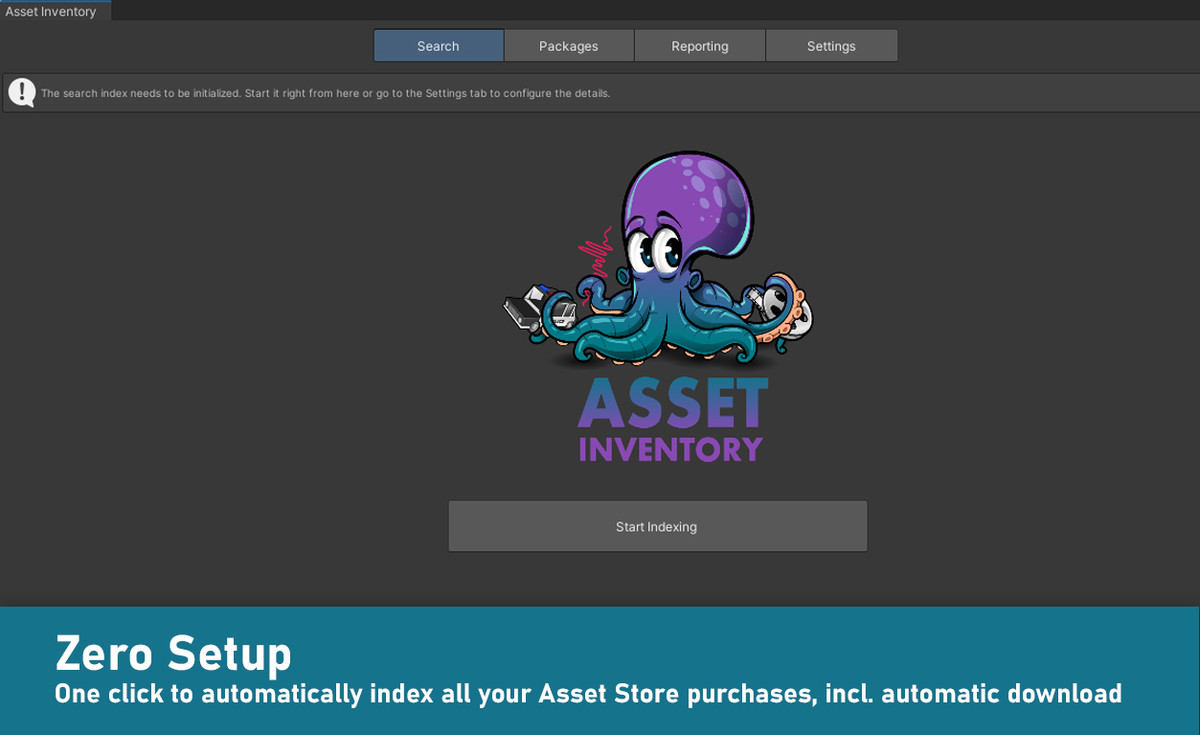
Works out of the box. Lots of optional view & configuration options. Hassle-free indexing. Start, stop & resume at any time. Works with Unity 2019.4 and higher. Windows, Mac & Linux. Lightning-fast indexing and search.
➤ Intelligent Import & Export
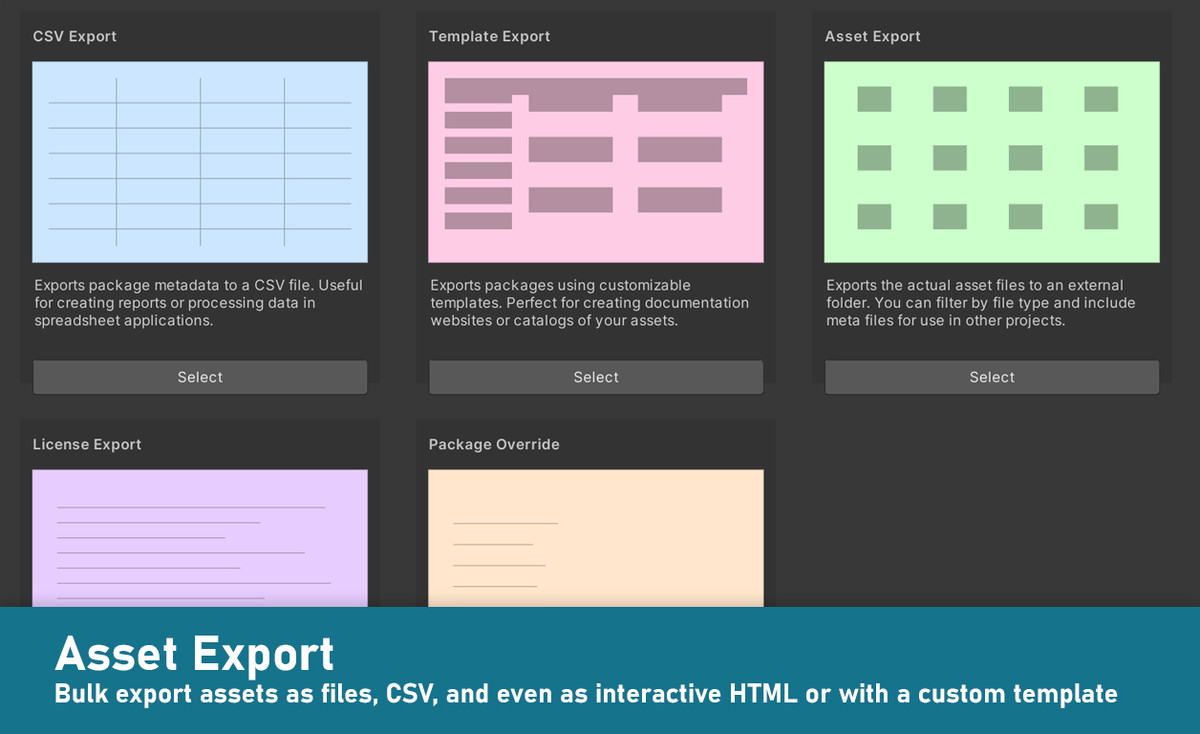
Import only what you need instead of a whole package. Automatically determines asset dependencies to import complex prefabs and materials. Save space & reduce clutter in your project. Bulk import multiple packages at once. Automatically store imported assets in a specific sub-folder and keep the Assets root clean. Export assets easily for reuse in other contexts. Supports SRP Support Packages and automatically converts materials to URP.
➤ Many Sources
Your complete asset library: Automatically indexes Asset Store purchases. Triggers download of missing assets. Handles packages from registries and assets from Unity Asset Manager. Supports custom folders to search through Unity packages downloaded from other locations. Indexes folders and Zip archives containing arbitrary media files like 3D models, audio libraries, textures and more. Automatically generates previews.
➤ Organize
Automatically imports labels from the Asset Store. Use additional tags to group assets effectively. Assign tags to either packages or individual files inside packages. Assign colors and group by tags. Exclude unwanted items. Perform bulk operations. Import multiple assets and packages in one go. Builds on Package2Folder to allow importing packages into a custom sub-folder. Backup packages automatically to ensure you always have a working version to go back to.
➤ Reverse Lookup
Quickly identify used assets and packages in your project.
➤ Constant Updates & Support
Receive regular updates, optimizations, and new features. Super-fast support. Discuss ideas in a great Discord community.
Web | Discord | Forum | Documentation | Roadmap
Release Notes
Updating from earlier versions: Close Unity, delete the Asset Inventory folder, restart Unity and import the new version. Database and settings are compatible.
## [3.6.1] - 2025-12-21
- Remove accidentally added test package dependency
- Fix tool not handling broken URP converter gracefully
- Fix metadata for deprecated packages sometimes cannot be fetched
- Fix "all" in SRP filter not working * Add "current" to SRP filter to auto-detect current render pipeline in use
## [3.6.0] - 2025-12-09
- Custom Actions
- New action step: Set Text Variable and allow referencing variables via $varname later
- Support predefined variables in custom actions: Application, SystemInfo, Environment, Config, DateTime, PlayerSettings, EditorApplication, BuildTarget, QualitySettings, Screen
- SFTP support for FTP Upload Action
- New action step: FTP Delete Folder
- Support aborting custom actions upon errors
- HTML Export
- Do not export sub packages via HTML template
- Add third party dependency: SSH.Net
- Allow cancelling FTP uploads
- Fix HTML export action not working if first template is selected
- Searching
- Allow searching also in group names in package search
- Support variables inside asset search to reuse and easily parameterize saved searches
- Support overriding saved searches with current search setup
- Support combining tag tokens in search via and/or/not
- Minor UI fixes
- Misc
- Fix media size not stable while loading
- Fix sort by asset rating and review count
- Fix new method for fetching asset details failing in newest Unity 6.3
## [3.5.0] - 2025-10-21
- New asset details update method, greatly reducing time needed to fetch updates
- Automatically update asset details in the background regularly, making sure available updates are showing up quickly
- Performance
- Greatly improve texture memory management
- Greatly improve memory consumption and performance of indexing and previewing audio assets by activating streaming
- Speed up dependency analysis using render pipeline flags to identify support packages
- Dramatic media loading and memory consumption improvements by loading full media only ondemand
- Small performance improvements all over
- Improve cache limiter performance and error handling
- Custom Actions
- New action steps: Compress Folder, Extract Folder
- New action step: Export HTML template
- New action step: FTP Upload
- Allow Delete Folder action step to also delete folders outside current project
- Allow running also predefined actions in Run Action step
- Incompatible change: Actions using Run Action need to be resaved
- Running custom actions now show progress
- Handle custom action deletion issues gracefully
- HTML Export
- Automatically embed original previews back into Previews folder when exporting to HTML
- Treat HTML package search the same in grid and list view
- Create Previews folder on the fly if missing in HTML export target directory
- Fallback to cover image in HTML export if there are no media images available
- Align rendering of stars in HTML to be identical in static and dynamic search mode
- Show only media in HTML export carousel that is viewable
- Fix media carousel not being shown in html export
- Fix HTML search always showing "Searching..." when no files are present
- Previews
- Improve downloading during preview pipeline
- Allow showing all affected assets for specific preview states directly from preview wizard
- Make wait time for Unity previews configurable
- Add has-preview filter to search integration and API
- Allow deactivating preview error logs
- Automatically clean-up corrupted preview files that cannot be loaded from Previews folder
- Support custom archive & package preview icons through a png file next to the actual package
- Show scheduled previews broken down by types
- Allow removing specific types from the preview queue
- Confirm preview rescheduling for selected types
- Clean preview queue of items that accidentally got in and cannot yield results (script files, documents...)
- Skip preview recreation for items in support packages incompatible to the current render pipeline (hdrp packages in an urp package and vice versa)
- Fix downloads not working reliably during preview recreation
- Search
- New setting to exclude packages in asset search not matching current SRP (on by default)
- New validator: Set correct render pipeline compatibility flags for sub-packages
- Improve formatting of durations to cover long audio lengths
- Detect more support sub-packages correctly leading to better dependency resolution
- API search example
- Media
- Many media column customization options
- Use rounded corners for media images and allow setting for search results as well
- Remove flickering of media images when selecting items in the packages list
- Allow setting corner radius of media images and search previews
- Allow copying media URL to clipboard when right clicking external media
- Fix media section getting hidden when scrolling selected item out of view with media column visible
- Misc
- New management UI under Settings/Locations to configure FTP connections
- Additional items added to exclusion list which can only be imported into the root (5 total now)
- Improve package deletion with a dedicated deletion UI
- Allow excluding extensions also in archives
- Support foreign Id in override files
- Improve error logging for downloads
- Cleanup failed downloads
- Reduce locking of files by the tool, enabling more concurrent usage
- Handle insufficient disk space gracefully
- Set a sensible min size for tag management UI
- Unity 6.4 compatibility
- Fallback to legacy asset details refresh if new method does not work (Unity 6.4a)
- Fix incorrect materialization of dependencies from additional folders during previews creation leading to locked files
- Fix SQLite not finding columns in case of spelling differences
- Fix downloader trying to download sub, outdated or abandoned packages
- Fix download error message spam appearing on Mac
- Fix seldom file access race condition in copying assets to project
- Fix parallel calls to dependency analysis resulting in potentially corrupt analysis
## [3.4.0] - 2025-09-26
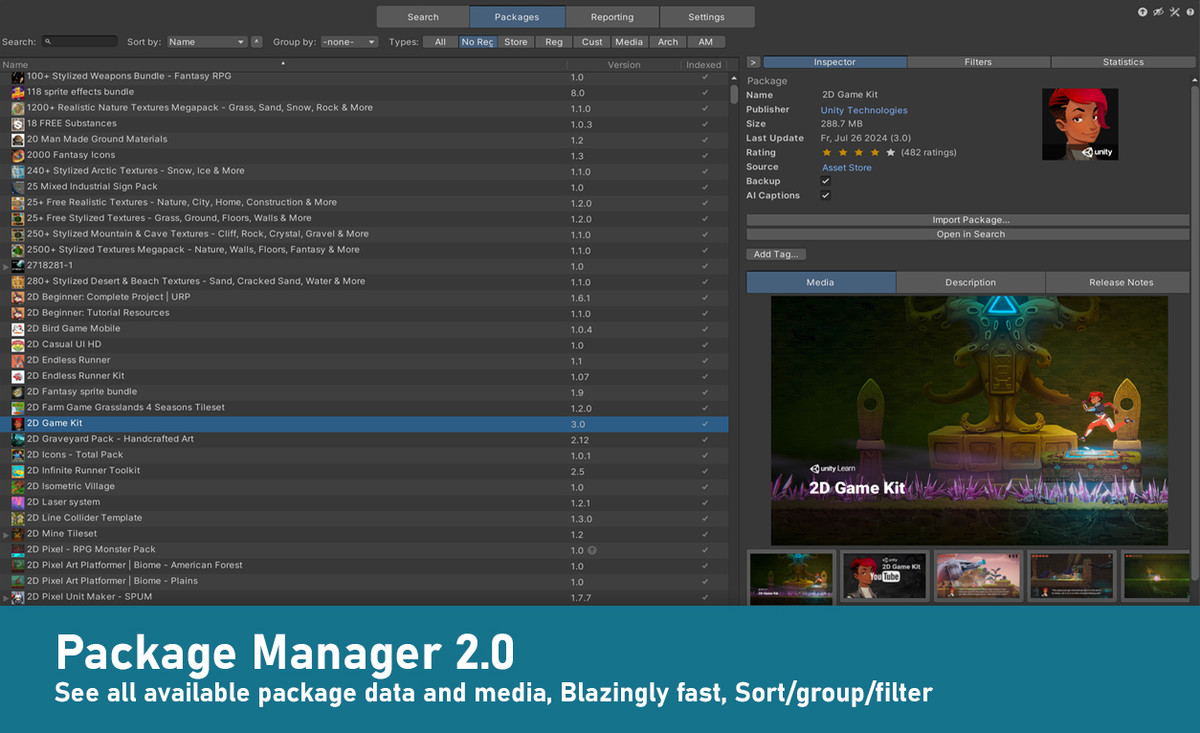
- New package list column: Media (showing screenshots of the package right in the table)
- Bigger package icons and wrapped names when media images are displayed
- New shortcut to import + add prefabs directly to scene in one go
- Integrations
- Context menus for search results and packages view
- Integrate into main toolbar (Unity 6.3+)
- Unity Search integration
- Previews
- Preview enhancement for small image files in additional folders: Use directly as preview without copying, saving time and space
- New validator: previews that can be deleted and originals used instead
- New validator: Previews that should be cached instead of using the original only
- Show validators based on current configuration
- Reset AI caption after preview recreation
- Misc
- Exception list for assets that need to be in the project root (due to hard coded paths etc)
- Show welcome dialog
- Allow specifying sub-second breaks for AI processing
- Support for programmatic search through API
- New validator: Outdated in cache
- Improve about page layout
- Reorder package actions for better clustering
- Spelling fixes
- Add multiple missing UI customization blocks
- Align UI customization colors for sections
- Make deleting packages not abort when file access is denied
- Disable bulk selection in programmatic search mode
- Disallow selecting root folder as database location
- Recover gracefully if UI state got lost during recompilations
- Fix seldom appearing UIStyle initialization issues (lazy initialize now)
- Fix endless details refresh for deleted packages in inspector
- Fix dependency import failing if dependency is materialized in a package already
## [3.3.2] - 2025-09-10
- Faster persistence of asset purchases
- Fix directory/cache deletion sometimes not working
- Fix dependency scan hanging upon files that cannot be copied







Basic Information
- Latest Version
- 3.6.1 (21 Dec 2025)
- Publisher
- Impossible Robert
- Category
- Editor Extensions/Utilities
- Size
- 22.5 MB
- Price
- €35.88
- Asset Rating
- ★ ★ ★ ★ ★ (179)
Extended Information
- Unity Versions
- 2021.3.45
- Render Pipelines
- ✔ BIRP ✔ URP ✔ HDRP
- State
- Published