Advanced Scene Manager 3
Want simple and reliable scene management?
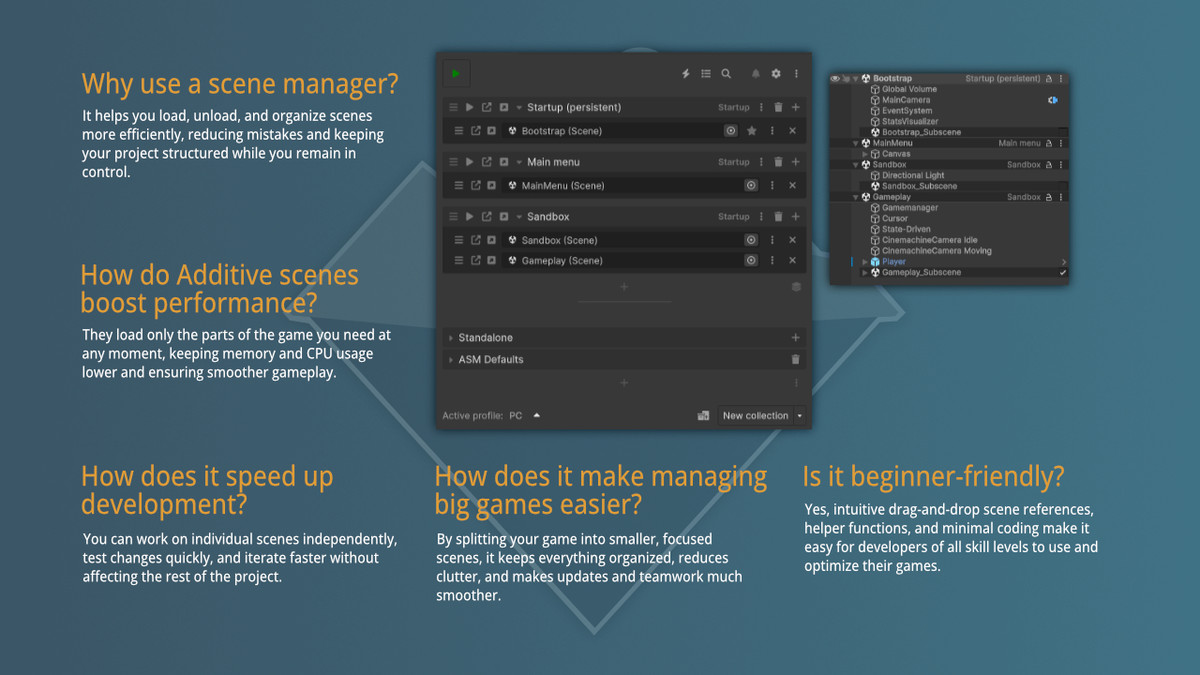
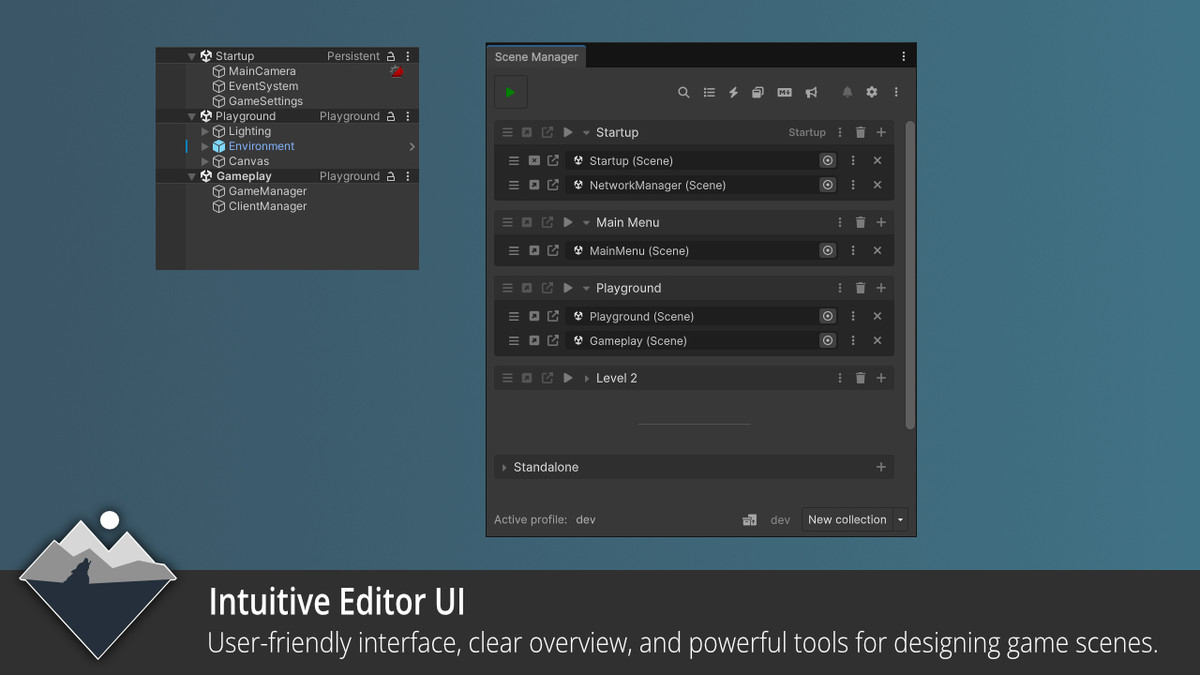
Enjoy zero setup with everything handled automatically from the start. Get additive loading by default. Use drag-and-drop references to remove strings and indexes forever. Create dynamic loading screens as real scenes, loaded just like any other. Group scenes into collections for simple one-command control.
Access full runtime and editor API with easy methods like Open, Close, and Preload. Unlock improved callbacks and events for smoother operations. Optimize memory by loading scenes only when required.
Documentation | Forum Thread | Discord
Check out -> Projects Made With Advanced Scene Manager
Want to get a feel for our asset before you buy? -> Try Before You Buy!
Key Features
1. Simple Integration
ASM requires no complex setup. Once installed, you’re ready to go, no prefabs to configure, and build indexes are automatically managed. ASM handles all scene management in the background.
2. Additive Scene Loading by Default
Scenes are loaded additively, improving memory use by loading only what’s needed. This keeps projects organized, prevents large scenes from overusing memory, and reduces merge conflicts. ASM makes additive scenes easy for everyone, with no complex setup or advanced knowledge required.
3. Loading Screens
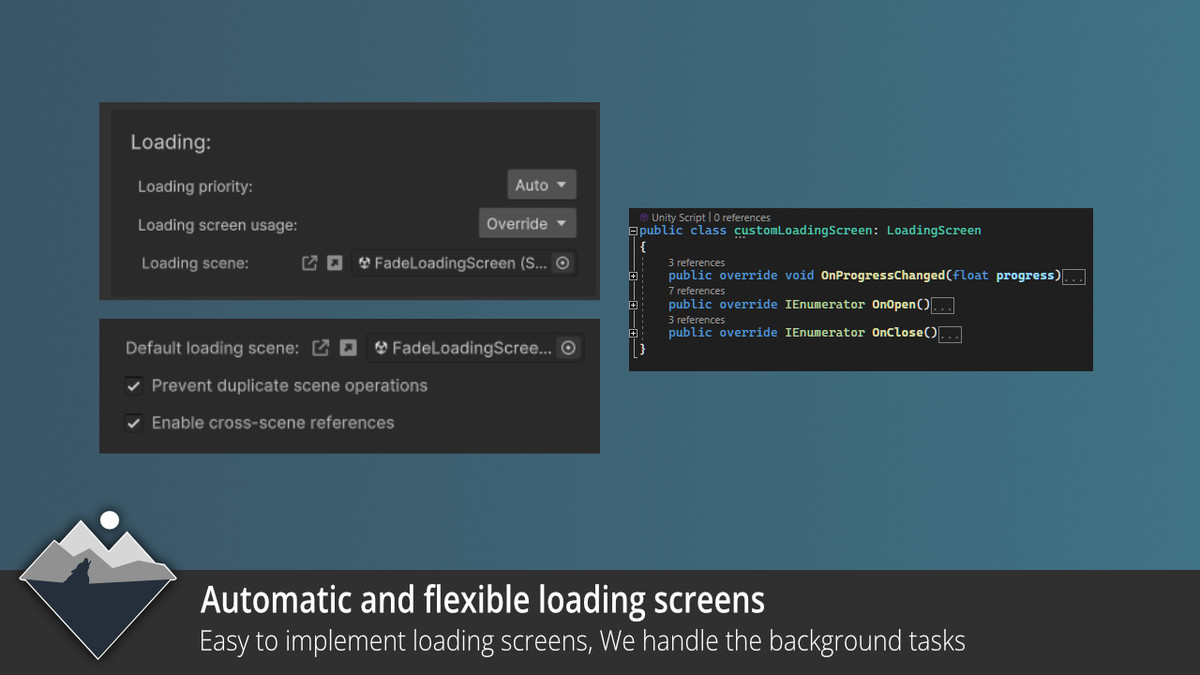
Create custom loading screens using actual scenes, not just canvases in DDOL. Easily set default screens, override them for specific scene collections, or configure them manually. With ASM, you can create multiple loading screens for different parts of your game, giving you the flexibility to design transitions and tailor the loading experience to suit each section.
4. Scene Referencing
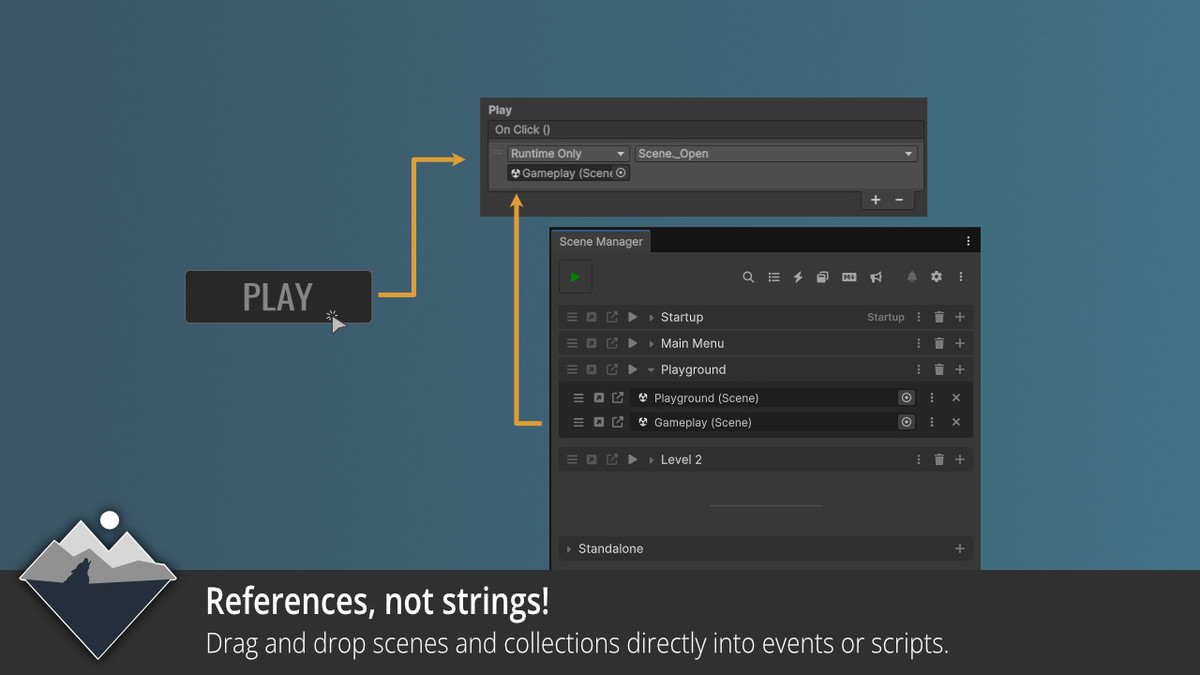
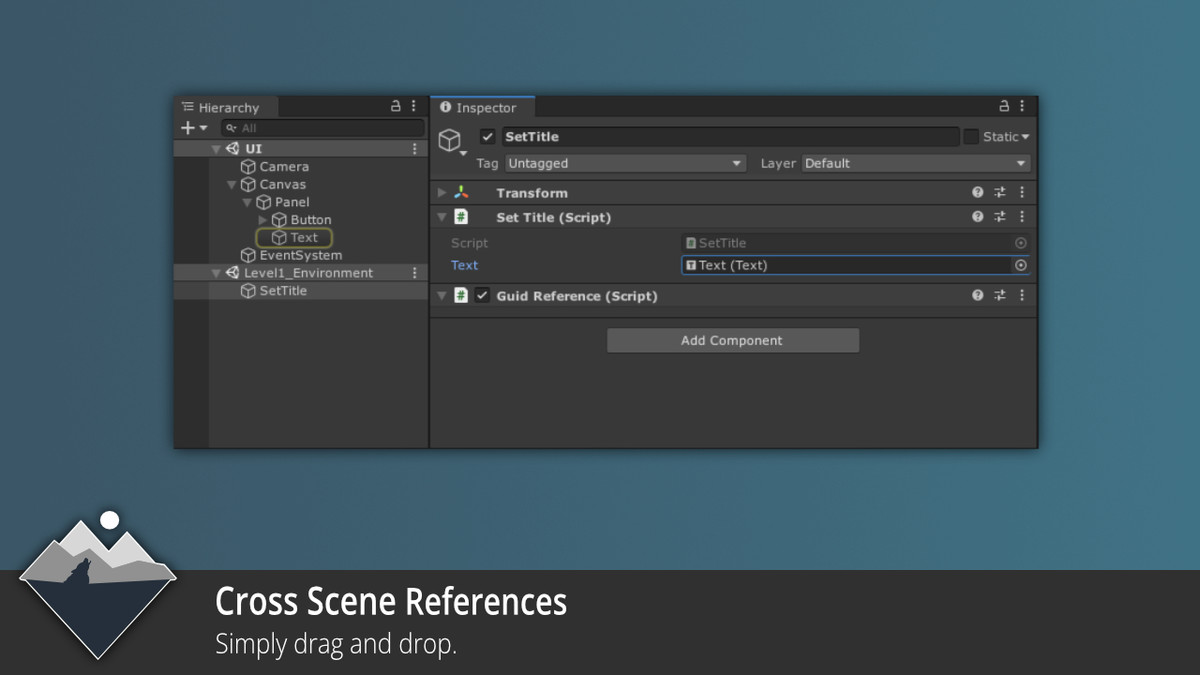
Replace error-prone string or ID-based references with simple drag-and-drop functionality. Cross-scene referencing is supported, enabling connections between scenes for dynamic development.
5. Scene Collections
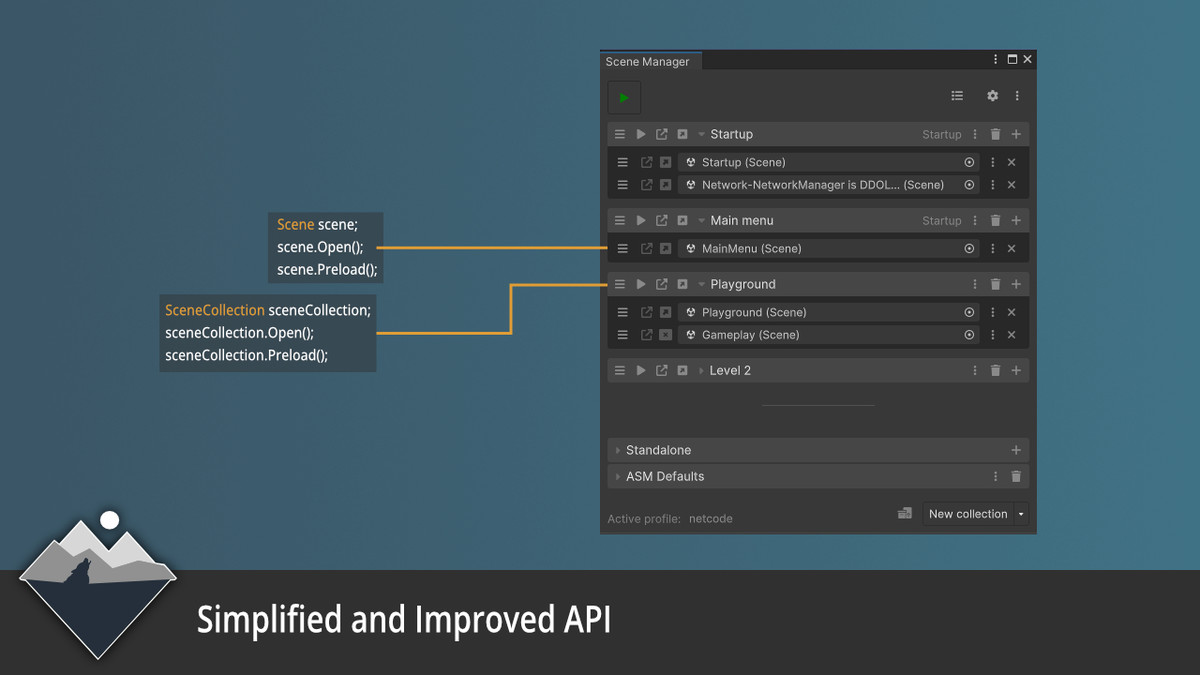
Manage multiple scenes as a single unit using commands like sceneCollection.Open(). With Unity event support, load and unload scenes efficiently with minimal coding effort.
6. Improved Callbacks
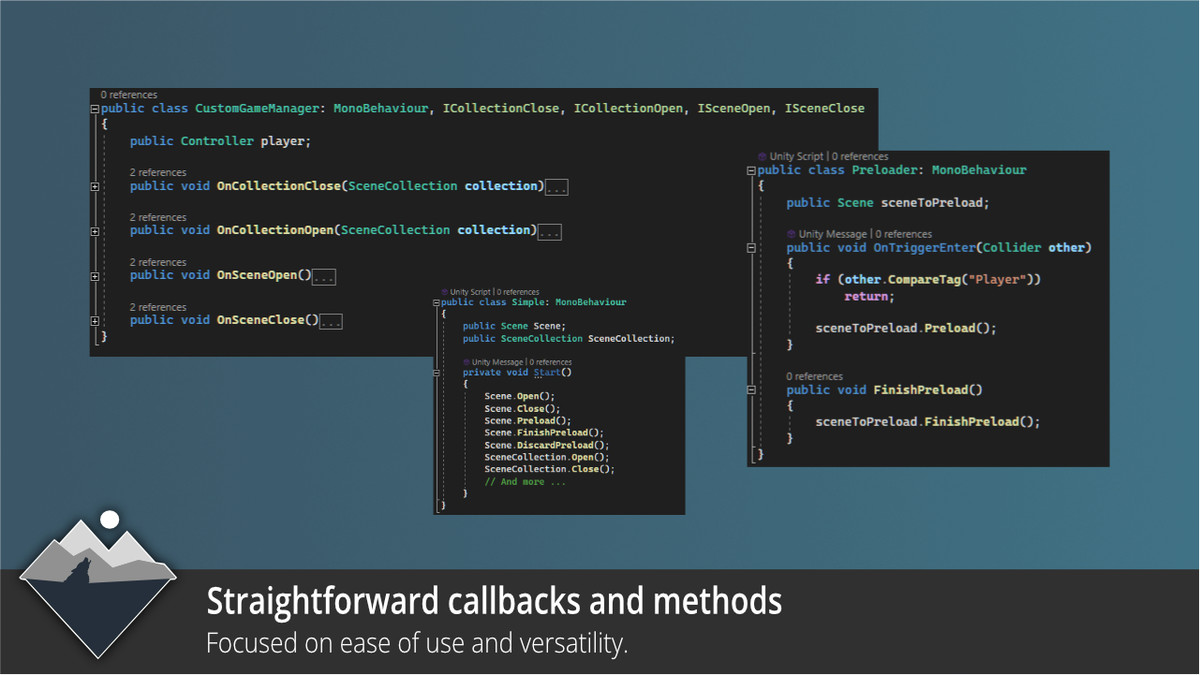
ASM includes callbacks like ISceneOpen and ICollectionOpen for spreading heavy loading tasks across frames. Trigger gameplay only when all scenes are fully loaded to ensure smooth and uninterrupted experiences.
7. Extensive API
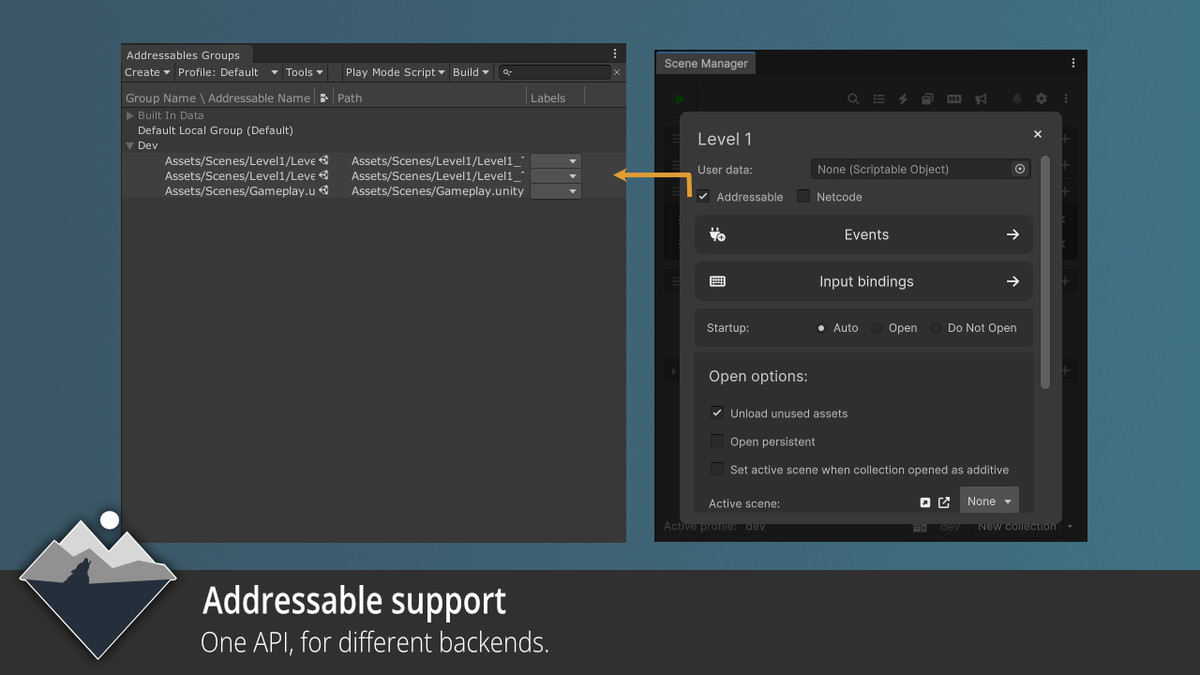
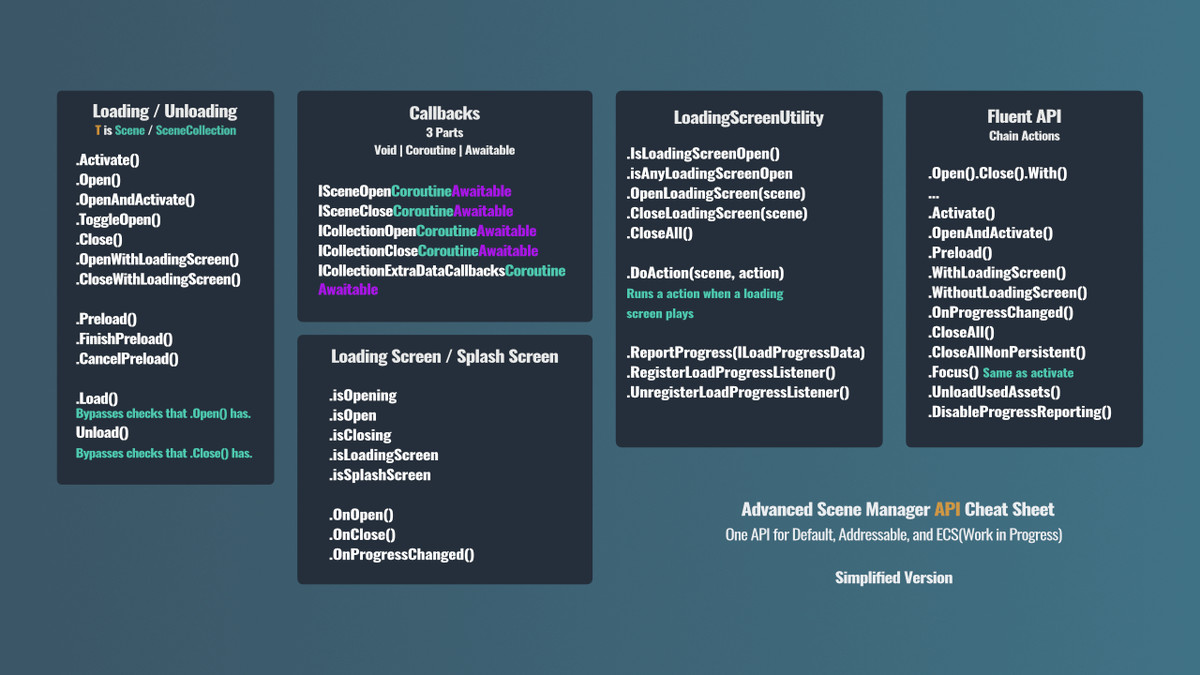
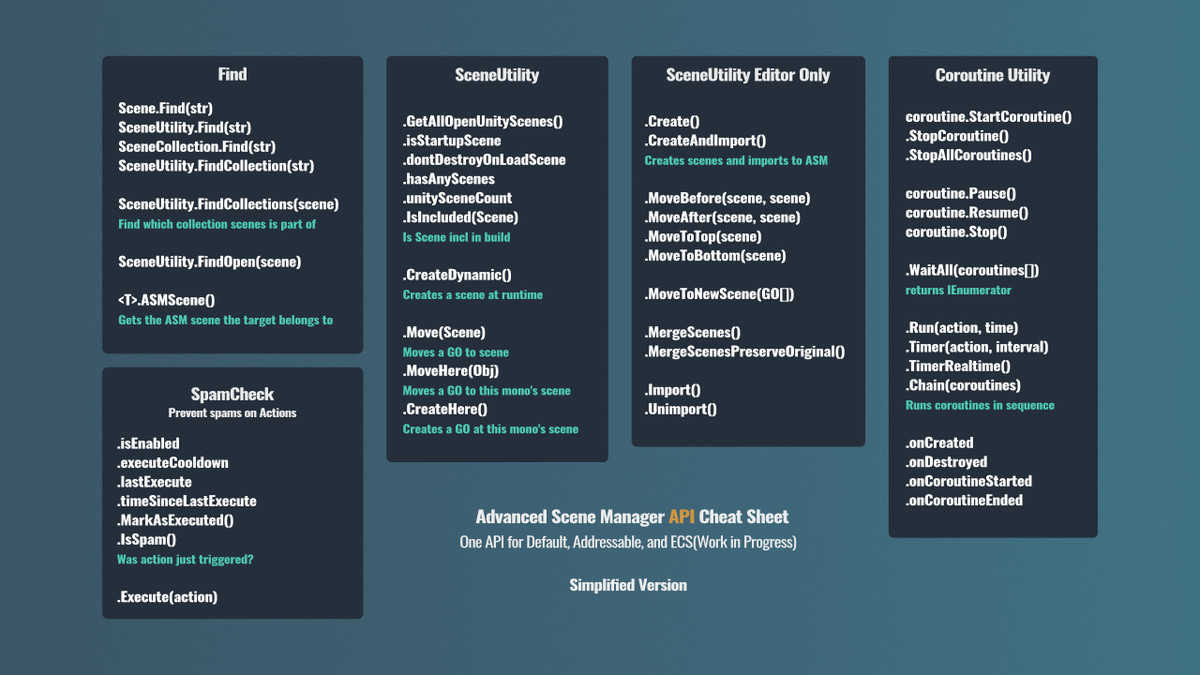
The API simplifies scene management with commands like scene.Open(), scene.Close(), and scene.Preload(). The same intuitive API also works with SceneCollections, Addressables, and other future implementations, ensuring consistency and ease of use across all your scene management needs.
8. Memory Optimization
ASM optimizes memory usage by loading scenes only when needed, giving you full control over what to load and when. This approach helps you manage resources efficiently during both runtime and in the editor.
Why Choose ASM?
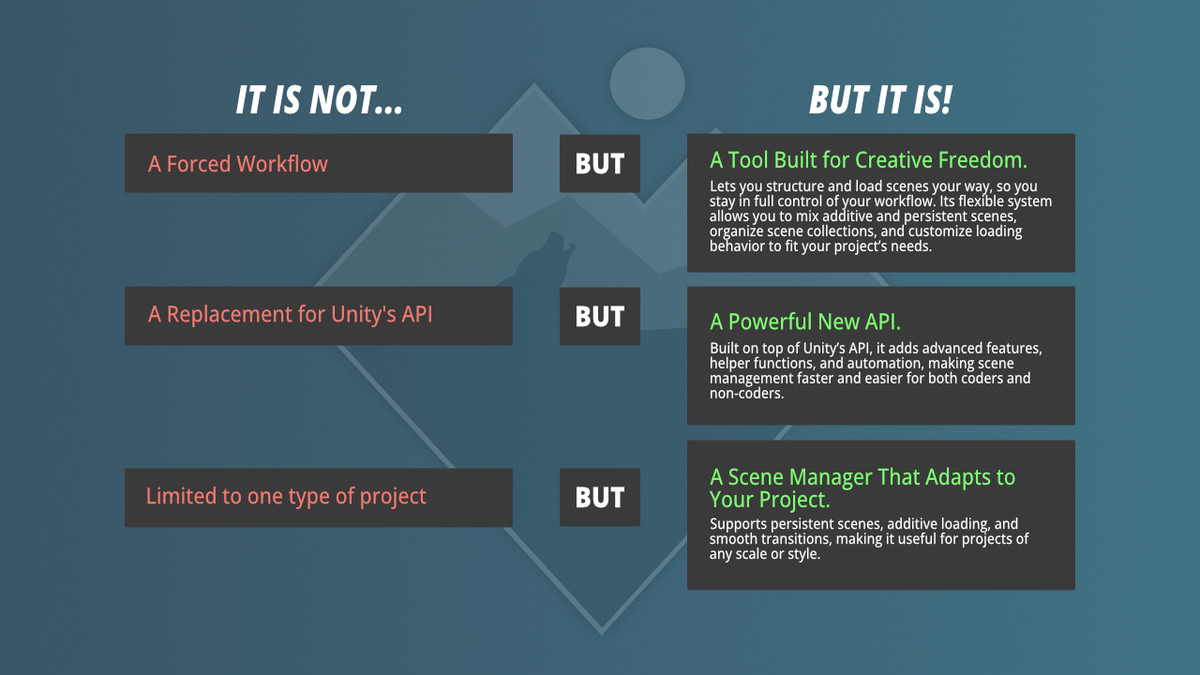
ASM has been refined over the years based on user feedback to offer both flexibility and simplicity. It’s designed to adapt to a wide range of use cases, making additive scene management straightforward and allowing you to focus on creating exceptional projects without unnecessary complexity.
Community
Discord and forum are where you can send us feedback and suggestions, chat about improvements and new features, and get help getting the most out of our assets or other projects.
Make sure you check out Discord for the latest patches before they go live!
Release Notes
Make Sure to always BACKUP your project before updating or installing ASM!
It may require a restart to make sure all is compiled correctly!
Major releases (upgrade.major.minor/patch) may include API changes that need extra adjustments in your project. Update if you're comfortable making these changes; otherwise, test in a new project first or stick with your current version.
3.1.18
-Added SceneOperation.CloseOtherScenes(), which excludes persistent scenes by default.
-Renamed SceneOperation.CloseAll() to CloseAllScenes() for clearer intent.
3.1.17
-Added SceneOperation.Open(scene, bool removeFromClose = true), SceneOperation.Close(scene, bool removeFromOpen = true).
-Fixed issue with collection.Reopen().Close(collectionScene).
-Fixed issue where SceneAssetEditor would insert its own main page into ScenePopup in the ASM window.
3.1.16
-Fixed init issue where ASM would sometimes not play startup process.
3.1.15
-Changed handling of explicit startup scene a bit.
3.1.14
- Fixed some import warnings in 6.3.
- Fixed issue where ASM defaults collection would trigger unreferenced collection popup.
- Improved initial bad UI toolkit state after first import.
3.1.13
- Made some changes to pre-build step to make it a bit more reliable, but also allow it to be called explicitly (BuildUtility.PrepareASMForBuild()).
3.1.12
- Fixed issue where SceneAsset inspector would not work when ASM window was closed.
3.1.11
- Added confirmation prompt in welcome wizard scene import, if any scenes are checked, when pressing continue.
3.1.10
- Updated urls in menu popup.
- Fixed layout issue in collection header.
- Made collection rename button not fully transparent when not hovered.
- Fixed context menu in notification overflow menu being constrained to popup bounds (issue when too small).
3.1.9
- Fixed missing scene helper button in footer.
3.1.8
- Fixed issue in 6.3, where an invalid stylesheet value caused no items text for collection ListView to show up, even though collections were added.
3.1.7
- Made dev build in menu popup a bit nicer, added support for android.
- Possible fix for issue where discoverables would get stripped out when managed code stripping level was set to medium.
3.1.6
- Added a validation step for scene loaders after ASM init.
- Added init step to call discoverable scene loader registration directly, instead of relying on [OnLoad].
3.1.5
- Improved error message when SceneLoaderEventArgs.isHandled is false.
3.1.4
- Fixed issue where collection hover buttons would be visible when no profile was active.
3.1.3
- Fixed stuck notification after SceneAsset moved.
3.1.2 (asset store only patch)
- Fixed some issues with assets cache.
3.1.1
- Fixed issue in welcome wizard scene import where empty string paths could be persisted and passed for import. Added guard against invalid paths in scene import.
Upgrade 3.0.0
What’s New
- A refreshed, cleaner look across notifications, undo history, lists, and popups.
- The ASM window is now faster and more responsive.
- A new Welcome Wizard helps beginners get started quickly, while experienced users can skip it.
- Your selection is now preserved when using ASM Play.
- Buttons, headers, and popups are more consistent and easier to use.
- Plus, general fixes and polish to keep everything running smoothly.
Patch Info (for advanced users)
- Profile.current has been removed, replaced by ProfileUtility and SceneManager.profile.
- Event callbacks are now centralized under SceneManager.events.
- The public API has been adjusted for consistency, especially around ViewModel and ASMWindowElement.
Basic Information
- Latest Version
- 3.1.18 (08 Jan 2026)
- Publisher
- Lazy Solutions
- Category
- Editor Extensions/Utilities
- Size
- 1.7 MB
- Price
- €51.52
- Asset Rating
- ★ ★ ★ ★ ★ (40)
Extended Information
- Unity Versions
- 6000.0.0
- Render Pipelines
- ✔ BIRP ✔ URP ✔ HDRP
- State
- Published