Strumpy Shader Editor
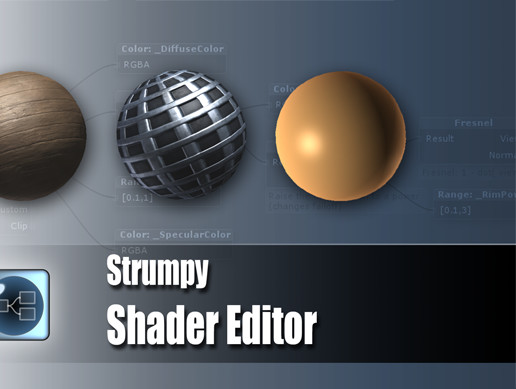
Strumpy Shader Editor is a free and powerful shader editor for making shaders in Unity 3.x.
Features include:
* Full Unity surface shader API support
* Unity shader fallback support
* Custom vertex shaders
* Custom lighting
* In editor preview (Pro only)
* Intuitive user interface
* Free
Donate to help the projects continued development.
For questions ask in the forum thread.
Be sure to check out the latest tutorial videos.
Release Notes
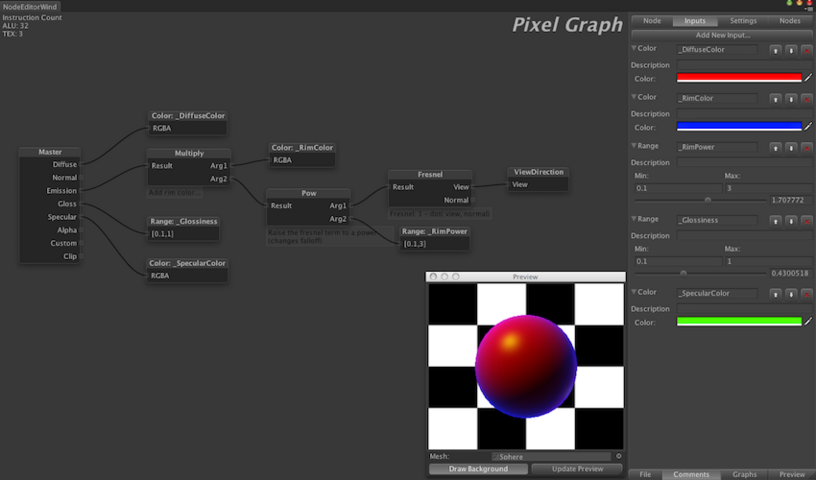
Beta 4 New Features: New Preview Window The preview window is now it's own entity. This allows for resizing and moving it onto a separate monitor. New Input / Property Configuration All inputs are now configured via the Input tab on the settings pane. This maps more closely with how unity handles properties. In this block define all the inputs you with to use (Use the ones under the unity tab if you want fallback shaders to work nicely). When you add a property node to a graph you now link it to one of these inputs rather then defining it in the node itself. New Settings Configuration Selecting settings from the master node of the pixel graph was getting a bit frustrating... especially if you normally work in the vertex or lighting graph... so we moved it to it's own location. It can be found as the third tab on the configuration toolbar. Node Menu We have also added a new menu which lists all nodes in SSE. If you can't find the node you are looking for this menu can be filtered. It also features handy tooltips explaining what each node does. Graph Map Sick of getting lost on very big graphs? We have added a map that shows where you are on a given graph! This map automatically pops up when you are panning around. We have found it very helpful! New Context Menu The old context menu was a bit frustrating to use, so we rewrote it. This menu is much easier to use and matches whichever OS you are on. Fallback Support If you specify a shader fallback it will be used (default is simple diffuse shader). In unity fallbacks work by the fallback shader having the same property names as those specified in the shader you are falling back from. To make this a bit easier in the Inputs tab we have predefined all the 'default' unity input names. We really recommend using these names if you want fallback to work properly! LOD Support This is a slider and is supported if you wish to have a LOD for your shader. Make sure you have a valid fallback specified! Massive Performance Enhancements: Fixes here and there have really added up. This should be the most performant version of the editor thus far. Especially with big graphs! Bug fixes *XBox 360 shaders should now be working properly *Numerous small fixes
Basic Information
- Latest Version
- Beta4.0a1 (24 Mar 2011)
- Publisher
- Strumpy Games
- Category
- Tools/Visual Scripting
- Size
- 468.8 KB
- Price
- free
- Asset Rating
- ★ ★ ★ ★ ☆ (461)
Extended Information
- Unity Versions
- 3.3.0
- State
- Deprecated