Translucent Image - Fast UI Background Blur
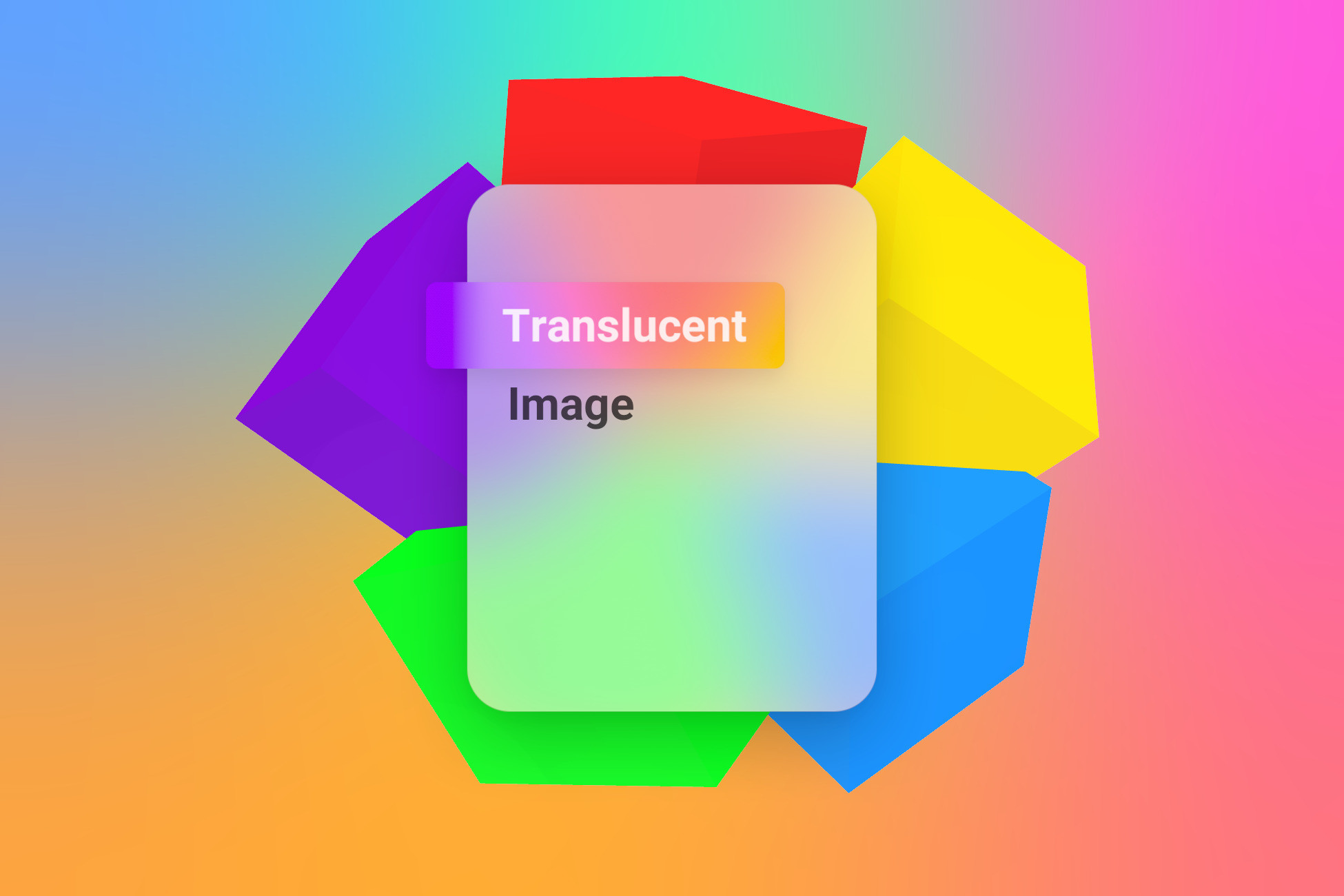
Translucent Image is the high performance, battle tested solution for beautiful blurred background UI, like those found in iOS/macOS/Windows 10+ design.
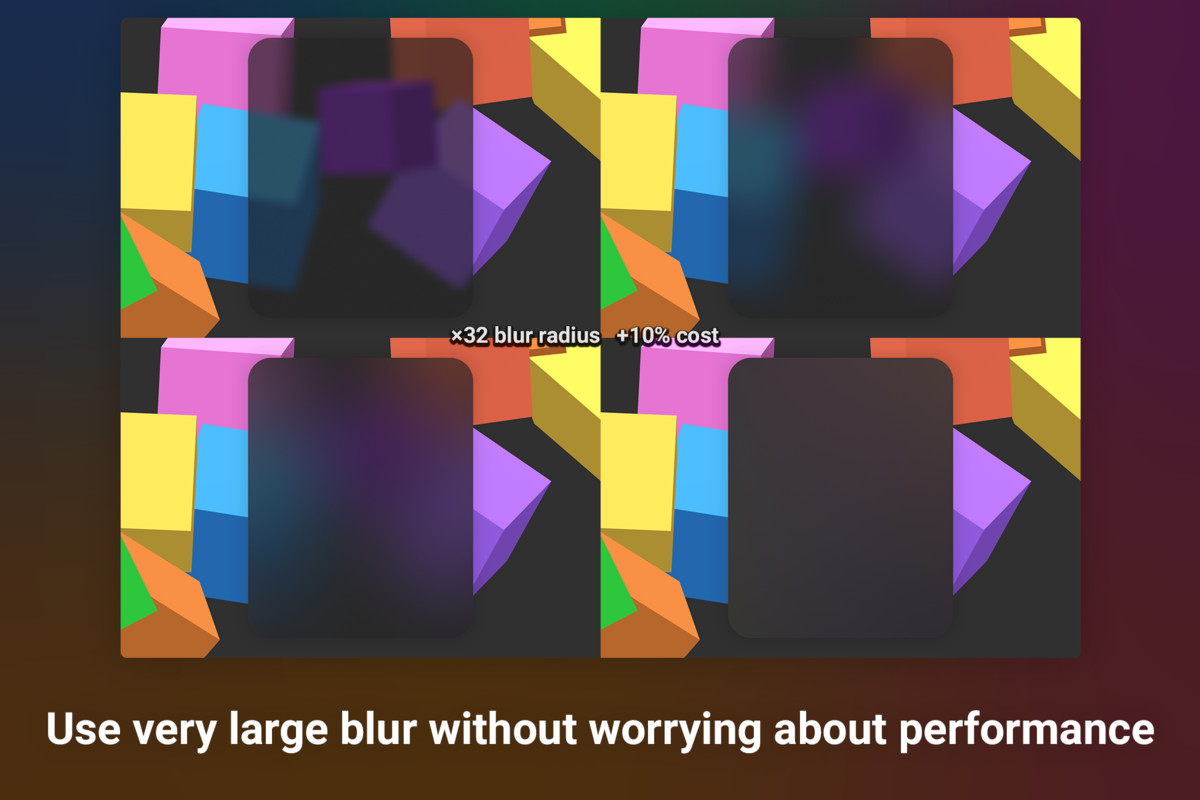
Unlike many other background blurring solutions, Translucent Image employs an extremely efficient algorithm, so your user can enjoy higher framerates and longer battery life. Not only that, it can produce a deliciously smooth effect when you tune the blur up high, unlike many others that would degrade to ugly blocky artifacts.
» Features Highlight «
- Fastest blur effect on the Asset Store.
- High-quality, smooth blur effect that remains fast even if you blur the whole screen to a single color.
- Simple single number control that ensure optimal performance/quality trade-off without low level knowledge.
- Fully customizable, not only blurriness, but also includes many more effects to make your UI even more delightful to use.
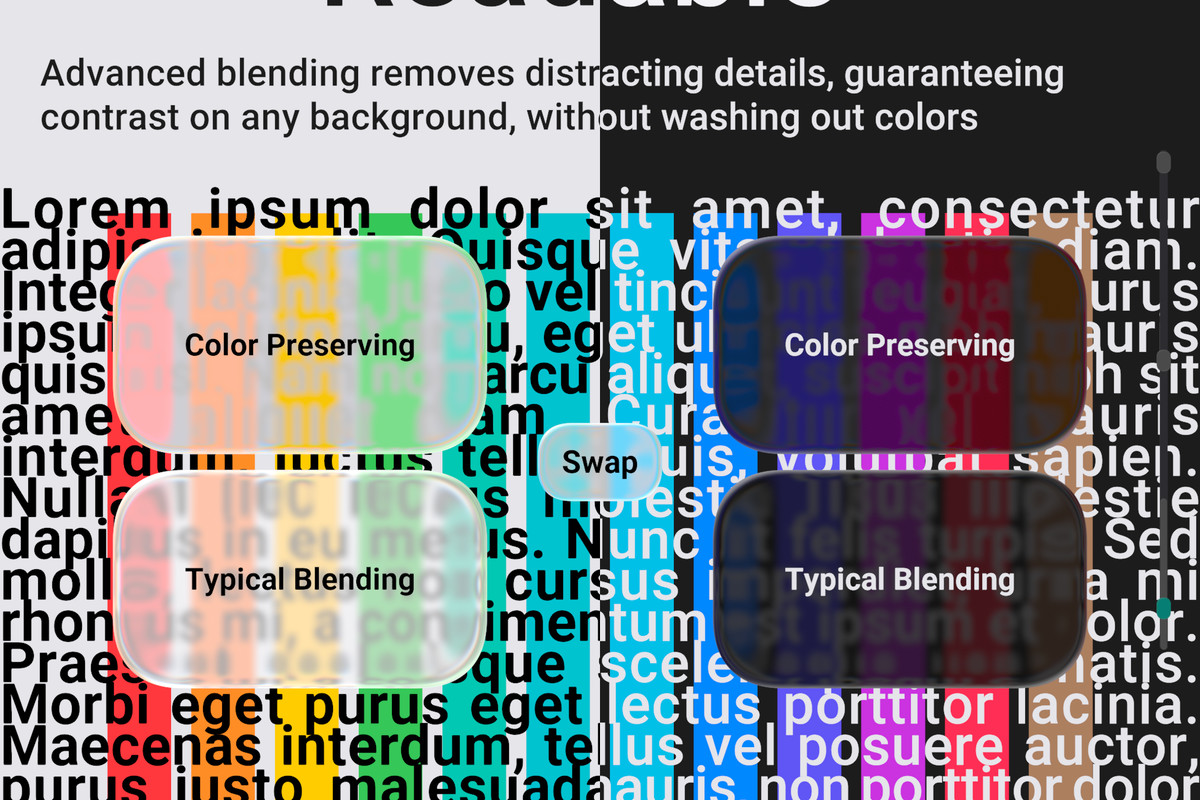
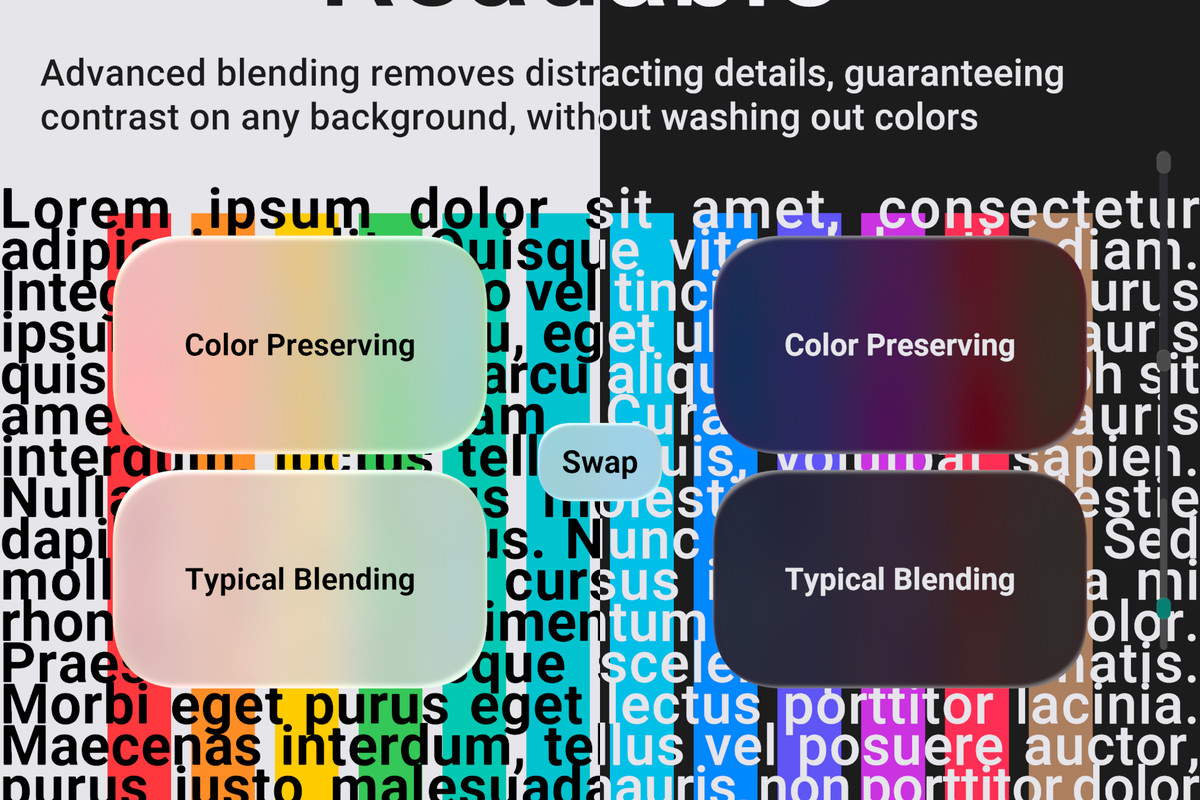
- Advanced, customizable blending ensures sufficient contrast on any background, without washing out background colors.
- Optional procedural UI features with Paraform
More features
- Support normal UI features you expect, like Sliced sprite, Masking, Canvas Group,...
- Support Single Pass Instanced Stereo Rendering
- Maintain similar looks across different resolutions.
- Fully documented, source code included.
- Continuous free updates with new features, and always supporting the latest non-preview Unity release since 2017.
Performance
Translucent Image achieves exceptional performance through a holistic optimization strategy:
- Combine advanced fast blur algorithm with an automatic optimizer that selects the optimal blurring configuration from a single blur strength number. Ensure efficient settings without low-level knowledge.
- Share the same blur texture across many different Images. Or not if you need different blur strengths - just add more Sources.
- Blur only the area of the screen you need, selected automatically by a threaded culling job that stays fast even with many dynamic UIs
- Low-level hook into URP to avoid additional screen copy (Opaque Texture), and allow blurring post-processing effects.
Compatibilities
- Support VR in Single Pass Instanced/Multiview Stereo Rendering mode
- Support the Built-in Render Pipeline
- Support the Universal Render Pipeline in Unity 2021.3+
- URP with the Universal Renderer is fully supported.
- URP with the 2D Renderer is supported in Unity versions that don't have this bug.
- Does not support High Definition Render Pipeline
- Does not support VisionOS
Disclaimer
- Blurring other UIs requires specific setup.
- Usage with world space UI requires specific setup.
- While the asset is much faster than others, blurring can still be demanding on very weak devices, more here.
Have more questions? Feel free to contact me anytime!
🎁 You'll also get 20% off True Shadow with this purchase!
Release Notes
v6.6.2:
- Fix VR support
v6.6.1:
- Support Paraform 1.2.0
v6.6.0:
- Support URP out of the box without manual package import. Requires 2020.3.16+ (patch version matter)
- Improve support for Unity 6000.4
- Improve world space UI demo to be more clear
- Add a convenient button to create new Material in case of source conflict\
- Fix allocation in the render graph path from residual debugging codes
- Tune algorithm to improve quality at the cost of less strength control. This is a temporary workaround. The next version should improve quality and control greatly
- Fix compilation error if the XR module is manually disabled
- Silent some harmless errors and warnings
v6.5.0:
- Add selector to swap between multiple Sources on the same Camera
- Fix multiple sources not working in URP
- Fix editor error when using Source without Config
- Improve URP compatibility in certain configurations
- Fix demo looking incorrect
v6.4.1:
- Fix compilation error in URP
- Fix brightness control not working correctly in gamma space
v6.4.0:
- Finer brightness control at low brightness. You may need to adjust your brightness value to compensate.
- Fix dithering artifacts at high blur level
- Fix dithering being too visible at low brightness
- Fix blur Strength overwriting settings in Advanced mode when not interacted with
v6.3.0:
- Add a shortcut to edit blur strength from Translucent Image
- Small bug fixes
v6.2.1:
- Fix culling not taking Ring Thickness into account
v6.2.0:
- Paraform: Ring Thickness feature lets you create ring-shaped UIs.
v6.1.0:
- Smoother blur
- New blur Modes:
- Performance mode costs the same as before while being a little bit smoother.
- Balanced mode is extra smooth and costs a bit more.
- Balanced is the new default. If you're targeting low-end hardware, consider setting it back to Performance.
- Fix blur quality being unstable at different resolution
- Fix blur strength not staying constant at different screen density and aspects.
This behavior is now configurable, but should not need to be configured in most cases
- Fix heap allocation when using Render Graph
- Fix minor editor issues
v6.0.0:
!! This is a major release indicating breaking changes !!
- New Colorful Background Mode that maintains both background colors and foreground contrasts
- Move appearance properties out of material, improving scripting ergonomic, performance, and batching efficiency
- Fix dark background being slightly brighter than expected
- Improve URP performance. No longer requires CameraColorTexture
- No longer dispatch an empty render pass if no Translucent Images are visible
- Other minors under the hood fixes and improvements
*Migration*
- Use Tools > Translucent Image > Migrate to 6.0 to migrate all material settings in the opened scene
to the corresponding component. Make sure to have a backup.
- Optional: refactor spriteBlending -> foregroundOpacity
- Optional: try the new Colorful Background Mode. Appearance properties will need to be adjusted.
v5.5.0:
- Display Source's strength in Translucent Image's inspector Source picker to easier distinguish multiple Sources on the same Camera
- Fix some inspector values not updating immediately when changing blur config
- Fix nullref when destroying Translucent Images at runtime
- Fix Skip Culling not working in certain situations
- Fix background not working in certain situations
v5.4.1:
- Fix Translucent Images temporarily stop working after undoing material settings
- Fix erroneous error logging
v5.4.0:
- Fix demo scene colors
v5.3.0:
- Fix vertex color, such as from mesh effect shadow and outline, not being applied correctly
v5.2.0:
- Reduce banding
- Improve default settings
- Improve documentation
v5.1.0:
- Increase the minimum supported Unity version to 2020.3 or BiRP and 2021.3 for URP
- New Cull Padding setting to account for UI movement while using limited Update Rate
- Culling now take into account the Camera's viewport
- Support Rect Mask Softness
- Support Canvas feature: Vertex Color Always In Gamma Color Space
- Fix artifact with certain sprites on hdr background
v5.0.2:
- Fix exception in certain cases
v5.0.1:
- Fix exception in certain cases
v5.0.0:
!! This is a major release indicating breaking changes !!
- Culling system minimize GPU usage by only blur part of the screen covered by Translucent Images
- Significant improvement to CPU usage for scenes with a large number of Translucent Images
- Fix Flatten property not working correctly on dark Images
- Update the demo scenes for the Builtin Render Pipeline to be the same as URP
- Simpler API for controlling blur strength
- Improve compatibility with Unity 6
- Other minor fixes and improvements
Breaking changes:
- Appearance properties on Translucent Image is deprecated. Instead, set these values on the material directly
- TranslucentImageSource.Request() is replaced by (Un)RegisterActivePointsProvider() . This is only needed if
you access the blurred texture directly.
- Extensions methods are moved into helper classes to avoid name collision




Basic Information
- Latest Version
- 6.6.2 (03 Apr 2026)
- Publisher
- Tai's Assets
- Category
- Tools/GUI
- Size
- 4.3 MB
- Price
- €22.99
- Asset Rating
- ★ ★ ★ ★ ★ (93)
Extended Information
- Unity Versions
- 2020.3.48, 2021.3.45
- Render Pipelines
- ✔ BIRP ✔ URP
- State
- Published