Unity Recorder
NOTE: The latest Unity Recorder is available in Preview via the Package Manager from Unity 2018.3+. This version here on the Asset Store is not the most recent, it doesn't have the newest features and will eventually be removed.
The Unity Recorder is an Editor-only tool that captures video and animation data during gameplay. It records to various media formats. This Asset Store package is compatible with Unity 2018.1 to 2018.3 but does not contains the last updates.
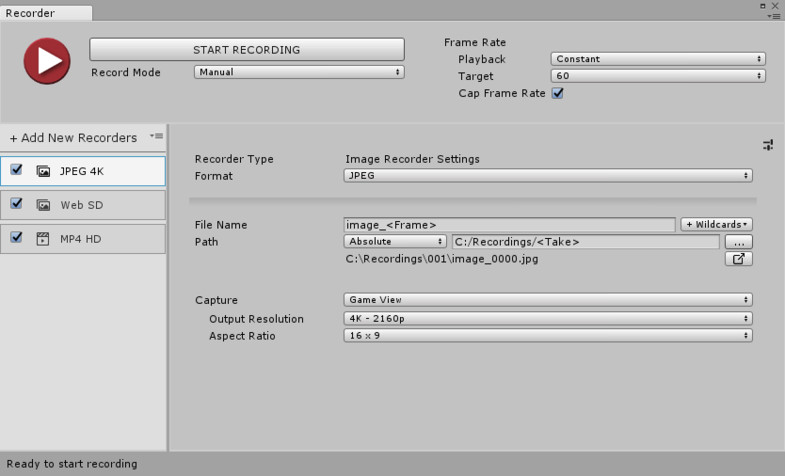
- New UI: A clean view and easy way to manage recordings.
- Presets: Save settings into Preset assets.
- Editor API: Use scripts to trigger recordings. This API is not available in the Unity Player.
- Multiple recordings: Start several recordings at once, and save them in a list for future usage.
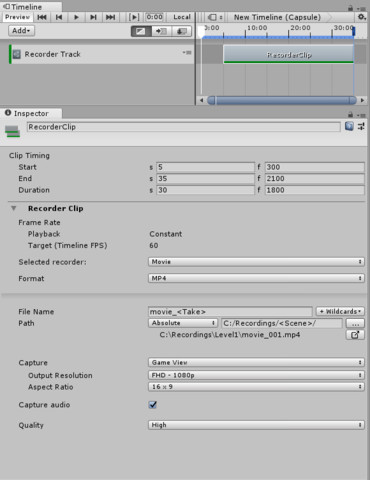
- Record across multiple scenes.
- Record video clips with audio in WebM and MP4.
- Record image sequences in JPEG, PNG and OpenEXR.
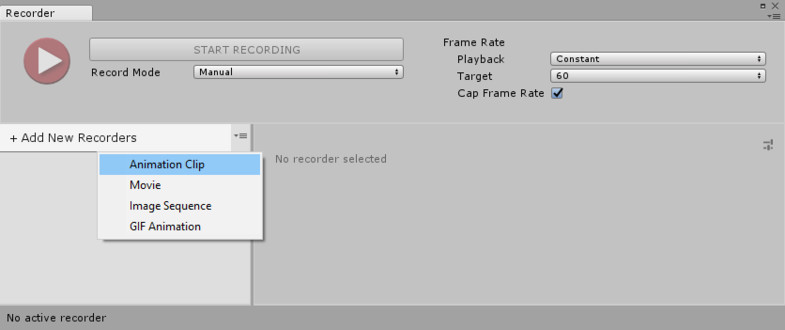
- Record animation clips (.anim) and export them to your favorite DCC applications (via FBX Exporter).
Manual and API Documentation
Please discuss Recorder in the forum
Release Notes
- Ability to use custom resolution and custom aspect ratio - Ability to change/reset the Take value for all recorders - Fixed GameObject reference sometimes resetting to None when in multi-scenes editing - Fixed the Recorder Clip duplication issue - Little improvement for errors reporting in the Recorder Window - Fixed 360 View being too dark when in linear color space - Fixed Flip Vertical making the output darker in linear color space - Fixed frame skipped issue when two or more recorders end at the same frame.


Basic Information
- Latest Version
- 1.0.2 (17 Apr 2019)
- Publisher
- Unity Technologies
- Category
- Essentials
- Size
- 6.4 MB
- Price
- free
- Asset Rating
- ★ ★ ★ ★ ☆ (320)
Extended Information
- Unity Versions
- 2017.1.0, 2018.1.9
- State
- Deprecated