SpaceNavigator Driver
Source code is available on GitHub
If this driver makes you happy or saves you a lot of time/frustration, you can buy me a beer
It operates in 4 modes:
- Fly Fly around your scene.
- Orbit Fly around your objects.
- Telekinesis Move stuff around while your camera stays put.
- GrabMove Take the current selection and fly around with it.
Linux Support in 2.1.0
SpaceNavigator works on Linux. Click here for setup instructions.
What's new in 2.0.0
The driver now communicates directly with the device via Unity's new Input System (simplifies multi-platform support).
This means that it no longer requires the 3DConnexion driver. Which is great, because 3DConnexion has deprecated the SpaceNavigator 😢. Unfortunately it also means that devices other than the SpaceNavigator may not work as well as before, because the 3DConnexion driver used to handle their hardware-specific implementations. YMMV
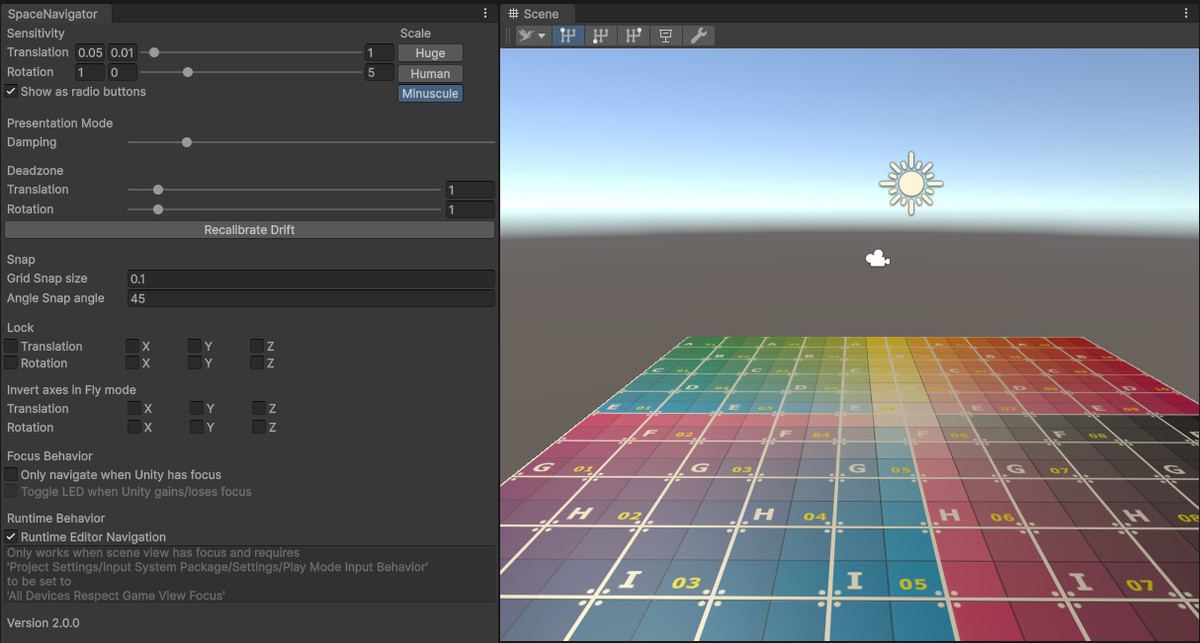
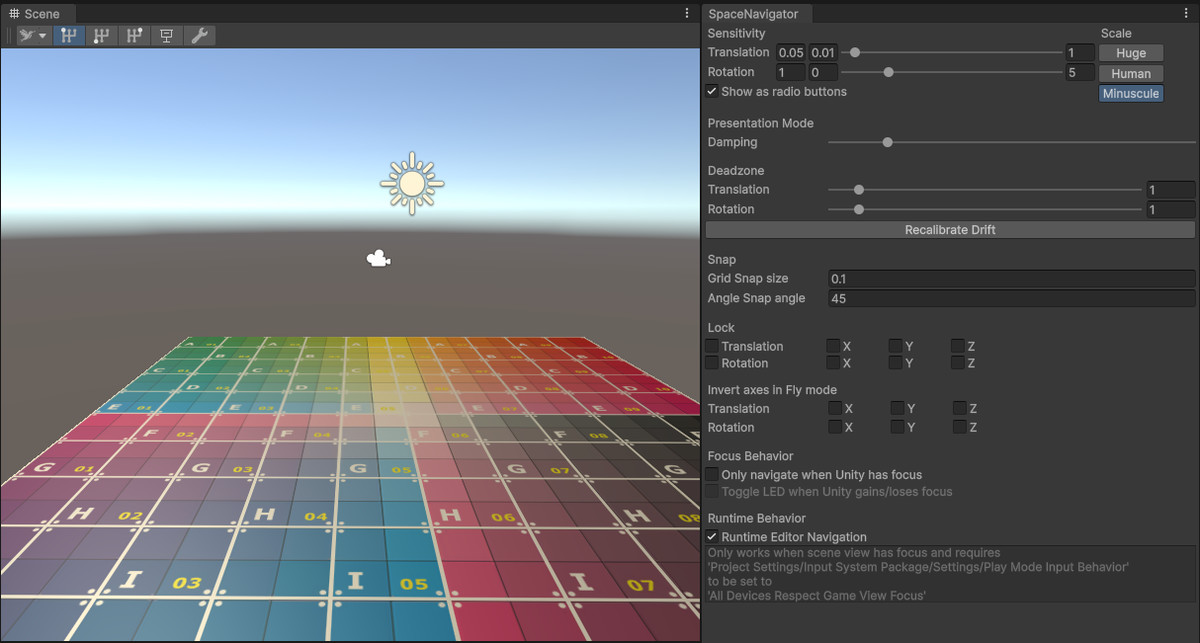
- A new sceneview toolbar for quickly changing modes and speed
- Presentation mode, smooths out the movement so it looks extra professional 😎
- Recalibration button to fix drift
- Option to disable navigation if Unity doesn't have focus (for users who use their device in multiple applications)
- Many fixes, see release notes
Features
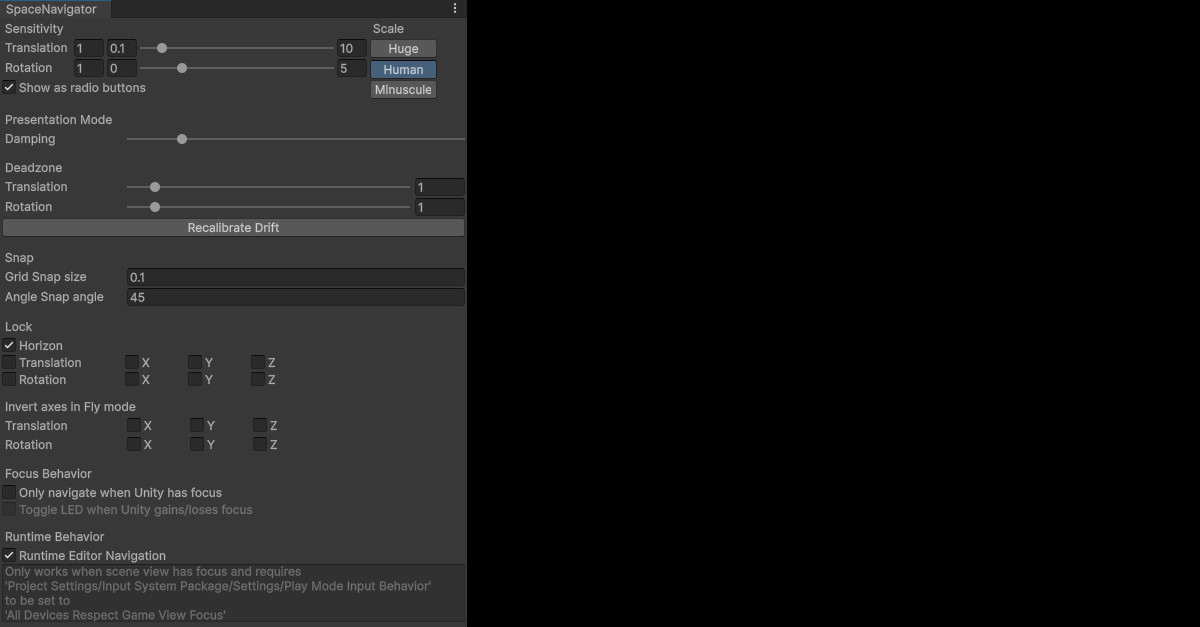
- Horizon locking to avoid going upside-down (optional).
- Grid & angle snapping, translation & rotation locking, sensitivity settings.
- Invert axes to work the way you want them to.
- 3 translation sensitvity presets for easy switching between different scales of navigation.
- Supports both PC and Mac.
Additional info
Please report issues via GitHub
Release Notes
[2.1.0] - 2026-02-04
- Publish to asset store
[2.1.0-pre.2] - 2026-02-04
- Fixed losing connection to spacenavd during domain reload on Linux
- Fixed `DllNotFoundException: libspnav.so.0` error message on Windows
[2.1.0-pre.1] - 2026-01-29
Added
- @AshaTheSorceress added Linux support based on spacenavd and libspnav
- A menu option to retrieve the settings window if it gets positioned outside of the visible desktop
Fixed
- @pfcwuenscher fixed a rotation issue for the Spacemouse Enterprise
- @Jo-Solem fixed an initialization bug for SpaceNavigatorWirelessHID
- Misc. bug fixes
[2.0.0] - 2025-04-30
- Lock mouse cursor while navigating on MacOS (the 3dconnexion driver normally prevents the device from moving the mouse cursor)
- Horizon lock works in telekinesis mode (not in world space though)
- Reenabled coordinate system dropdown in toolbar in telekinesis mode
[2.0.0-pre.14] - 2025-02-18
- Added version number to settings window2.0.0-pre.13
[2.0.0-pre.13] - 2025-01-22
- Applied Jonathan Owen's fixes for SpaceMouse Wireless
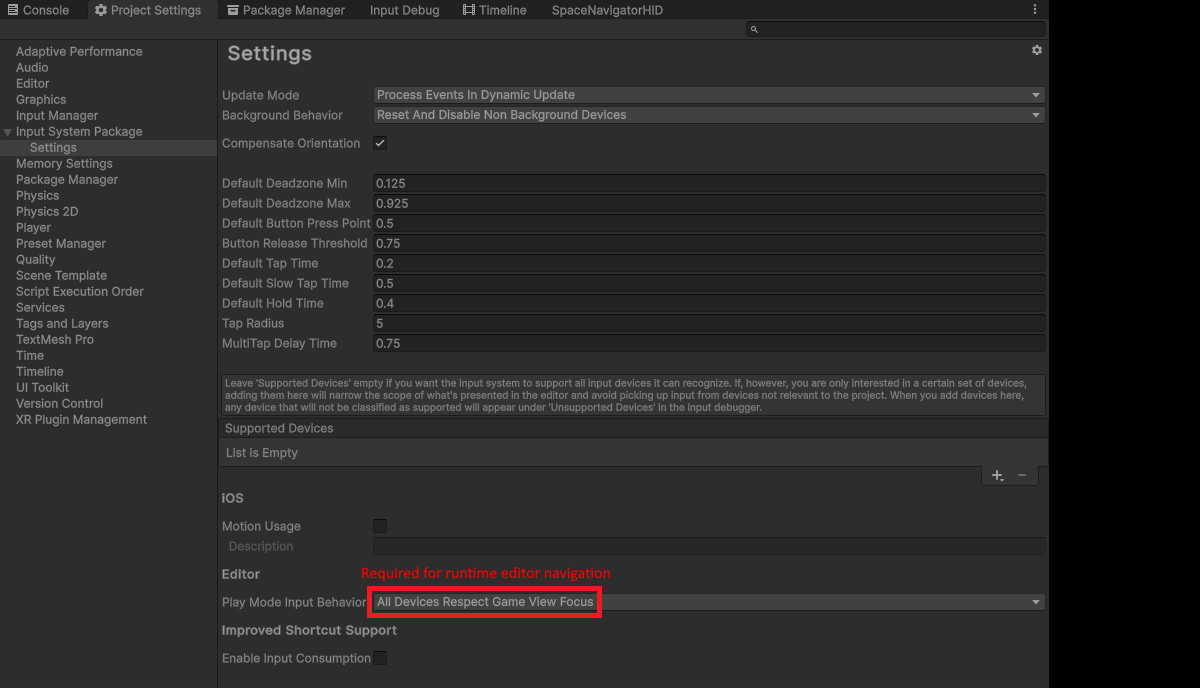
- Added note how to get runtime editor navigation working
- Fixed timer for auto-saving settings
- Fixed more UnityEditor namespace causing errors in build
[2.0.0-pre.12] - 2024-08-18
- Fixed UnityEditor namespace error during player build
[2.0.0-pre.11] - 2024-07-09
- Added editor toolbar : switch mode, speed gear, presentation mode and open settings window
- Cleaned up settings window
- Added option to only navigate when Unity has focus, using PR from Jay Ott
- Added option to toggle led when unity gains/loses focus
[2.0.0-pre.10] - 2024-06-12
- Merged improvement by AJ Campbell which implements framerate independent navigation
- Added a fix for drift + recalibration button
[2.0.0-pre.9] - 2022-08-10
- Merged fix by cpetry to prevent exception when quitting without SpaceNavigator connected
[2.0.0-pre.8] - 2022-08-06
- Merged PR by Stefan Beer which fixes drifting (issue #29, #51)
[2.0.0-beta.7] - 2021-06-29
- Merged PR by krisrok which enables toggling the SpaceNavigator's LED
- Merged PR by Jiapeng Chi which fixes rotation offsets between editor and play mode
[2.0.0-beta.6] - 2021-06-21
- Added separate layout for SpaceNavigator Wireless
- Merged PR by Felix Herbst to match trailing spaces in manufacturer name, fixes Space Pilot Pro and possibly others
[2.0.0-beta.5] - 2021-04-09
- Added Input Device Helper by Felix Herbst, can be used to supply HID descriptor data when reporting issues for unsupported 3dconnexion devices
[2.0.0-beta.4] - 2021-03-15
- Added debug logs
Enable logging by adding SPACENAVIGATOR_DEBUG to Project Settings/Player/Scripting Define Symbols
[2.0.0-beta.3] - 2021-03-14
- Sensitivity settings are applied in editor
- Axis locks are applied in editor
- Excluded ViewportController editor-only code from build
[2.0.0-beta.2] - 2021-03-14
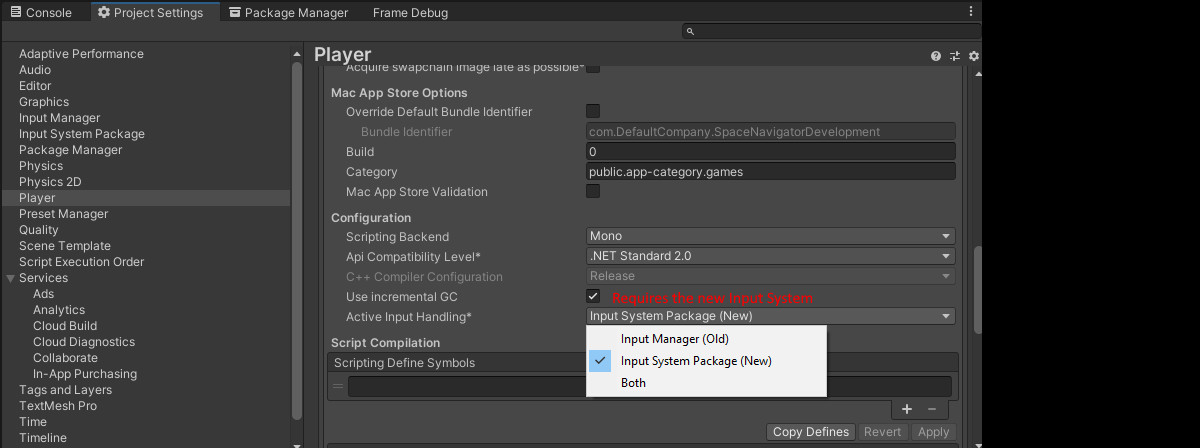
- Added error message when new input system is not active
- Added option to have both input systems active to readme
[2.0.0-beta.1] - 2021-03-10
- Changed git package url in readme to /develop branch for beta release
[2.0.0-alpha.2 to 8] - 2021-03-05 - 2021-03-10
- Package manager + git experiments
- Prepare for beta publishing
[2.0.0-alpha.1] - 2021-03-04
- Refactored driver to work on the new Unity Input System.
- Restructured project as a Unity custom package.
[1.5.2] 2017-01-03
Fixes
- Fixed sceneview camera pos/rot being reset on play/stop.
- Settings are now saved immediately after any modification.
[1.5.1] - 2016-02-28
Fixes
- Merged Stephen Wolter's deadzone fix for drifting on mac.
- Added SpaceNavigatorDriver namespace.
- Renamed a script that was conflicting with another sdk.
[1.5] - 2016-02-10
Features
- Added option to navigate in the editor at runtime.
- Separate axis lock settings for navigation and manipulation modes.
- Autosave settings every 30 seconds.
Fixes
- Fixed horizon lock, coord sys and snap setting not being saved.
- Refactored driver settings.
[1.4.1] - 2016-01-05
- Fixed drift on Mac (contributed by Enrico Tuttobene)
[1.4] - 2015-05-03
- Driver works without having the editor window open.
- Fixed inverted yaw axis on PC.
- Tweaked sensitivity scale of PC and Mac implementations.
- Fixed errors in Follow Curve sample in Unity 5.
[1.3.3] - 2015-04-10
- Mac support.
- Added XCode project for Mac 3DConnexionWrapper (see github).
- Fixed incorrect default sensitivity presets.
- Added scroll bars to editor window.
- Lined up checkboxes in editor window.

Basic Information
- Latest Version
- 2.1.0 (05 Feb 2026)
- Publisher
- Patrick Hogenboom
- Category
- Tools/Utilities
- Size
- 1.2 MB
- Price
- free
- Asset Rating
- ★ ★ ★ ★ ★ (228)
Extended Information
- Unity Versions
- 2023.2.16
- Render Pipelines
- ✔ BIRP ✔ URP ✔ HDRP
- State
- Published